7 Frequently Asked Questions (FAQ)
34
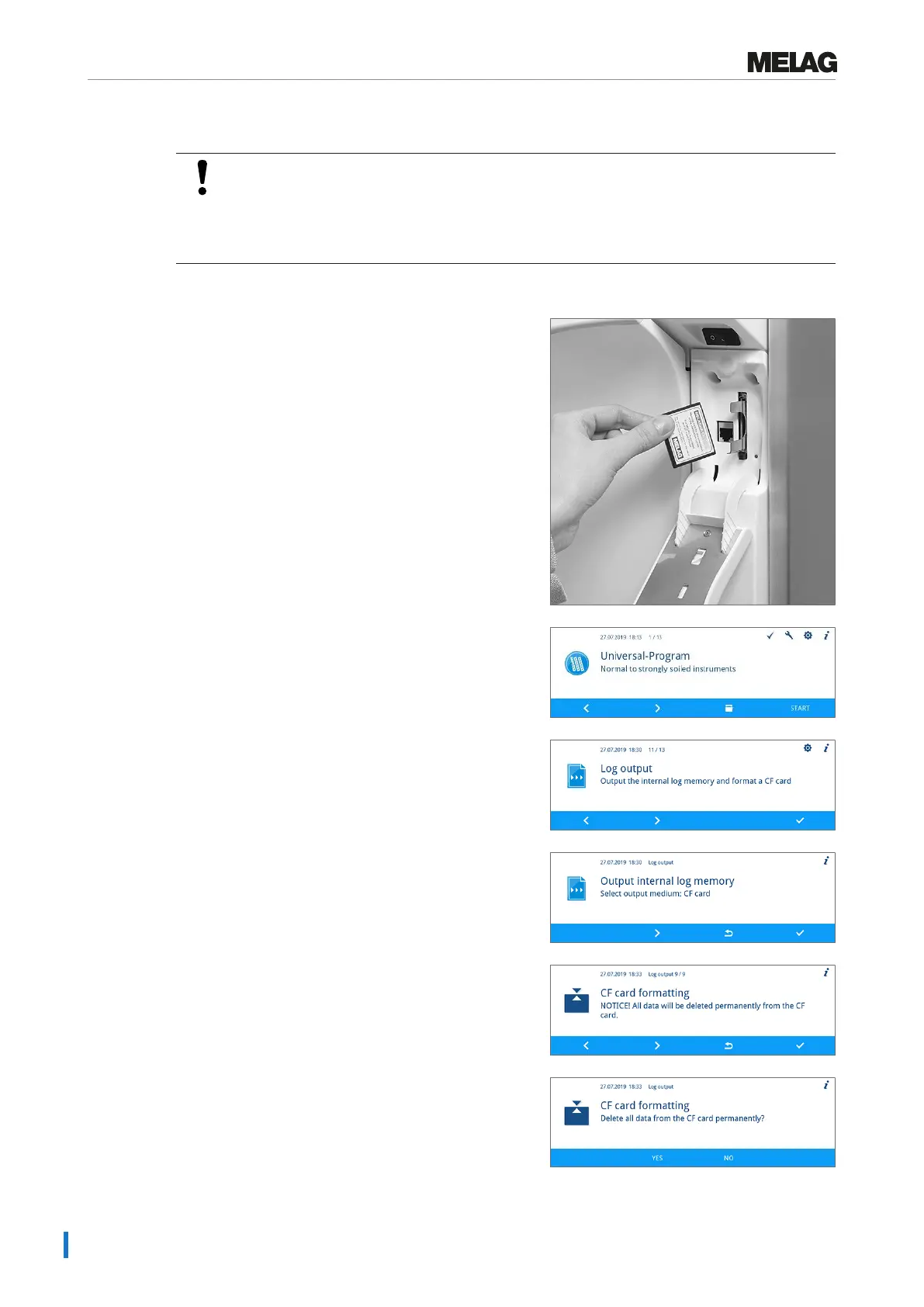
How to format a CF card in the device?
NOTICE
All data saved on the CF card is deleted during formatting.
n Check whether important data is stored on the CF card.
n Save any logs or other data on the computer or another memory medium.
Format the CF card as follows:
1. Insert the CF card in the card slot correctly (tangible
raised bar on the edge pointing towards the display).
Do not use force.
2. Working in the main menu, press the FORWARD or
BACK key until the Log output menu is displayed.
3. Press the CONFIRM key to open the menu.
4. Press the CONFIRM key again and then the
FORWARD key until CF card formatting is
displayed.
5. Press the CONFIRM key to perform formatting. All the
data saved on the CF card will be deleted.
6. Press the YES key to start the formatting.


 To Next Page