6 Settings
30
PLEASE NOTE
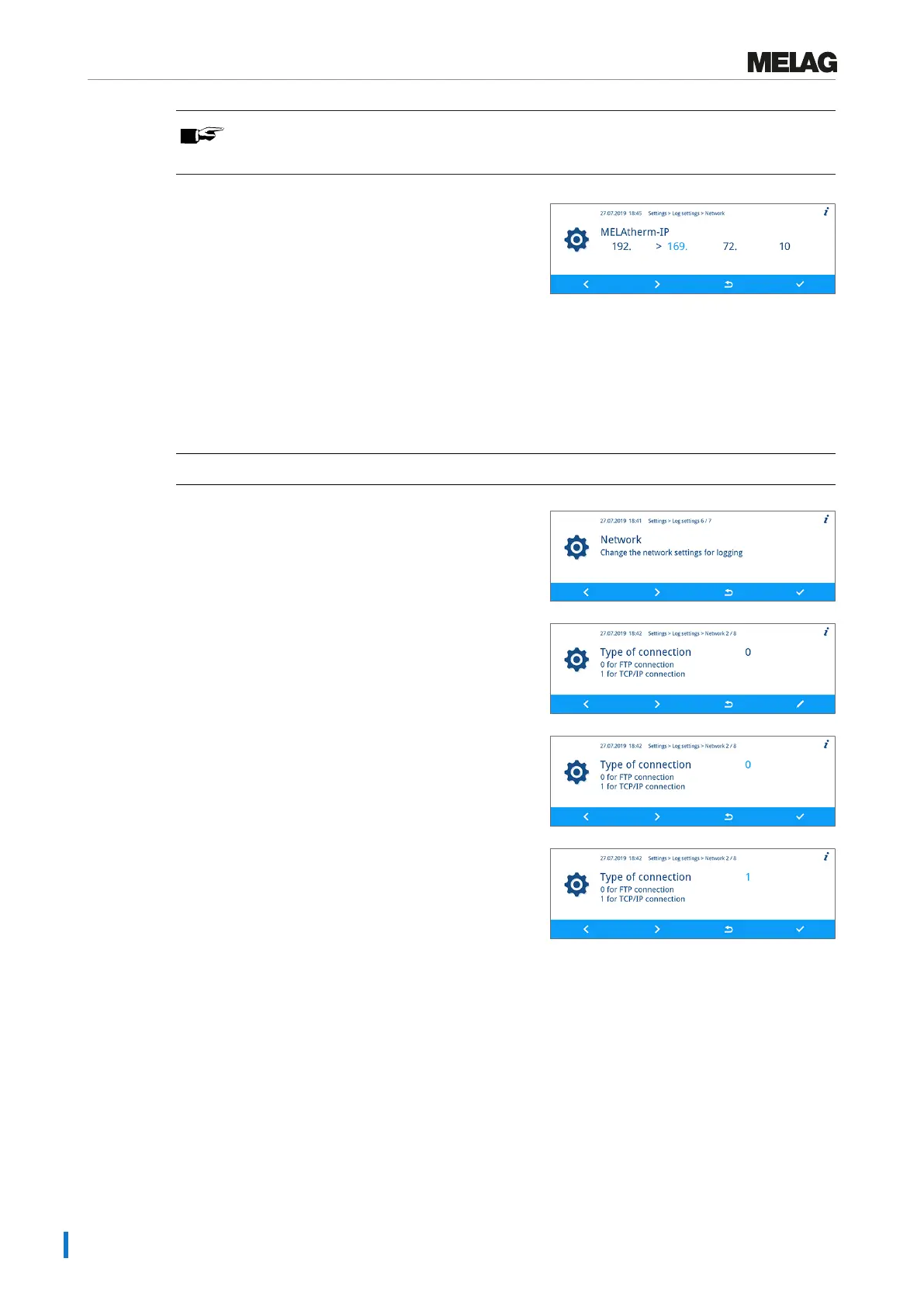
Holding the FORWARD or BACK key pressed accelerates the increase or decrease.
6. Press the CONFIRM key to accept the change.
7. Repeat steps 3 to 6, to change further digits of the
IP.
Selecting the connection via FTP or TCP
Connection via FTP
ü
The Settings > Log settings > Network menu is displayed.
1. Press the FORWARD or BACK key until the Type of
connection window is displayed.
2. Press the EDIT key.
3. Press the FORWARD or BACK key to change between
0 for FTP and 1 (TCP/IP).
4. Press the CONFIRM key to accept the change.


 To Next Page