7 Frequently Asked Questions (FAQ)
37
What do the terms IP address, subnetwork and DHCP mean?
Term Meaning
IP address The IP address is a identifier of the computer or device expressed in numbers
in a network. It serves to identify the computer or device with four number
blocks (e.g. 192.168.88.8).
Subnetwork Every IP address is divided into a network and a device (host) section. The
division is performed via the subnetwork mask (also: subnet/sub-net mask).
The network section of the IP addresses must be identical so that the devices
can communicate with each other. With a network entry mask = 255.255.255.0
(the most often) the first three numbers (e.g. 192.168.88.x) must be the same.
The device part of the IP address is assigned individually and only once. The
first (network itself) and the highest (broadcast) device address may not be
issued.
DHCP The IP addresses are automatically issued in a computer network via DHCP
(=Dynamic Host Configuration Protocol) i.e. the IP addresses need not be
entered manually in every device in the network. The precondition is the
presence of a DHCP server in a network.
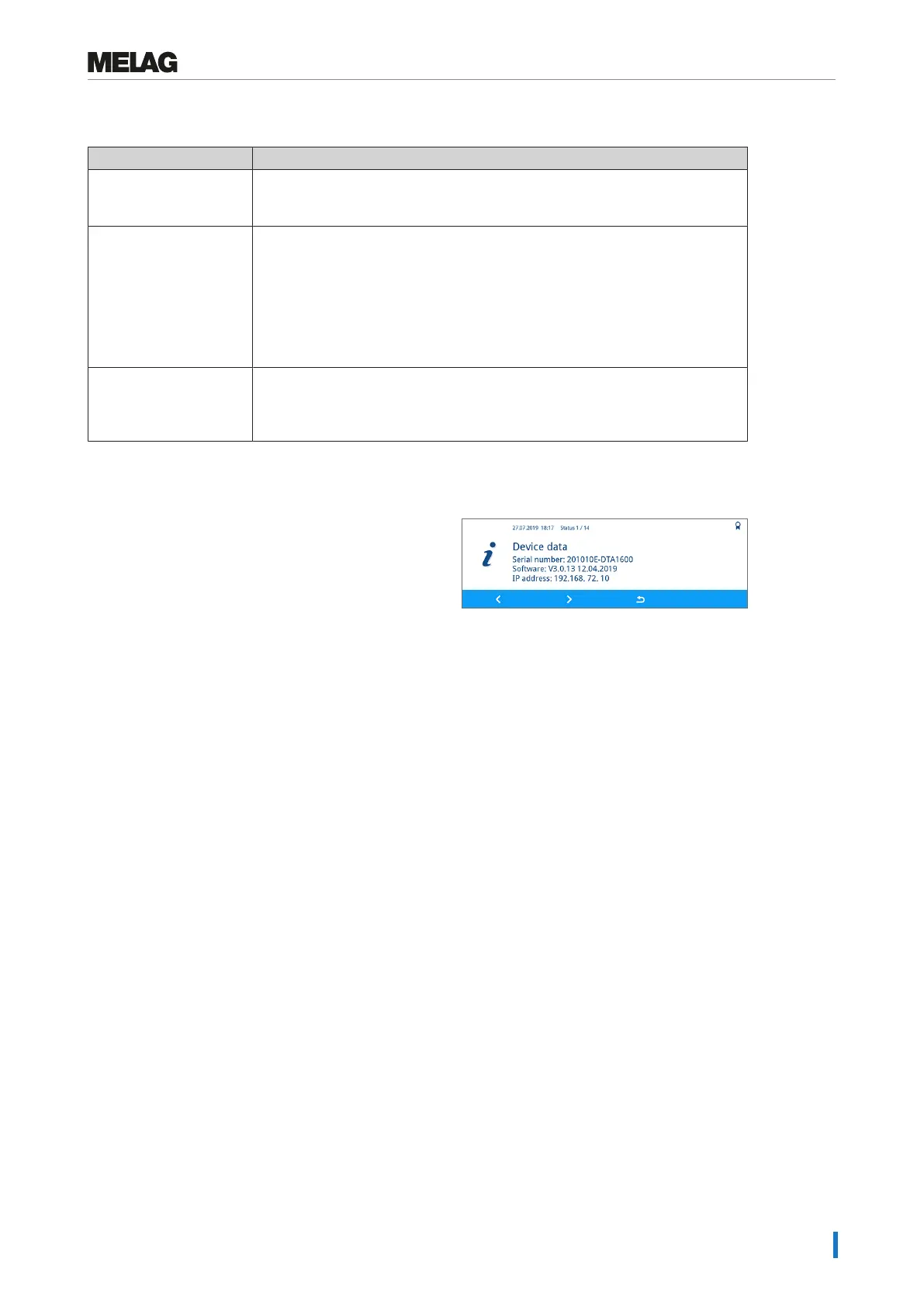
How to determine the software version of the device?
1. Press the STATUS key in the context menu in order to
open the Status menu.
Ê The Status 1 / 14 window shows the
device software.
2. Press the FORWARD or BACK key to display more
device data.


 To Next Page