9
CONNECTION
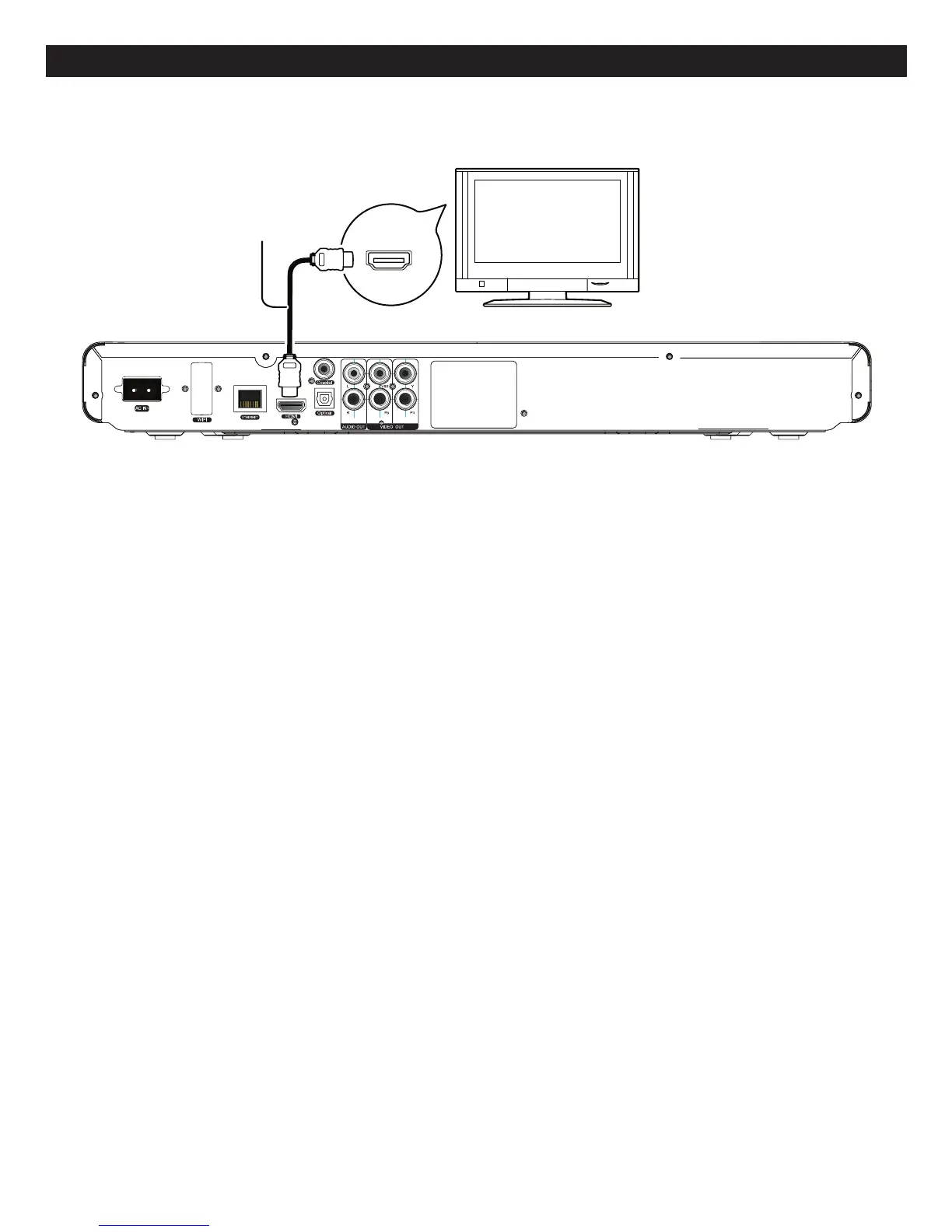
Back of the unit
HDMI IN
HDMI
compatible
television
HD
(not included)
MI cable
CONNECTINGTHEPLAYERTOATVUSINGTHEHDMIOUTPUTJACK
NOTES:
• IfyourTVhasanHDMIinput,connecttheplayerwiththeHDMIcableforbestresults,otherwiseusetheComponentor
VideoOUTjackontheplayer.
• SettheTV’sTV/VIDEObuttonorswitchtotheVIDEOsetting.
• WhenconnectingthePlayer,refertotheowner’smanualoftheTV,aswellasthismanual.
• When connecting the Player to the TV, make sure the power is off and both units are unplugged before making any
connections.
• ConnecttheplayertoyourTVdirectly.Ifyouconnecttheplayerthrougha VCR,the playbackpicturewillbedistorted
becausevideodiscsarecopyprotected.
• AfterconnectingtotheHDMIjacks,settheDisplayandAudiooptionsasshownonpages32-34.
• AfterdetectingthattheHDMIjackhasbeenconnected,theunitwillusetheHDMIjacktooutputvideosignalautomatically.
• IfconnectingtoaReceiverandTVthathaveanHDMIjack,pleaseseepage12.
• DependingonyourTV,someHDMIresolutionsmaynotwork.
• NOTE:StreamingservicesrequiretheuseofanHDMIconnection.



 To Next Page