24
BD/DVDOPERATION(CONTINUED)
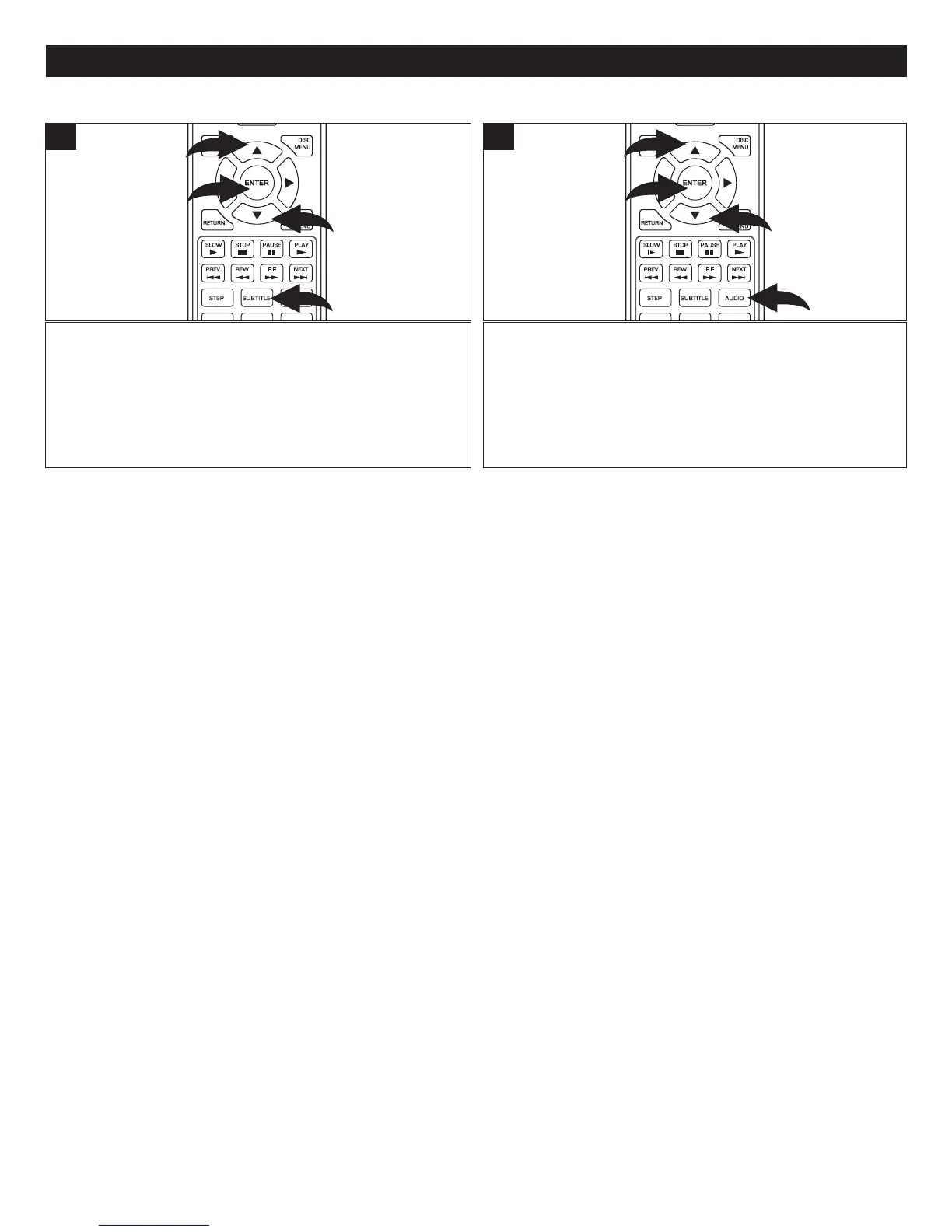
PresstheSUBTITLEbutton1 andtheSubtitleoptionswill
appear. SelectSubtitleusingtheNavigation(π,†) buttons
2 andthenpresstheENTER button 3.Selectthedesired
subtitle language (or select Off for no subtitles) using the
Navigation (π,†) buttons 2 and then press the ENTER
button 3.
Thisfeatureisnotavailableonalldiscs.
SUBTITLE
AUDIO
STEP
SLOW STO P
REW
PREV.
F.F
NEXT
PAUSE
PLAY
DISC
MENU
RETU RN
POP- UP
MENU
SEARCH
OPEN
/
CLOSE
A
B
C
D
HOME/SETUP
ANGLE
DISPLAY
2
3
1
2
1
SUBTITLE
Press the AUDIO button 1 and the Audio options will
appear. Select Audio using the Navigation (π,†) buttons
2 andthenpresstheENTER button 3.Selectthedesired
language using theNavigation (π,†) buttons 2 and then
presstheENTER button 3.
Thisfeatureisnotavailableonalldiscs.
SUBTITLE
AUDIO
STEP
SLOW STO P
REW
PREV.
F.F
NEXT
PAUSE
PLAY
DISC
MENU
RETU RN
POP- UP
MENU
SEARCH
OPEN
/
CLOSE
A
B
C
D
HOME/SETUP
ANGLE
DISPLAY
2
3
1
2
1
AUDIO



 To Next Page