44
UPDATING THE FIRMWARE
UPDATINGTHEFIRMWARE
FollowthesestepstoupdatetheFirmware:
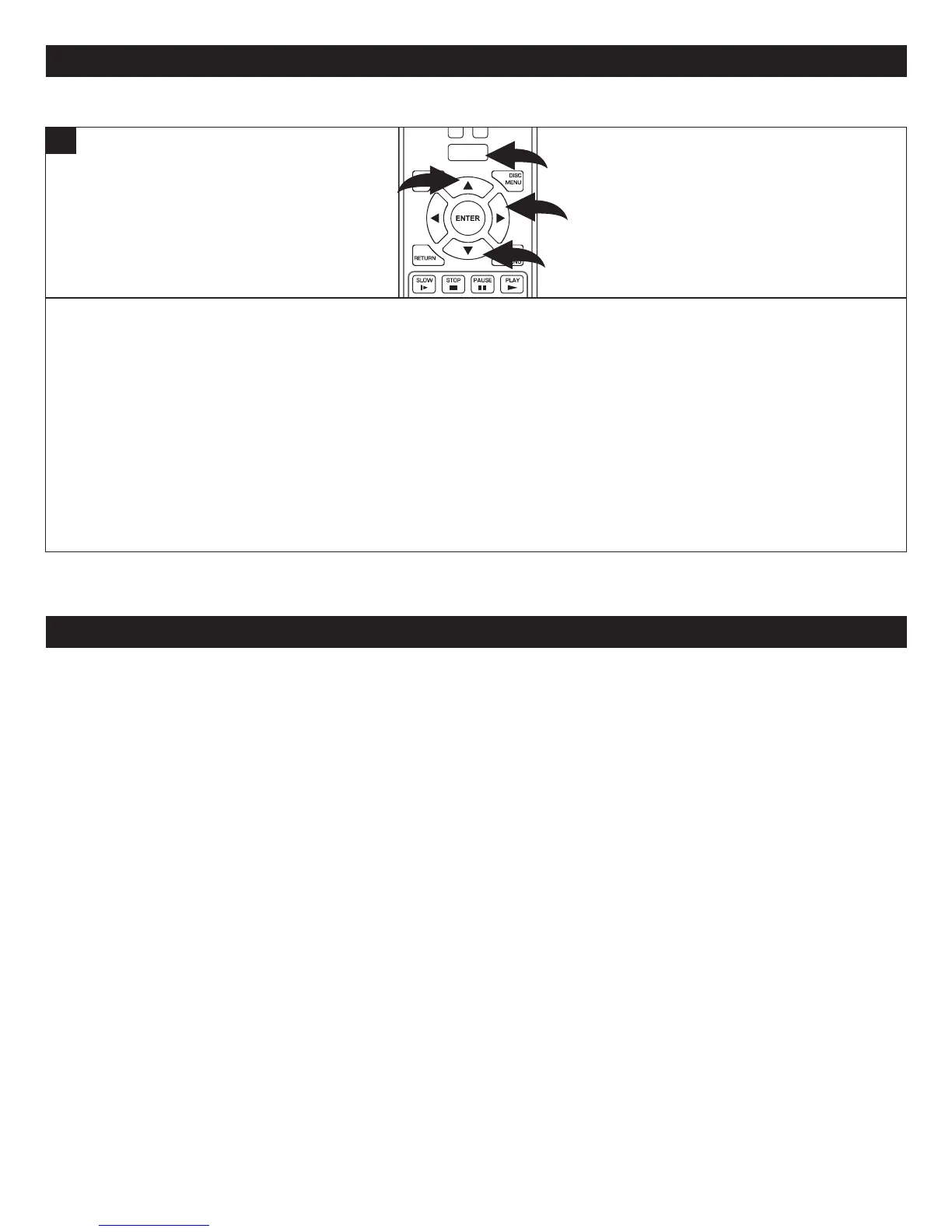
1. ToentertheSystemSetupmenu,whilenodiscisinsertedordiscisintheStopmode,presstheHOME/SETUPbutton,
selectSettingsusingtheNavigation(π,†)buttonsandthenpresstheNavigation(®) button.
2. SelectSystemusingtheNavigation(π,†)buttonsandthenpresstheNavigation(®) button.
3. Ifconnectedtotheinternet,selectUpdateViaNetworkusingtheNavigation(π,†)buttons,thenpresstheNavigation
(®)button.Theunitwillthenlookforfirmwareupdatesthatwillimproveperformanceoraddfeaturestoyourunit.Start
thefirmwareupdateprocessbypressingtheENTERbutton.
4. Youmayalsodownloadafirmwareupgradefromthesupportlinkatwww.memorex.comtoyourPC.Theneitherburnthe
ISOimagetoaCD-RdiscorcopytoaUSBFlashdrive.InserteithertheCD-RorFlashdriveintotheplayerandyouwill
bepromptedtoperformthefirmwareupgrade.
USINGTHEAPPLICATIONS(CONTINUED)
Pleasemakesurethefollowingcriteriaismet:
1.NodiscisinsertedordiscisintheStopmode
2.Theunitisconnectedtotheinternet(seepages39-40)
3.YouaresignedupforBlockbuster(oryoucansignuponlineorviathisunit)
PresstheHOME/SETUPbutton1,orselectConnectedusingtheNavigation(π,†) buttons 2andthenpresstheNavigation
(®) button 3.
SelectBlockbusterusingtheNavigation(π,†) buttons 2andthenpresstheNavigation(®) button 3.
Activateyouraccountandthenenjoyyourmovies/shows!
NOTE:VideoStreamingservicesrequiretheuseofanHDMIconnection.
Manyofthebuttons(Skip,SearchReverse/Foward,Stop,PlayandPause)willworkwiththeseapplications.Youcanalso
presstheHOME/SETUPbuttontoreturntotheHomescreen.
NOTE:OnlyHDMIoutputisavailablewhenBlockbusterfunctionisinuse.
POWER
CLEAR
SUBTITLE
AUDIO
STEP
RANDOM
SLOW STOP
PAUSE
PLAY
DISC
MENU
RETU RN
POP- UP
MENU
HOME/SETUP
DISPLAY
2
2
3
1
1
BLOCKBUSTER



 To Next Page