27
CDOPERATION(CONTINUED)
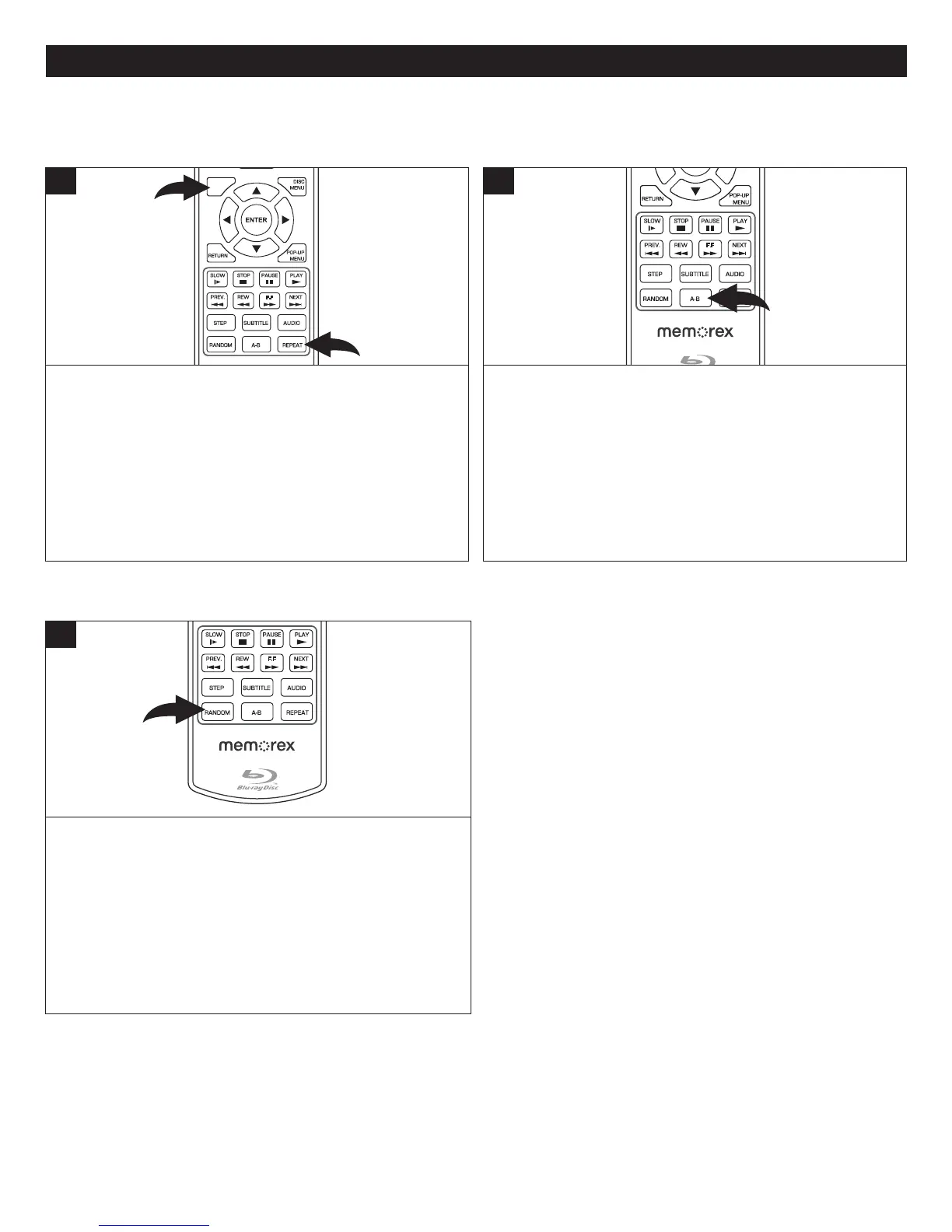
While in the Playback mode, press the REPEAT button
1 once; the Repeat icon will appear on the screen for a
few seconds and the currently playing Track will repeat
continuously.PresstheREPEAT button 1a secondtime;
the Repeat All icon will appear on the screen for a few
secondsandthediscwillrepeat.PresstheREPEATbutton
1oncemoretocancelallRepeatmodes.
PresstheDisplaybutton 2tocheckthestatusoftheRepeat
function.
SUBT ITLE
AUDI O
STEP
RAND OM
SLOW STOP
REW
PREV.
F.F
NEXT
PAUSE
PLAY
A-B
REPE AT
DISC
MENU
RETURN
POP-UP
MENU
SEAR CH
OPEN
/
CLOSE
A
B
C
D
HOME/SETUP
ANGLE
DISPLAY
2
1
1
REPEATPLAYBACK
WhileinthePlaybackmode,presstheRepeatA-Bbuttonto
definewhereyouwantthesectiontostart.PresstheRepeat
A-Bbuttonagaintodefinewhereyouwouldlikethesection
toend;theunitwillthenplaytheselectedareacontinuously.
Press the Repeat A-B button again to cancel A-B Repeat
mode.
SUBTITLE
AUDIO
STEP
RANDOM
SLOW STOP
REW
PREV.
F.F
NEXT
PAUSE
PLAY
A-B
REPEAT
RETU RN
POP- UP
MENU
SEARCH
OPEN
/
CLOSE
A
B
C
D
HOME/SETUP
ANGLE
DISPLAY
TV RES.
1
A-BREPEATPLAYBACK
WhileplayingbackaCD,thisunitcanrepeatedlyplayback
a specific section.
PresstheRANDOMbuttonrepeatedlyasfollows:
1stPress: RandomlyplaytheCD.
2ndPress: CanceltheRandomfunction.
NOTE:WhiletheRandommodeisactivated,the playback
willberepeatedcontinuously.IfyoupresstheRepeatbutton,
itwillbecomeRepeatOne.
SUBTITLE
AUDIO
STEP
RANDOM
SLOW STOP
REW
PREV.
F.F
NEXT
PAUSE
PLAY
A-B
REPEAT
DISC
MENU
RETU RN
POP- UP
MENU
SEARCH
OPEN
/
CLOSE
A
B
C
D
HOME/SETUP
ANGLE
DISPLAY
TV RES.
1
RANDOM



 To Next Page