36
SETUPMENU(CONTINUED)
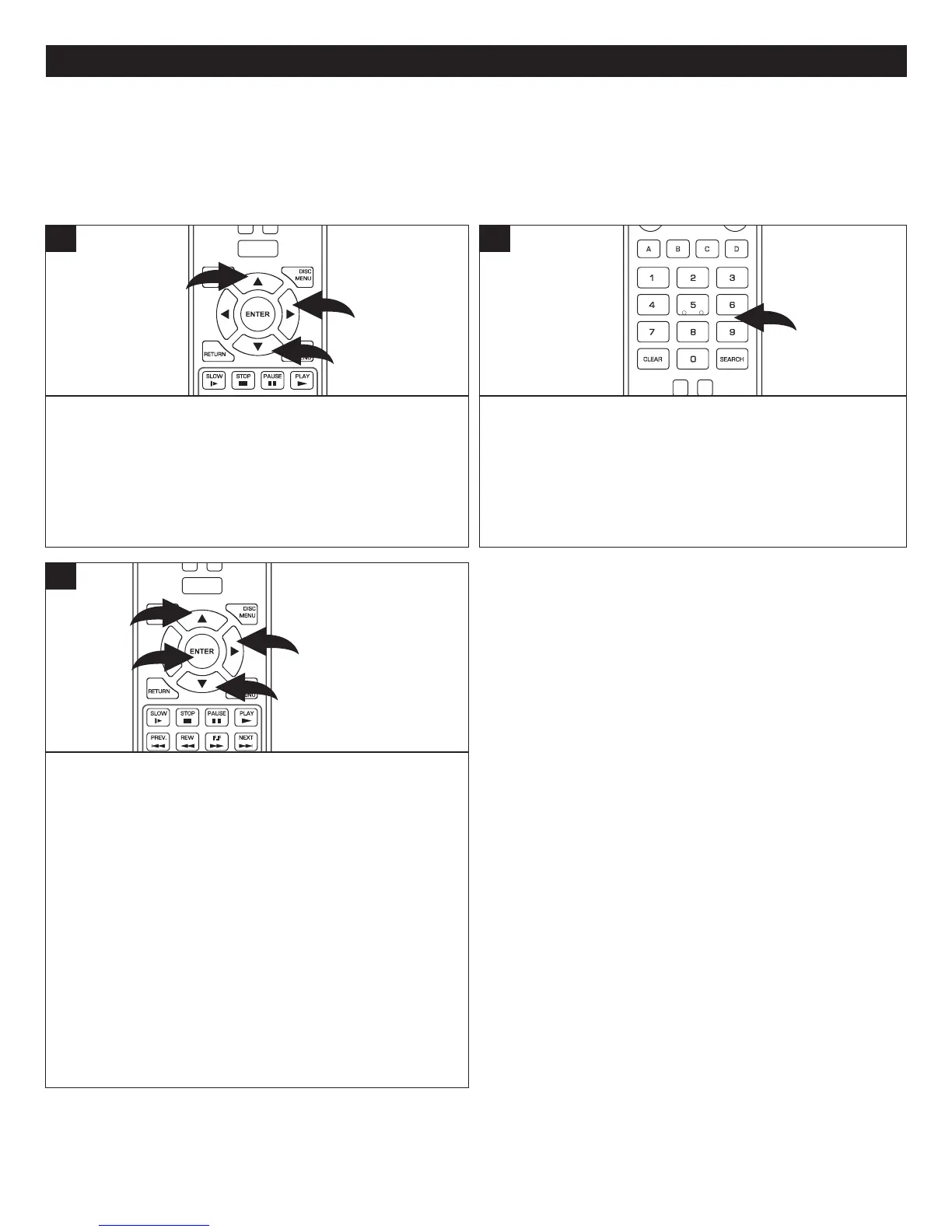
Whilein theParental Setup menu,select ParentalControl
using the Navigation (π,†) buttons 1, then press the
Navigation(®) button 2 to enter.
POWER
CLEAR
SUBTITLE
AUDIO
STEP
RANDOM
SLOW STO P
PAUSE
PLAY
DISC
MENU
RETU RN
POP- UP
MENU
HOME/SETUP
DISPLAY
1
2
1
1
AtthePasswordpop-upscreen,enterthefourdigitpassword
usingtheNumberbuttons.Thedefaultpasswordis“0000”,
but it can be changed as per the instructions on the next
page.
CLEAR
SUBTITLE
AUDIO
STEP
RANDOM
SLOW STO P
REW
PREV.
F.F
NEXT
PAUSE
PLAY
A-B
REPEAT
DISC
MENU
RETU RN
POP- UP
MENU
SEARCH
A
B
C
D
ANGLE
TV RES.
2
SETTINGTHEPARENTALCONTROLOPTIONS
Select Parental Level using the Navigation (π,†) buttons
1,thenpresstheNavigation(®) button 2 to enter.
Using the Navigation (π,†) buttons 1, select the desired
ratinglevelforthedisc.SelectOFFtopermitallmovies.For
example,if you select “R”, discs that are level NC-17 and
Adultwillnotplay.
KIDSAFE:Suitableforallchildren
G:GeneralAudiences
PG:ParentalGuidancesuggested
PG-13:ParentalGuidanceforchildrenunder13yearsold
PG-R:Under17yearsold,ParentalGuidancesuggested
R:Under17yearsold,ParentalGuidancestronglysuggested
NC-17:17yearsandolder
ADULT:Adultsonly
Whendone,presstheENTERbutton3.
POWER
CLEAR
SUBTITLE
AUDIO
STEP
RANDOM
SLOW STO P
REW
PREV.
F.F
NEXT
PAUSE
PLAY
DISC
MENU
RETU RN
POP- UP
MENU
HOME/SETUP
DISPLAY
1
3
2
1
3
1. KidSafe
2. G
3. PG
4. PG-13
5. PG-R
6. R
7. NC-17
8. ADULT
PARENTALSETUPMENU:
ToentertheParentalSetupmenu,whilenodiscisinsertedordiscisintheStopmode,ifnotalreadyattheSetupscreenpress
theHOME/SETUPbutton,select Settingsusingthe Navigation(π,†)buttons andthenpress theNavigation(®) button.
SelectParentalusingtheNavigation(π,†)buttonsandthenpresstheNavigation(®) button.
NOTE: Not all Blu-ray discs respect the Parental Control
settingthatisimplementedinthePlayer.Forexample,some
R-ratedmoviesmayplayeventhoughtheParentalControls
are set to permit only G- or lower-rated movies. This is a
choicemadebythemanufacturerthatcreatedtheBlu-raydisc
itselfanddoesnotreflectanincorrectsettinginthePlayer.



 To Next Page