18
BASICOPERATION
IMPORTANT:
When“ ”appearswhilepressingabutton,thismeansthatthecorrespondingfunction
cannotbeperformedeitheronthediscinserted,orintheselectedmode.
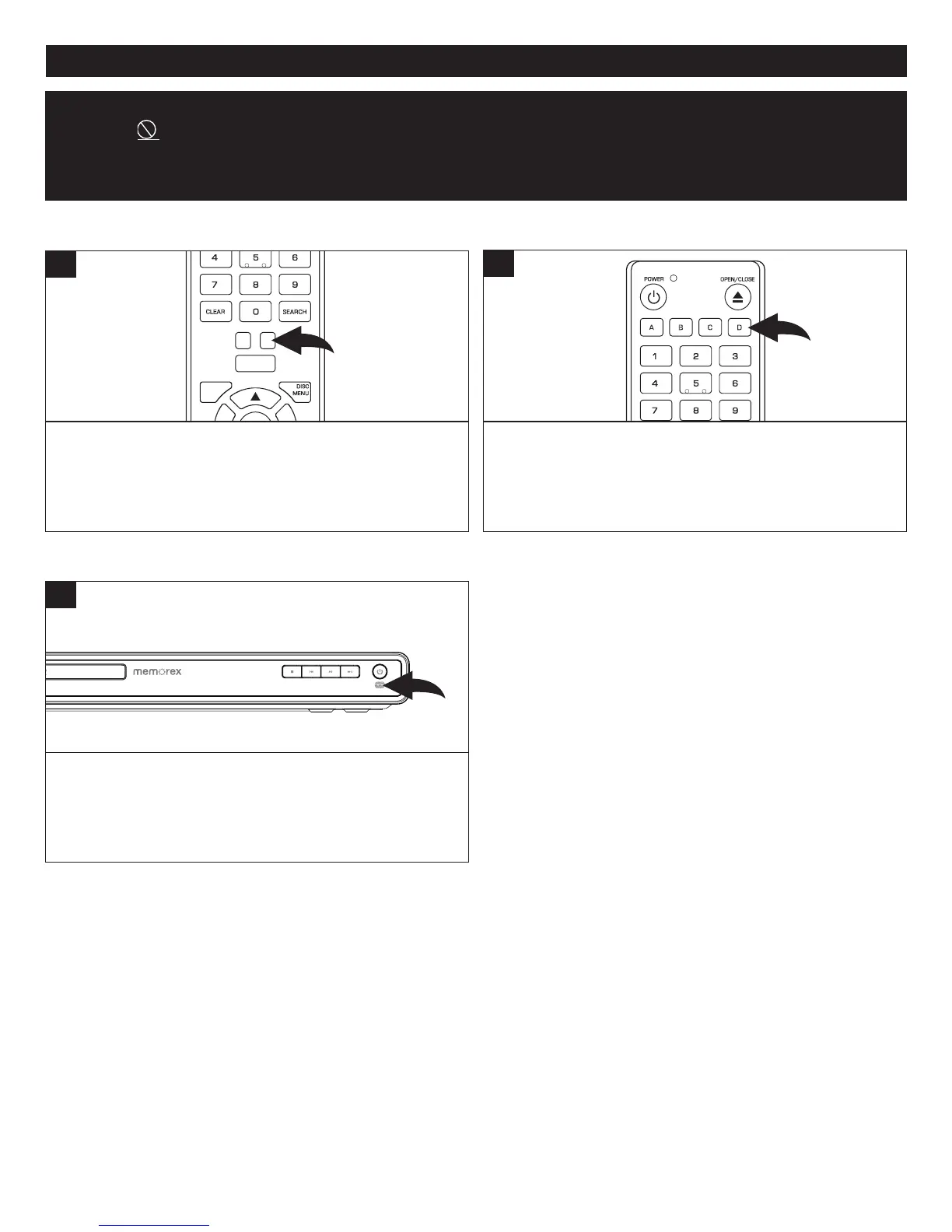
TVRESBUTTON
IMPORTANTNOTES:
• Afterpluggingin,theunitwillbeintheStandbymodeandthePowerindicatorwillbeoff.PressthePowerbuttontoturn
ontheunit;thePowerbuttonlightwillnowbeyellow.Loadingwilltakeabout30seconds.
• Alwaysholdthediscwithouttouchingeitherofitssurfaces.Wheninsertingadisc,positionitwiththeprintedtitlesidefacing
up,alignitwiththeguidesandplaceitinitsproperposition.
• Itisimportantthatyoureadthemanualthataccompaniesthediscastherearefeaturesthatareonthisplayerthatcannot
beusedwithcertaindiscs.Therearealsoextrafeaturesthataredifferentforeachdisc,sotheyarenotexplainedinthis
owner’smanual.
When connected via the HDMI cable, press the TV RES
buttonrepeatedlytochangetheresolutionofthescreen.
NOTE:TheTVRESButtonworksatSETUPmenuonly.
CLEAR
SUBTITLE
AUDIO
STEP
RANDOM
SLOW STO P
REW
PREV.
F.F
NEXT
PAUSE
PLAY
A-B
REPEAT
DISC
MENU
SEARCH
HOME/SETUP
ANGLE
DISPLAY
TV RES.
1
COLORBUTTONS
These buttons are used as shortcuts for some on-screen
items when viewing Blu-ray discs (can also be used for
BD-Live’sJavainteractive operations).Thesebuttonsmay
notworkwithalldiscs.
POWER
CLEAR
SUBTITLE
AUDIO
STEP
RANDOM
SLOW STO P
REW
PREV.
F.F
NEXT
PAUSE
PLAY
A-B
REPEAT
DISC
MENU
RETU RN
POP- UP
MENU
SEARCH
OPEN
/
CLOSE
A
B
C
D
HOME/SETUP
ANGLE
DISPLAY
TV RES.
1
NETWORKINDICATOR
When connected to the Netflix, Pandora or Blockbuster
services,theNetworkindicatorwilllighton.
1



 To Next Page