32
SETUPMENU
DISPLAYSETUPMENU:
ToentertheDisplaySetupmenu,whilenodiscisinsertedordiscisintheStopmode,ifnotalreadyattheSetupscreenpress
theHOME/SETUPbutton,selectSettingsusingtheNavigation(π,†)buttonsandthenpresstheNavigation(®) button.
SelectDisplayusingtheNavigation(π,†)buttonsandthenpresstheNavigation(®) button.
NAVIGATINGTHEMENUS:
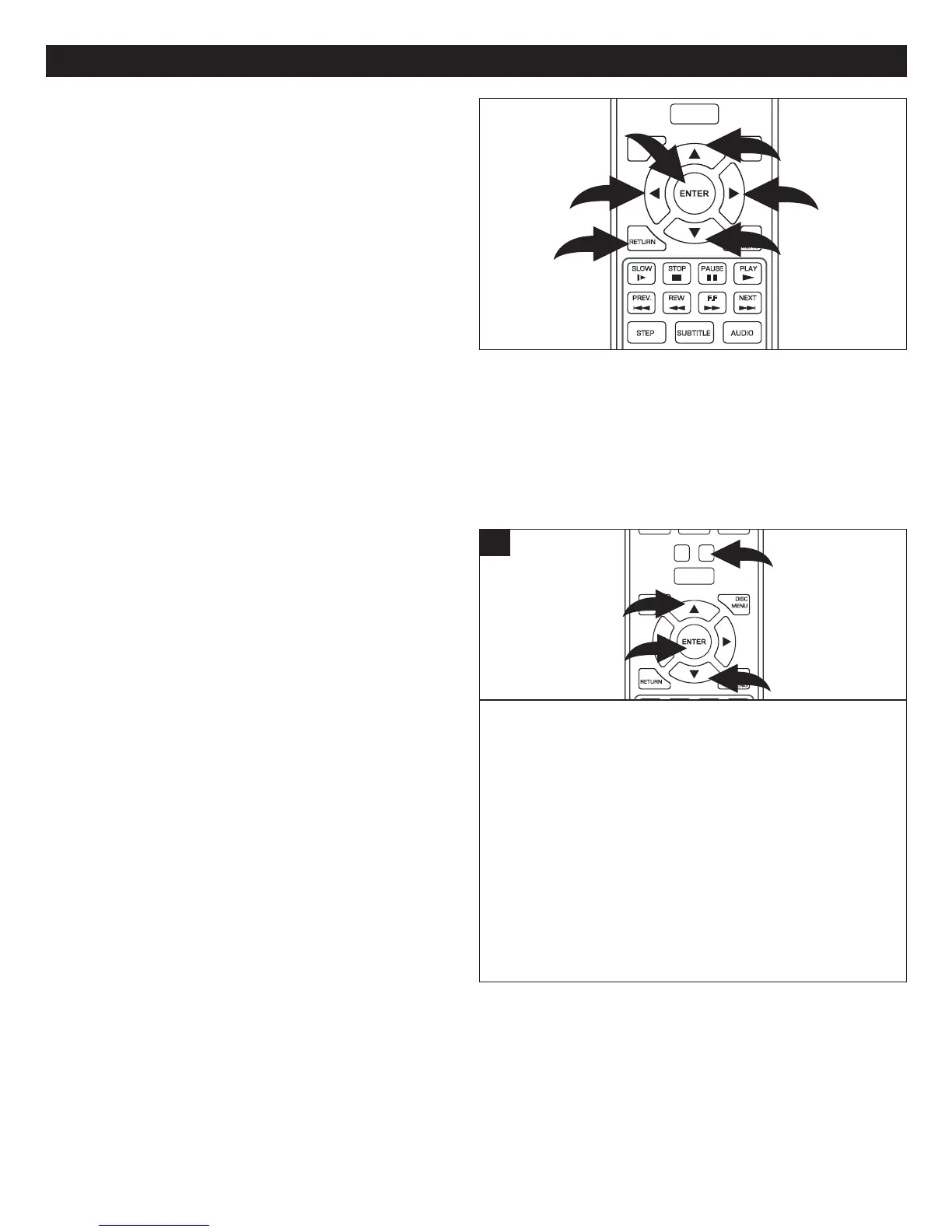
Navigate the menus using the Navigation (π,†) buttons
1.PresstheNavigation(®) button 2 orENTERbutton3
toselectamenu option.PresstheRETURN button4 or
the Navigation (√) button 5 while in a pop-up screen to
returntothepreviousmenu.RepeatedlypresstheRETURN
button 4toexitthemenus.
WhileinthedesiredSetupmenu,makeaselectionusingthe
Navigation(π,†) buttons 1,thenpresstheNavigation(®)
button 2 to enter.
Select the desired option using the Navigation (π,†)
buttons 1,thenpresstheENTERbutton3.
NTSC:SelectwhenusinganNTSCTV.
PAL:SelectwhenusingaPALTV.
IMPORTANT:InNorthAmerica,thestandardisNTSC.
Usethisoptiontosetthedesiredresolutionwhenconnected
to the component video output, or HDMI output. The true
outputresolutiondependsontheconnectionused and the
TV’sresolution.
WhileintheDisplaySetupmenu,selectResolution.Select
one of the options (480i, 480p, 720p, 1080i, 1080p, HDMI
Auto for NTSC; or 576i, 576P, 720P, 1080i, 1080P, HDMI
AutoforPAL)usingtheNavigation(π,†) buttons 1,then
presstheENTERbutton2.SelectHDMIAutoifconnectedto
aTVviatheHMDIjackandtheunitwillautomaticallyselect
thebestresolution.NotavailablefromallTVs.
WhileinHDMImode,youcanalsochangetheresolutionby
pressingtheTVRESbutton3.
POWER
CLEAR
SUBTITLE
AUDIO
STEP
RANDOM
SLOW
STOP
REW
PREV.
F.F
NEXT
PAUSE
PLAY
A-B
REPEAT
DISC
MENU
RETU RN
POP- UP
MENU
HOME/SETUP
ANGLE
DISPLAY
TV RES.
1
2
3
1
1
TVTYPE
RESOLUTION
SUBTITLE
AUDIO
STEP
SLOW STOP
REW
PREV.
F.F
NEXT
PAUSE
PLAY
DISC
MENU
RETURN
POP-UP
MENU
HOME/SETUP
DISPLAY
5
3
4
2
1
1



 To Next Page