31
DATACD/USB/SDCARDOPERATION(CONTINUED)
NOTES:
• Duringplaybackofaslideshow,usetheSearchForward/Reversebuttonstosetthedelay.
• Whenviewingapicture,youcanstarttheslideshowbypressingthePlay® button.
• Whenviewingapicture,youcanzoominbyrepeatedlypressingtheENTERbutton.Whilezoomedin,usetheNavigation
(√,®,†,π)buttonstomovethepicturearound.
• TheStop,Skip,PauseandRepeatbuttonswilloperateasdescribedpreviously.
• PresstheHOME/SETUPbuttontogobacktotheHomepage.
• Youcanbrowsethroughpictureswhilemusicisplaying.
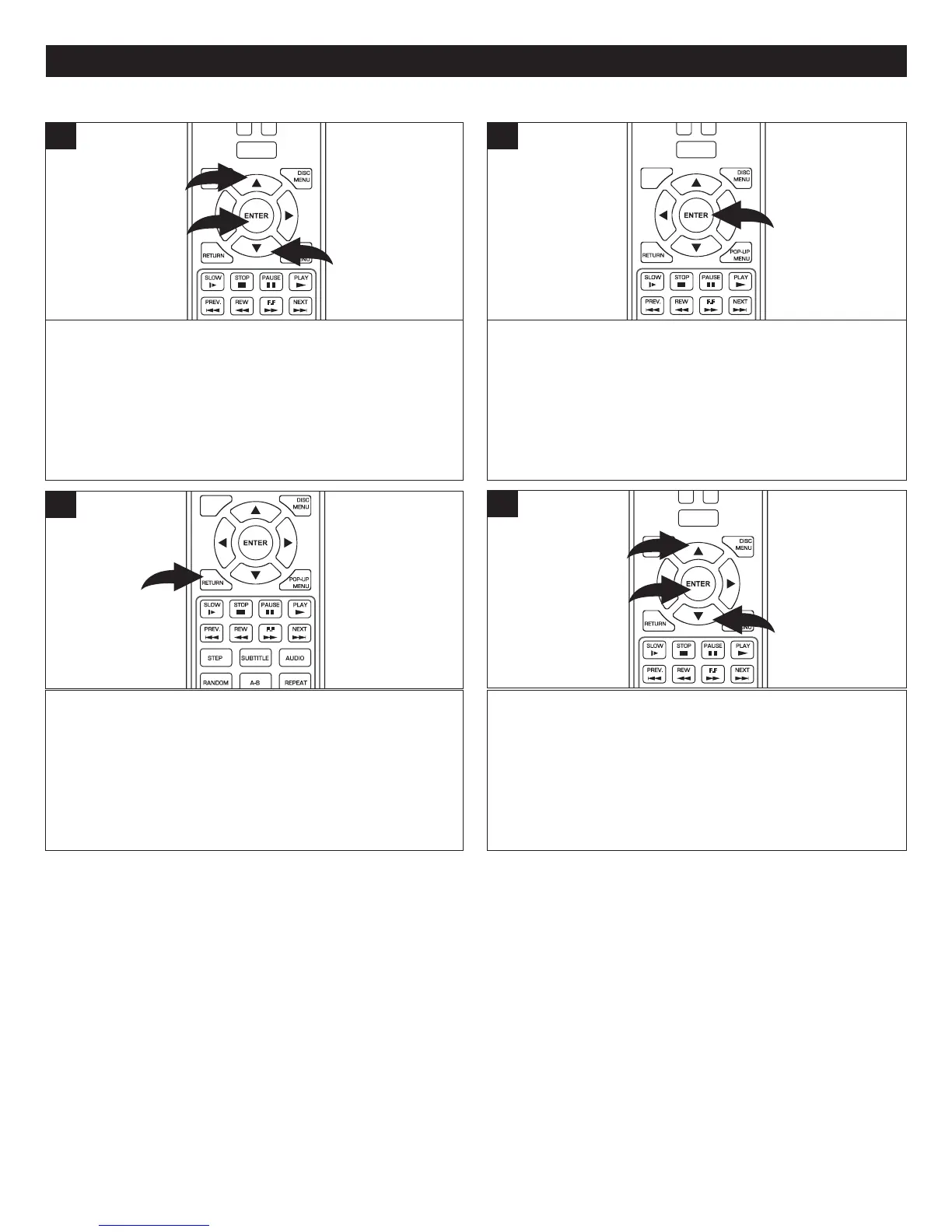
After performing the four steps on page 28, select the
PhotoiconusingtheNavigation(π,†) buttons 1andthen
presstheENTER button 2.
Select a JPGorPNGfileoraFolderfirst,andthenselect
thefileusingtheNavigation(π,†) buttons 1.
POWER
CLEAR
SUBTITLE
AUDIO
STEP
RANDOM
SLOW STO P
REW
PREV.
F.F
NEXT
PAUSE
PLAY
DISC
MENU
RETU RN
POP- UP
MENU
HOME/SETUP
DISPLAY
1
2
1
1
After a file is selected, press the ENTER button. The
selectedfilewillappearonthescreen.
POWER
CLEAR
SUBTITLE
AUDIO
STEP
RANDOM
SLOW STOP
REW
PREV.
F.F
NEXT
PAUSE
PLAY
DISC
MENU
RETU RN
POP- UP
MENU
HOME/SETUP
DISPLAY
2
PHOTOFILES(JPG/PNG)
SUBTITLE
AUDIO
STEP
RANDOM
SLOW STOP
REW
PREV.
F.F
NEXT
PAUSE
PLAY
A-B
REPEAT
DISC
MENU
RETU RN
POP- UP
MENU
SEARCH
OPEN
/
CLOSE
A
B
C
D
HOME/SETUP
ANGLE
DISPLAY
To select more files, press the RETURN button to go to
the Media Center. At this screen, you can select another
picture,startaslideshow,changetheslideshowsettings
(seenextstep)orbrowsemusictoplaywhilethephotos
arebeingviewed.Youcanalsogobacktothemainmenu.
3
POWER
CLEAR
SUBTITLE
AUDIO
STEP
RANDOM
SLOW STO P
REW
PREV.
F.F
NEXT
PAUSE
PLAY
DISC
MENU
RETU RN
POP- UP
MENU
HOME/SETUP
DISPLAY
1
2
1
At the Media center, you can set the Slide Show options
(Effect and Delay) by selecting Settings using the
Navigation(π,†) buttons 1andthenpressingtheENTER
button 2. Select Slide Show Effects or Slide Show Delay
usingtheNavigation(π,†) buttons 1andthenpressthe
ENTER button 2.Setasdesired.Whendonesetting,press
theENTERbutton2again.
4



 To Next Page