28
DATACD/USBOPERATION
POWER
CLEAR
SUBTITLE
AUDIO
STEP
RANDOM
SLOW STO P
REW
PREV.
F.F
NEXT
PAUSE
PLAY
DISC
MENU
RETU RN
POP- UP
MENU
HOME/SETUP
DISPLAY
1
2
1
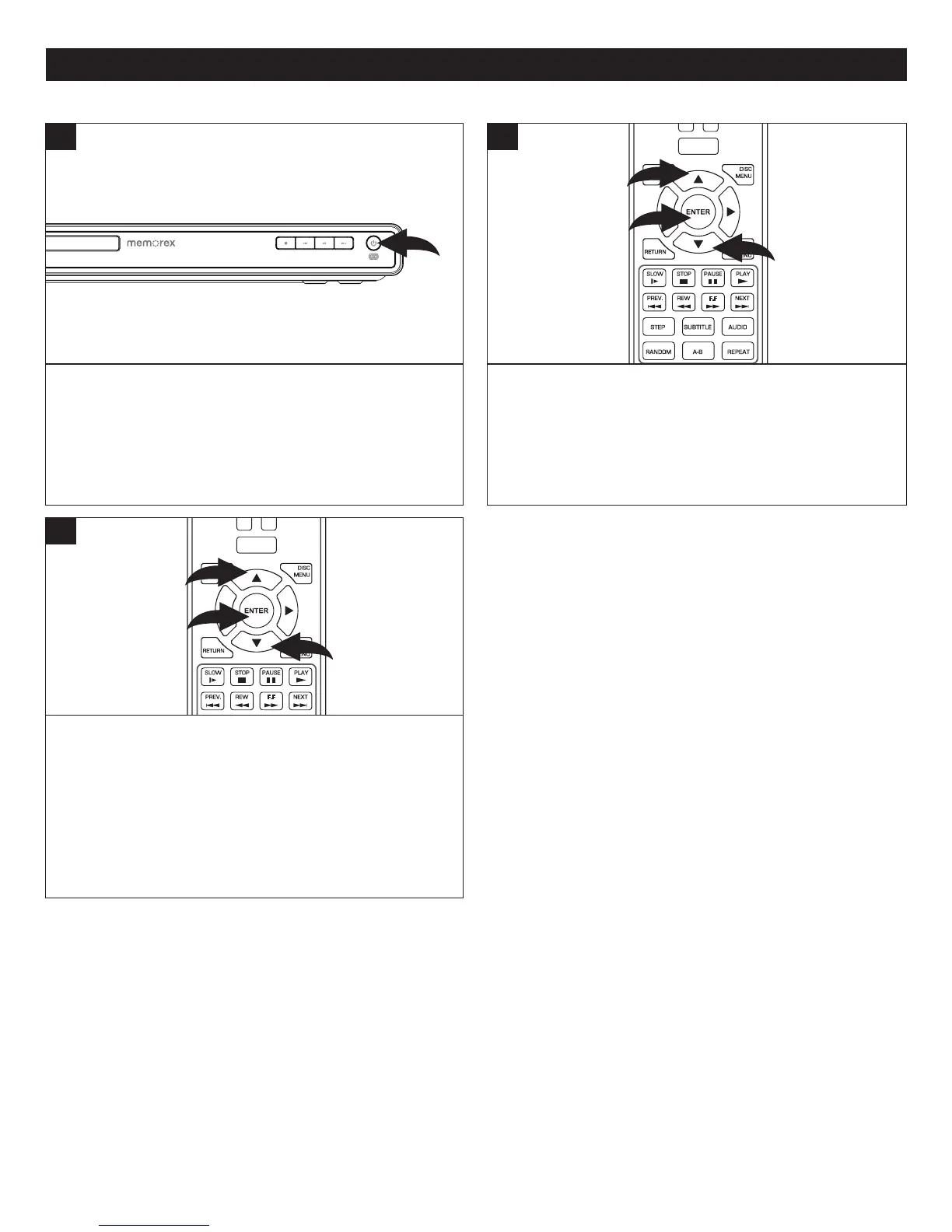
TO PLAY A DATA DISC: Insert a disc with data files;
the Home menu will appear. Select “Media” using the
Navigation (π,†) buttons 1 and then press the ENTER
button 2toenterthemediacenter.SeetheSpecifications
onpage48foralistoffileformatsallowed.
NOTE:Thediscwillnotautoplay,regardlessofthesetting
oftheAutoPlayoption.
3
Press the POWER button to turn on the unit. The Power
indicatorlightwillgoon.
1
TOPLAYAUSB:Withthepoweroff,opentheUSBdoor
and insert a USB device with data files. Turn the power
back on and the Home menuwill appear.Select“Media”
usingtheNavigation(π,†) buttons 1andthenpressthe
ENTER button 2toenterthemediacenter.
SUBTITLE
AUDIO
STEP
RANDOM
SLOW STO P
REW
PREV.
F.F
NEXT
PAUSE
PLAY
A-B
REPEAT
DISC
MENU
RETU RN
POP- UP
MENU
HOME/SETUP
DISPLAY
1
2
1
2
PLAYBACKOFADATA(PICTURE,AUDIOORWMVVIDEO)DISC/USB
The media center will show all the items on the inserted
device/datadisc.Iftherearemusicfiles,itwillshowaMusic
icon;iftherearevideos,itwillshowaVideoicon;andifthere
arephotos,itwillshowaPhotoicon.
Seethefollowingpagestoview/playthedesiredformats:
MP3/WMA:Seethefollowingpage.
Photos(JPEG/PNG):Seepage31.
Videos(WMV):Seepage30.



 To Next Page