43
USINGTHEAPPLICATIONS
Pleasemakesurethefollowingcriteriaismet:
1.NodiscisinsertedordiscisintheStopmode
2.Theunitisconnectedtotheinternet(seepages39-40)
3.YouaresignedupforNetflix(oryoucansignuponlineorviathisunit)
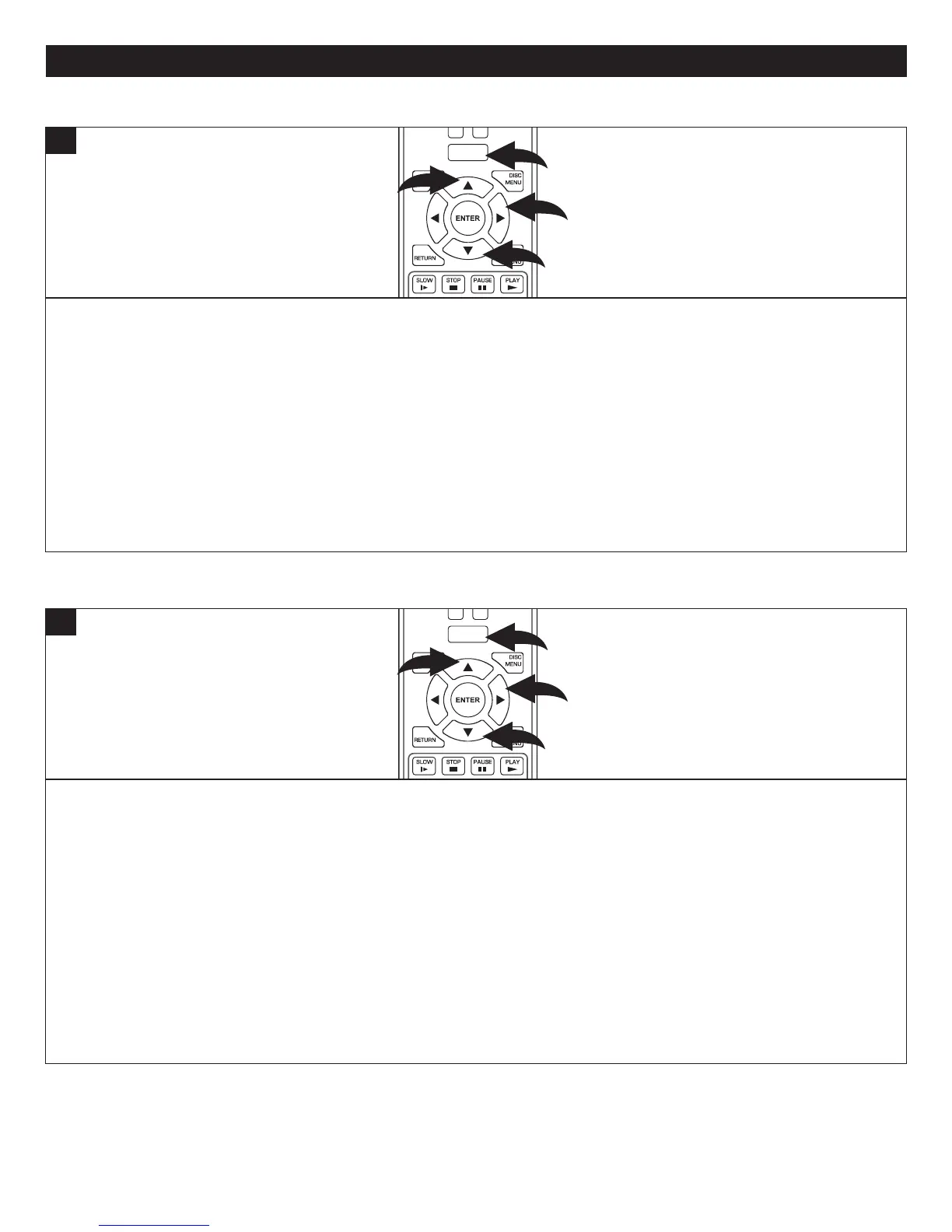
PresstheHOME/SETUPbutton1,orselectConnectedusingtheNavigation(π,†) buttons 2andthenpresstheNavigation
(®) button 3.
SelectNetflixusingtheNavigation(π,†) buttons 2andthenpresstheNavigation(®) button 3.
Activateyouraccountandthenenjoyyourmovies/shows!
NOTE: Video Streaming services require the use of an HDMI connection. Many of the buttons (Skip, Search Reverse/
Foward,Stop,PlayandPause)willworkwiththeseapplications.YoucanalsopresstheHOME/SETUPbuttontoreturnto
theHomescreen.
NOTE:OnlyHDMIoutputisavailablewhenNetflixfunctionisinuse.
POWER
CLEAR
SUBTITLE
AUDIO
STEP
RANDOM
SLOW STOP
PAUSE
PLAY
DISC
MENU
RETU RN
POP- UP
MENU
HOME/SETUP
DISPLAY
2
2
3
1
1
NETFLIX
Pleasemakesurethefollowingcriteriaismet:
1.NodiscisinsertedordiscisintheStopmode
2.Theunitisconnectedtotheinternet(seepages39-40)
3.YouaresignedupforPandora(oryoucansignuponlineorviathisunit)
PresstheHOME/SETUPbutton1,orselectConnectedusingtheNavigation(π,†) buttons 2andthenpresstheNavigation
(®) button 3.
NOTE:StreamingservicesrequiretheuseofanHDMIconnectionfornavigationontheTVscreen.
Select PandorausingtheNavigation(π,†) buttons 2andthenpresstheNavigation(®) button 3.
Ifyouareamember,selectIhaveaPandoraAccount(orselectIamnewtoPandoratosignup).Youwillthenbeinstructed
onhowtogotoyourcomputertoactivatethePandoraaccounttoworkwiththisunit.
Afteractivating,youcannowenjoymusicfromPandoraontheirwebsite.
NOTE:Manyofthebuttons(Skip,SearchReverse/Foward,Stop,PlayandPause)willworkwithPandora.Youcanalso
presstheHOME/SETUPbuttontoreturntotheHomescreen.
NOTE:OnlyHDMIoutputisavailablewhenPandorafunctionisinuse.
POWER
CLEAR
SUBTITLE
AUDIO
STEP
RANDOM
SLOW STOP
PAUSE
PLAY
DISC
MENU
RETU RN
POP- UP
MENU
HOME/SETUP
DISPLAY
2
2
3
1
1
PANDORA



 To Next Page