Page 50 www.menzimuck.com
Control and Display elements
6. Control and Display elements
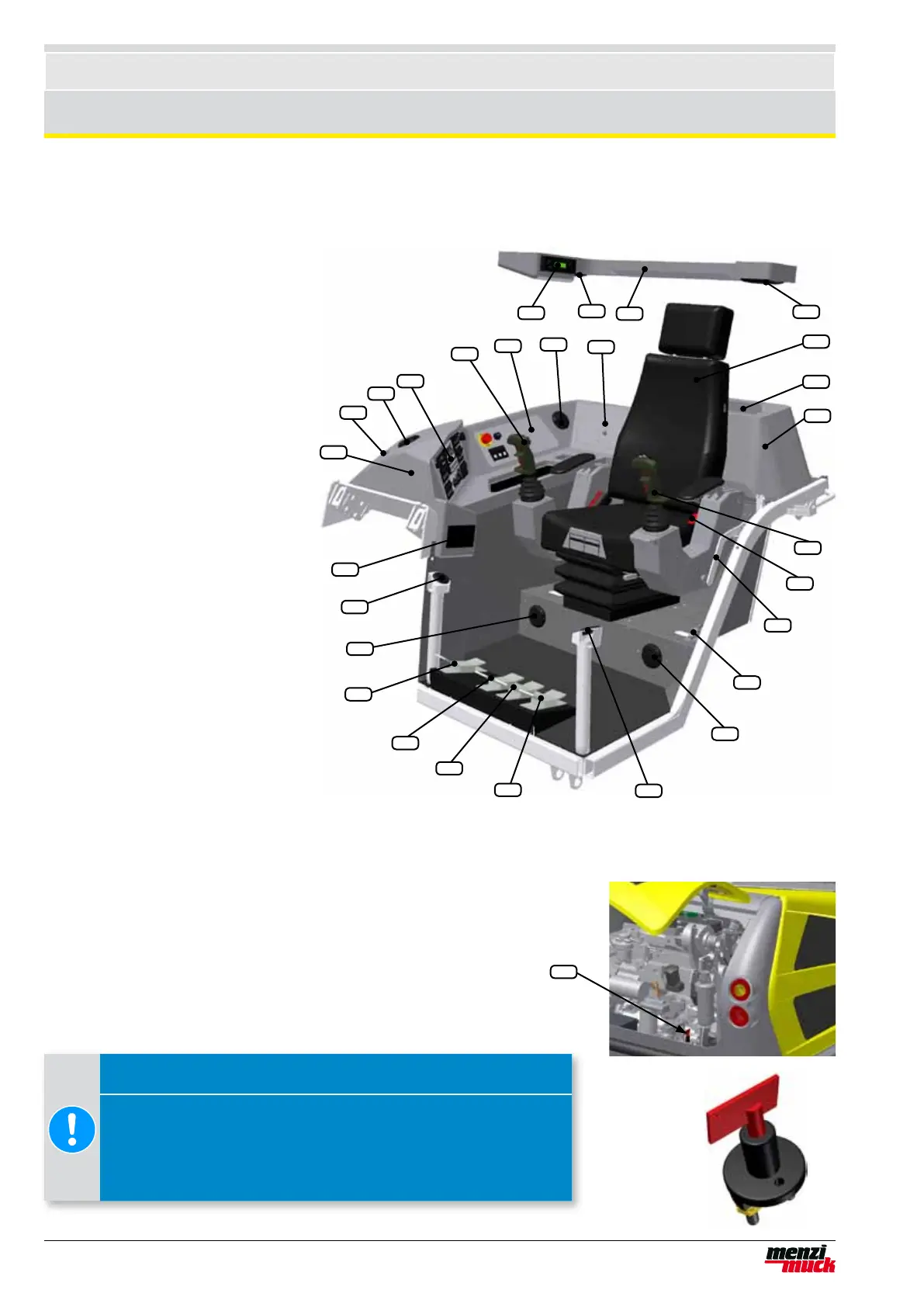
6.1 Operator's workplace
1. Loudspeaker left
2. Operator's seat
3. Storage compartment
4. Rear console
5. Multi-Joystick left
6. Seat belts
7. Cab security lock
8. Cab security bolt
9. Air vent - leg area at left
10. Air vent - front screen at left
11. Foot pedal for telescope
12. Foot pedal for winch
13. Foot pedal for driving
14. Foot pedal for auxiliary connection line (large)
15. Air vent - leg area at right
16. Air vent - front screen at right
17. Ash tray
18. Console (right)
19. Warning buzzer
20. Air vent - front side window
21. Display unit
22. Multi-Joystick right
23. Fuse box cover
24. Air vent - right
25. Document compartment
26. Console (roof)
27. Loudspeaker right
28. Radio
21
28
27
26
20
19
18
17
16
15
14
13
12
11
10
9
8
7
6
5
4
3
2
1
22
23
24
25
6.2 Main switch
The main switch (1) is located at the rear to the right of the engine
support. The diagram shows the main switch in the OFF position.
Rotate the main switch clockwise to switch it on. If the machine is
not to be used for a prolonged period, switch it off so that the batte-
ries are disconnected from all consumers.
1
Attention !
Switching on the main switch during work
• Can result in damage to property.
• Before you switch on the main switch, make sure that nobo-
dy is working on the electrical system.



 To Next Page