Operation Manual Menzi Muck A91 Page 191
Maintenance and Care
8.9.10 Service menu
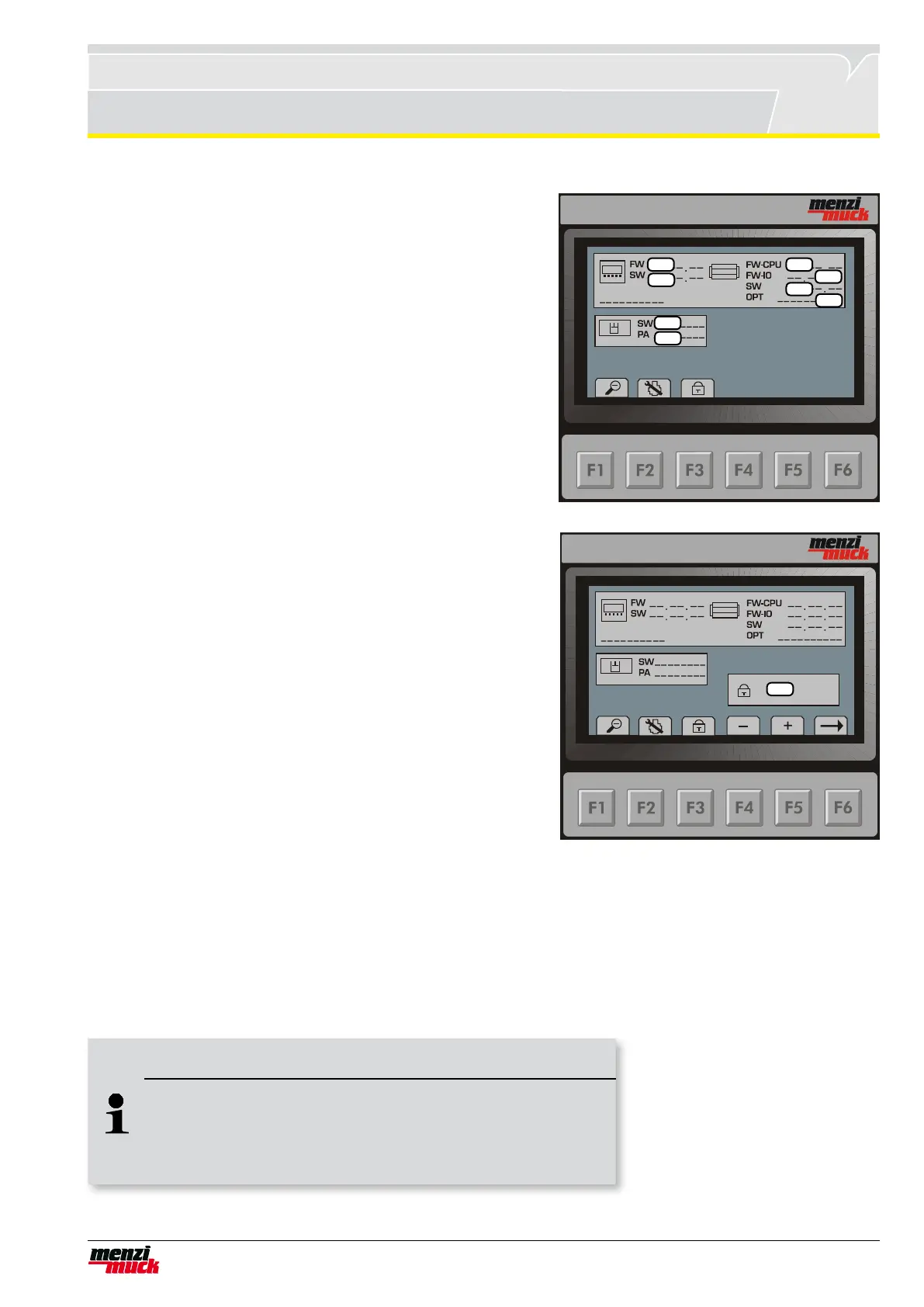
F1 in the basic menu opens the detail menu. From the detail menu,
pressing F2 twice opens this menu. Here, the rmware and softwa-
re version of the individual control components can be read off.
1. Firmware version of the display (CGMT)
2. Software version of the display (CGMT)
3. Firmware version of DIGSY Compact (CPU side)
4. Firmware version of DIGSY Compact (I/O side)
5. Software version of DIGSY Compact
6. Option code
7. Software version of GLR (CEB 16/21)
8. Parameter block of GLR (CEB 16/21)
8.9.11 Service code
1
2
3
4
5
6
7
8
1
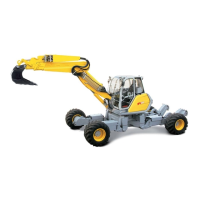
The service symbol appears in the display when a service is due.
To clear the symbol, F2 must be pressed again in the service
menu so that the input eld (1) for the service code appears. Pres-
sing F3 opens an identical input eld, although the service code
below is not accepted.
1. Servicecode518300inputeld.
Pressing F4 or F5 increases and decreases the number respec-
tively. Once the rst digit has been entered, pressing F6 moves
the cursor to the next digit.This process is repeated until all the
code’s digits have been entered.During the process, the digit with
a black background ashes. If the input range of 1-9 is over or un-
derrun, an „E“ appears. In this case, input must occur in the op-
posite direction. If the correct code is conrmed, „OK“ will appear
and the service symbol in the main screen is cleared.
In the detail menu, the user can now control how many more
hours can be worked and when the next service will fall due.
When the code is entered, the service interval increases to the
next service and the service symbol is cleared.
Once the code has been correctly entered, pressing F2 again
clears the service code input eld.F1 in the basic menu re-opens
the basic menu.
Note !
Adjust service interval
You can enter the code for the service interval several times in
succession until max. 999 hours is exceeded in the display. After
this the code is no longer accepted.



 To Next Page