Page 190 www.menzimuck.com
Maintenance and Care
Adjust the toe-in
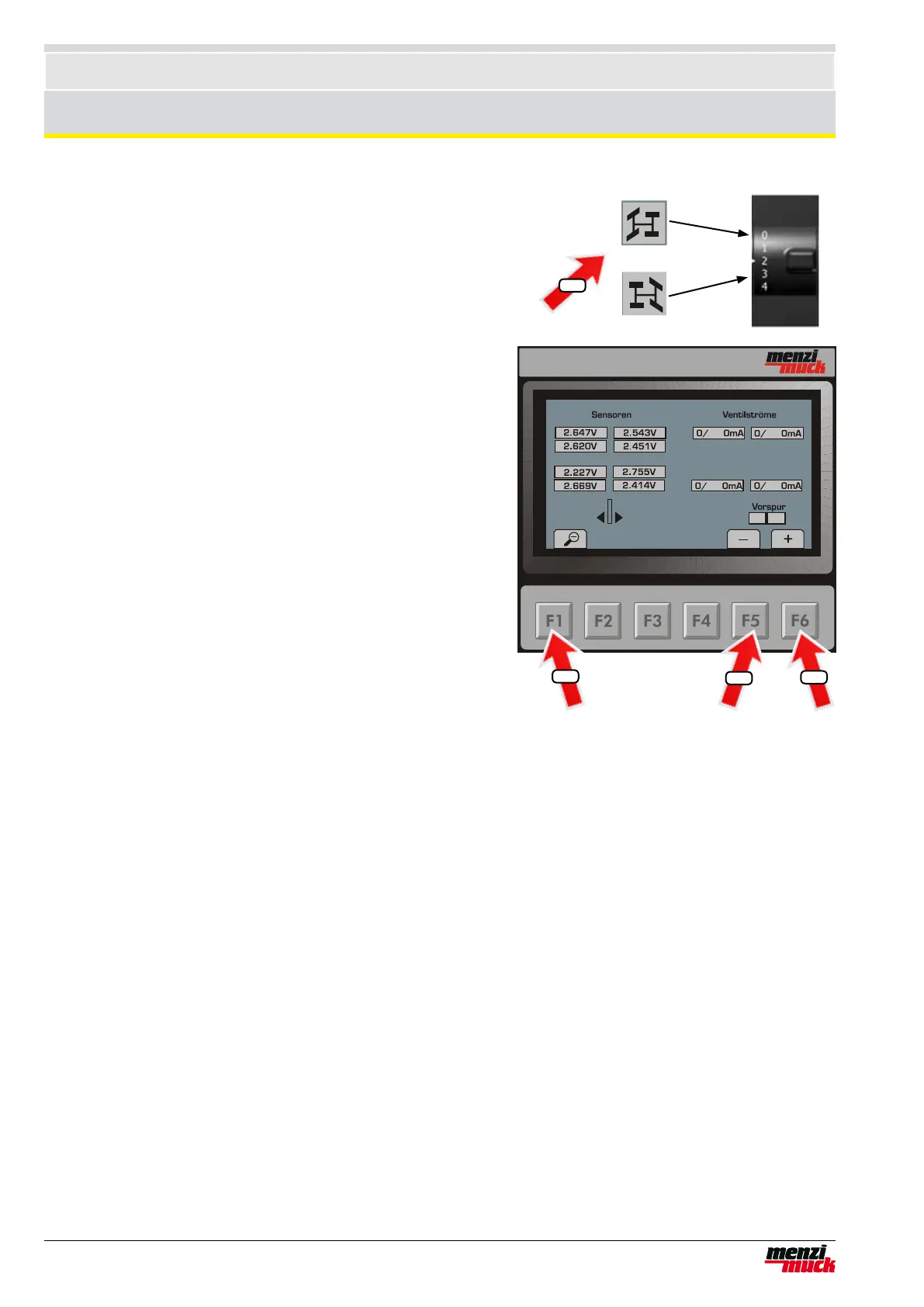
Using the steering mode switch you can select whether to adjust
the toe-in for the front or the rear wheels. If you set the steering
mode switch to Position 0 then you can adjust the toe-in of the
front wheels. If you set the steering mode switch to Position 3 then
you can adjust the toe-in of the rear wheels.
1. Set steering mode switch to required position.
2. Press the F5 button on the Display if you want to move the
wheels together. The bar in the display moves to the left (posi-
tive toe-in)
3. Press the F6 button on the Display if you want to move the
wheels apart. The bar in the display moves to the right (negati-
ve toe-in)
4. Press the F1 button to save the set values.
2
3
4
1



 To Next Page