Operation Manual Menzi Muck A91 Page 81
Control and Display elements
6.6.5 Foot pedal adjustment
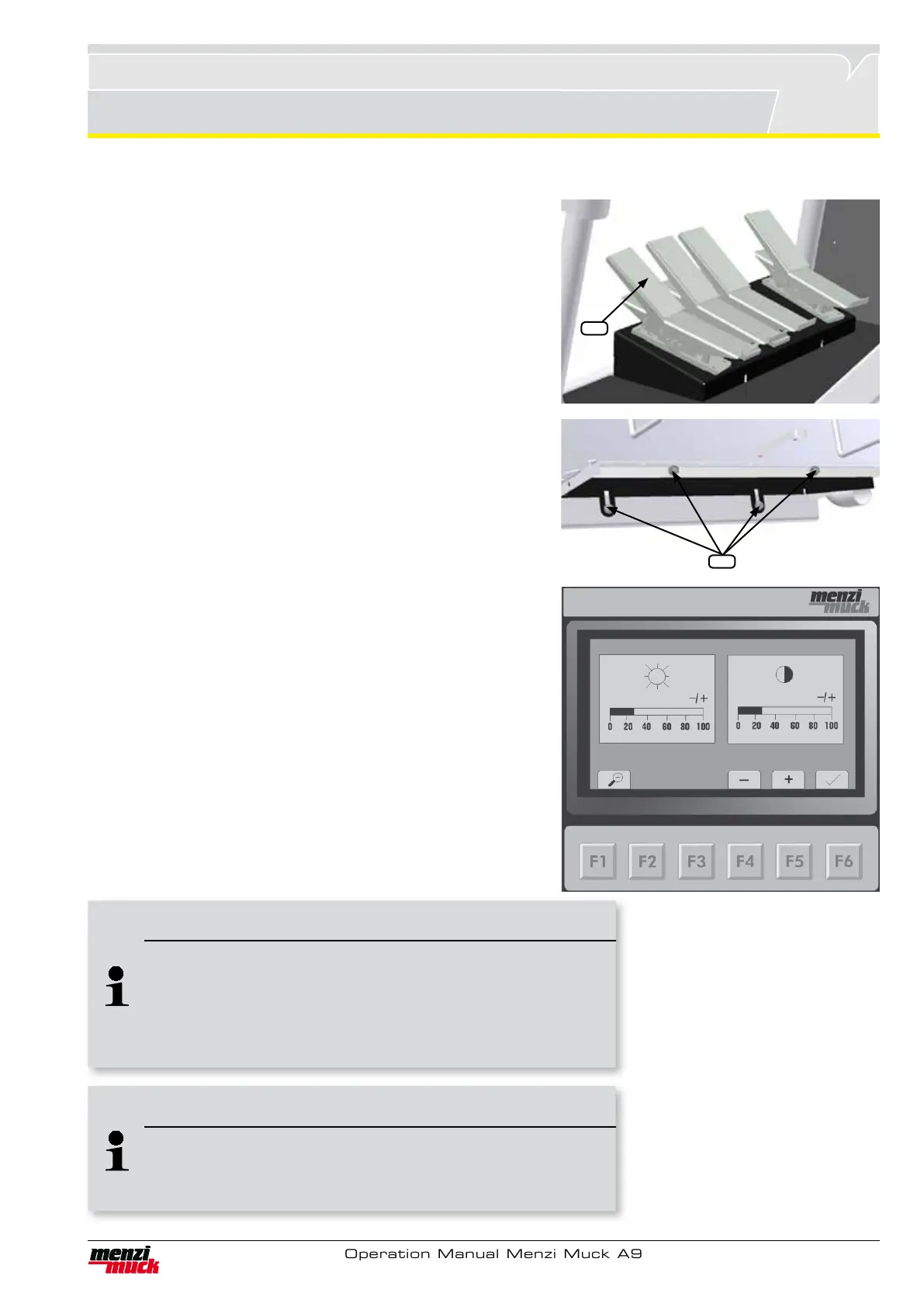
For increased comfort, the foot pedals can be set individually for
each driver. Tilt can be set separately for each foot pedal using the
rocker (1).
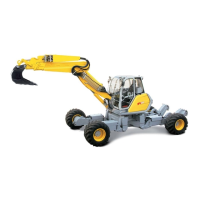
Loosen the screws (2) to adjust the height and inclination of the enti-
re attachment within its adjustment range to meet the requirements
of the driver.
Once the setting has been adjusted, the screws (2) must be tighte-
ned in order to prevent the attachment being adjusted inadvertently.
6.6.6 Brightness / contrast
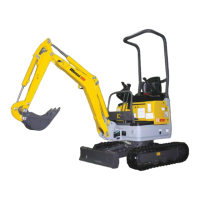
This menu is reached by pressing the F4 key in the main menu.
1 Adjusting the display brightness: F4 reduces and F5 increases
the brightness level. The contrast setting screen is reached by
F6 in the main menu.
2. Adjusting the display contrast: F4 reduces and F5 increases the
contrast level. The brightness setting can be reached F6. The
main menu can be reached again by pressing the F1 key.
2
1
Note !
Brightness and contrast
If the contrast and brightness are adjusted so extremely that the
display is no longer visible, restore the default settings by turning
the engine off, then on again (after turning the ignition key back
from „off,“ wait approx. 15 seconds).
Note !
Faster adjusting of contrast
Holding down the F4 or F5 key adjusts the contrast or brightness
more quickly than pressing the key repeatedly.



 To Next Page