47
Chapter 11
Administrate Your Network
Chapter 11. Administrate Your
Network
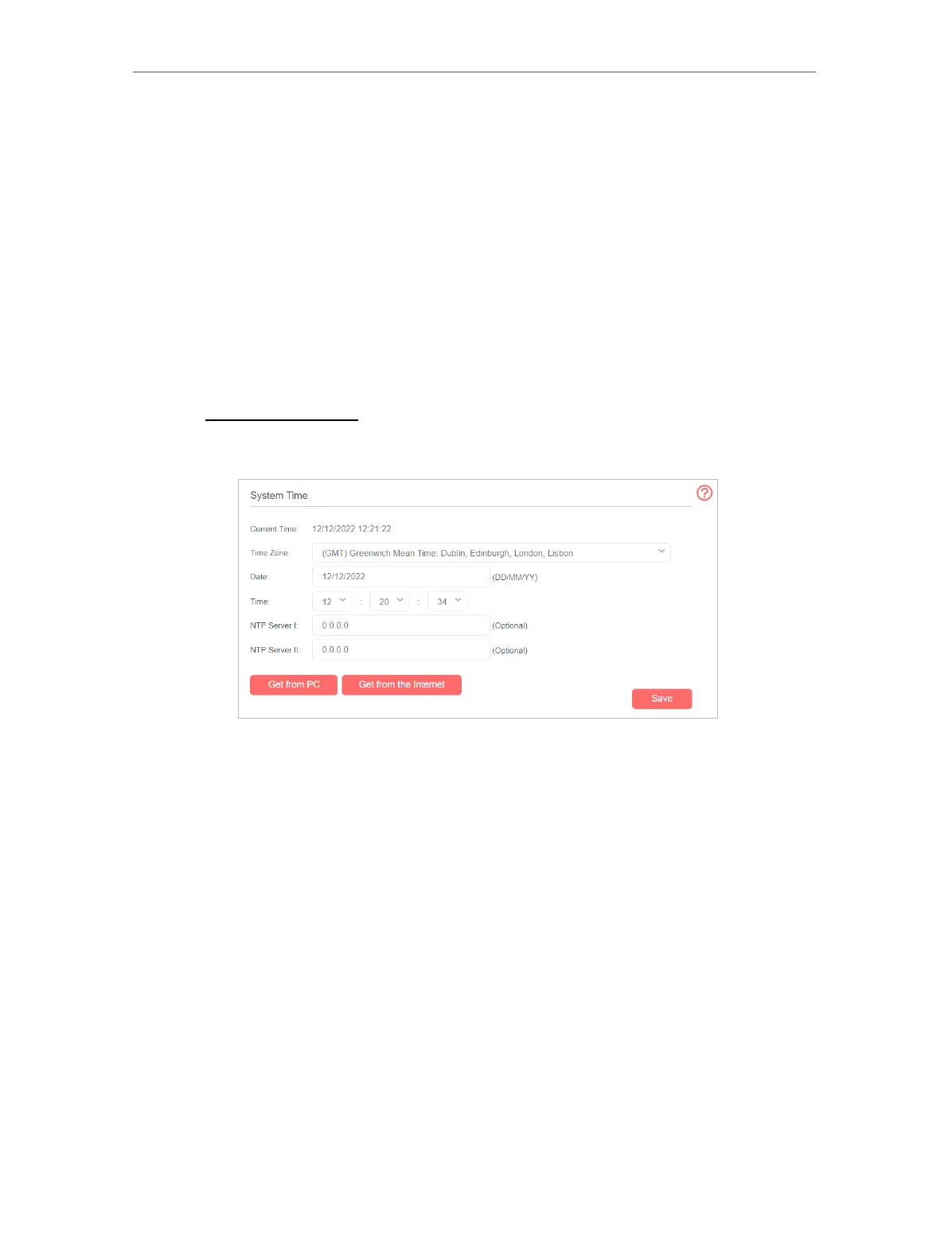
11. 1. Set System Time
System time is the time displayed while the router is running. The system time you
configure here will be used for other time-based functions like Parental Controls and
Wireless Schedule. You can manually set how to get the system time.
Follow the steps below to set your system time.
1. Visit http://mwlogin.net, and log in with the password you set for the router.
2. Go to Advanced > System Tools > Time Settings page.
3. Configure the system time using the following methods :
Manually - Select your time zone and enter your local time.
Get from PC - Click this button if you want to use the current managing PC’s time.
Get from the Internet - Click this button if you want to get time from the internet.
Make sure your router can access the internet before you select this way to get
system time.
4. Click Save to make your settings effective.



 To Next Page