57
Chapter 11
Administrate Your Network
information of the remote server. If the remote server has a log viewer client or a
sniffer tool implemented, you can view and analyze the system log remotely in real-
time.
11. 12. CWMP
CWMP (CPE WAN Management Protocol, also called TR-069) allows Auto-
Configuration Server (ACS) to perform auto-configuration, provision, connection,
and diagnostics to this device. You may configure this function under your ISP’s
instructions.
1. Visit http://mwlogin.net, and log in with the password you set for the router.
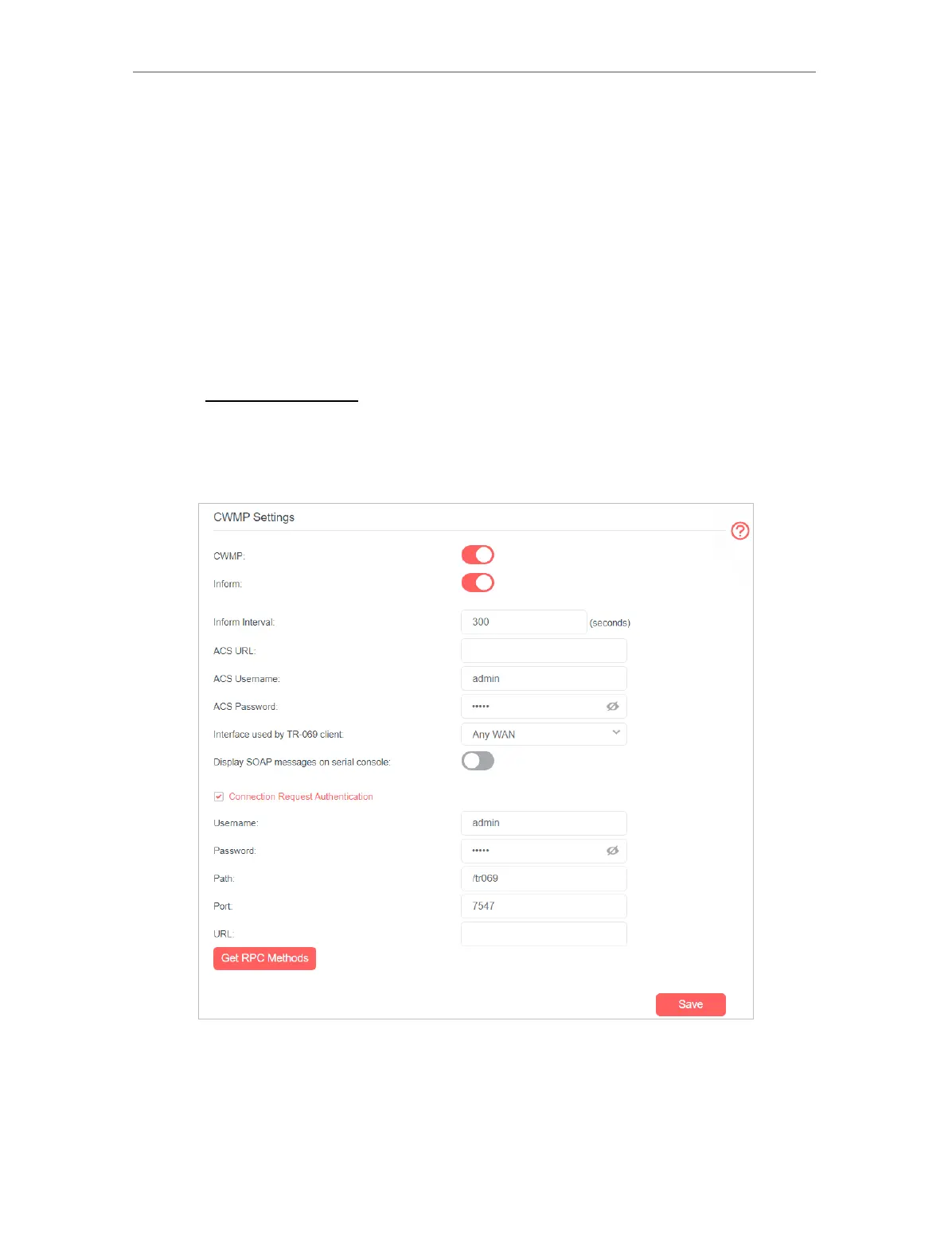
2. Go to Advanced > System Tools > CWMP Settings.
3. Enable CWMP.
4. If you want to send an Inform message to the ACS (Auto Configuration Server)
periodically, enable Inform and set the Inform Interval.
5. Enter the ACS URL, username and password provided by your ISP.
6. Select the interface used by TR-069 client.


 To Next Page