43
Chapter 10
Specify Your Network Settings
It is recommended to select Mercusys so that you can enjoy superior DDNS
service of Mercusys. To use Mercusys DDNS service, log in with your Mercusys ID
and register new domain names.
If you have selected NO-IP or DynDNS, enter the username, password and domain
name of your account. If you don’t have a DDNS account, register one first.
Tip:
If you want to use a new DDNS account, please log out first, then log in with the new account.
10. 8. Create Static Routes
A static route is a pre-determined path that network information must travel to reach
a specific host or network. Data from one point to another will always follow the same
path regardless of other considerations. Normal internet usage does not require this
setting to be configured.
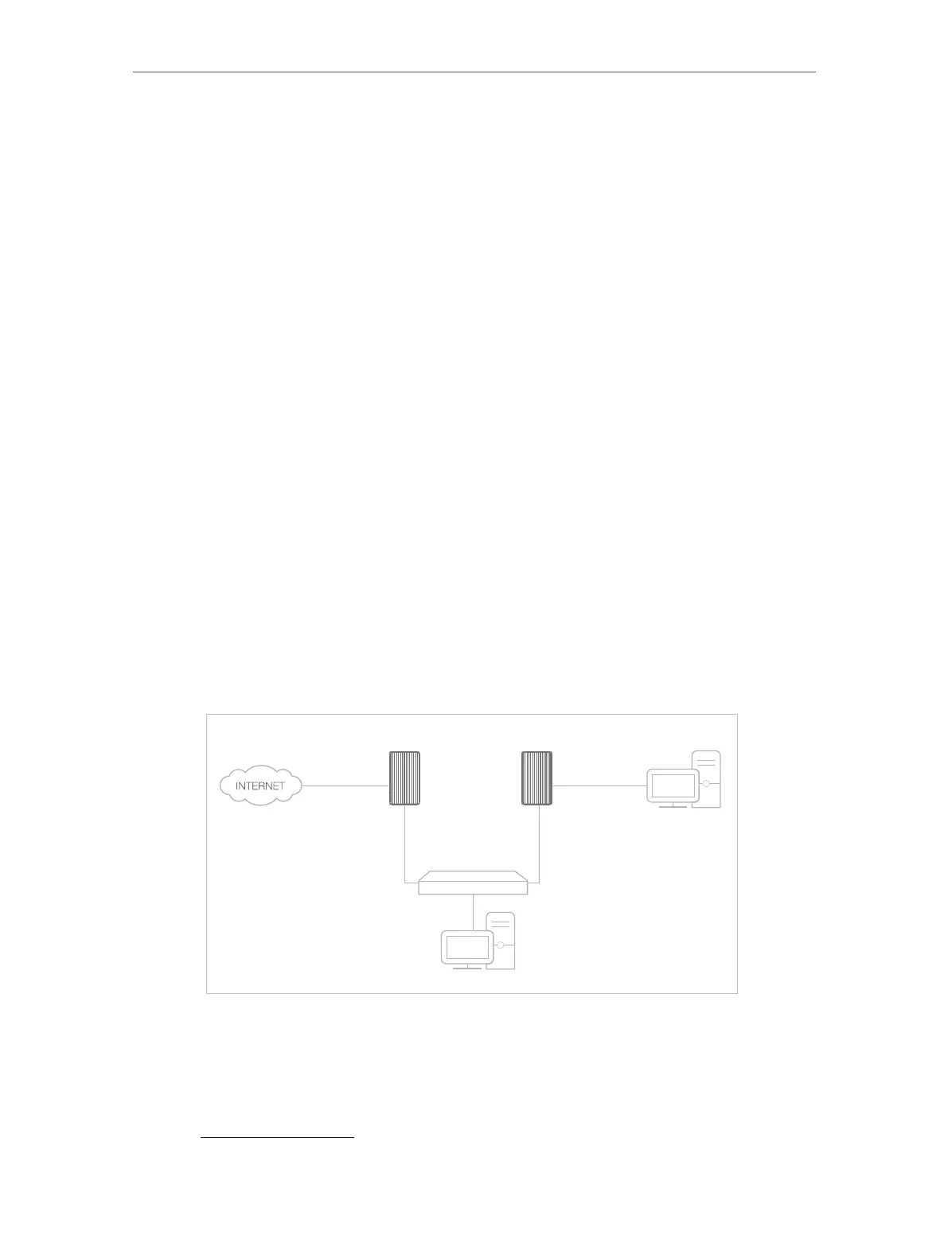
I want to:
Visit multiple networks and multiple servers at the same time.
For example, in a small office, my PC can surf the internet, but I also want to visit my
company’s server. Now I have a switch and another router. I connect the devices as
shown in the following figure so that the physical connection between my PC and my
company’s server is achieved. To surf the internet and visit my company’s network at
the same time, I need to configure the static routing.
Company’s server
My PC
Router 2
4G LTE router
Switch
LAN: 192.168.1.1
192.168.1.100
LAN: 192.168.1.2
WAN: 172.30.30.100
172.30.30.1
How can I do that?
1. Make sure the routers use different LAN IP addresses on the same subnet. Disable
DHCP function of Router 2.
2. Visit http://mwlogin.net, and log in with the password you set for the router.



 To Next Page