56
Chapter 11
Administrate Your Network
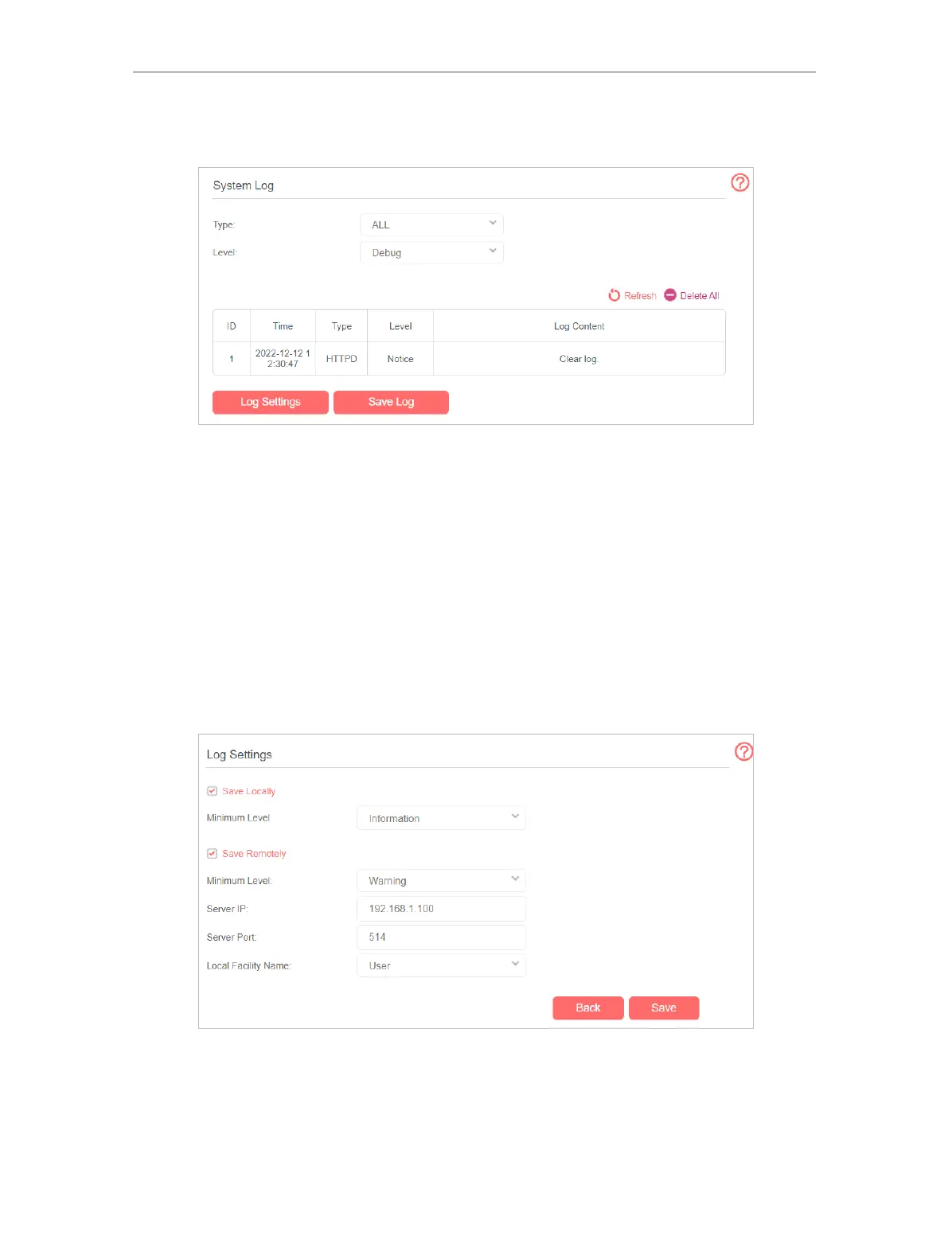
2. Click Advanced > System Tools > System Log page.
¾ To view the system logs:
1. Select the log Type.
2. Select the log Level and you will see the logs with the specific or higher levels.
3. Click Refresh to refresh the log list.
¾ To save the system logs:
You can choose to save the system logs to your local computer or a remote server.
1. Click Save Log to save the logs in a txt file to your computer.
2. Click Log Settings to set the save path of the logs.
• Save Locally - Select this option to cache the system log to the router’s local
memory, select the minimum level of system log to be saved from the drop-down
list. The logs will be shown in the table in descending order on the System Log page.
• Save Remotely - Select this option to send the system log to a remote server, select
the minimum level of system log to be saved from the drop-down list and enter the



 To Next Page