91
Chapter 4 Congure the Router in Wireless Router Mode
• Frequency: Specify how often the recipient will receive the system log.
• Mail Time: Specify when the recipient will receive the system log.
4. 13. 8. Diagnostics
Diagnostic is used to test the connectivity between the router and the host or other
network devices.
1. Visit http://mwlogin.net, and log in with your Mercusys ID or the password you set for the
router.
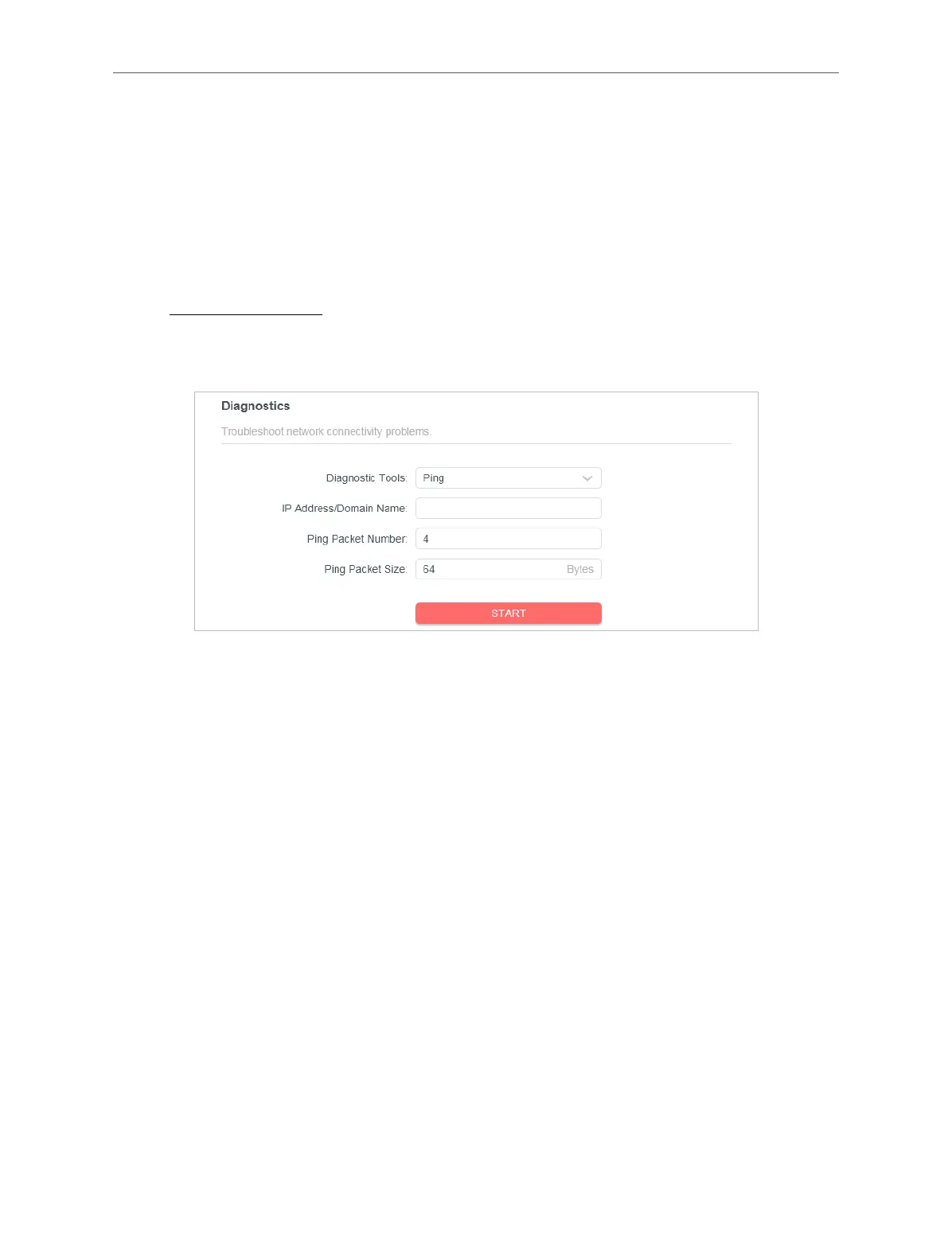
2. Go to Advanced > System > Diagnostics.
3. Enter the information:
1 ) Choose Ping or Traceroute as the diagnostic tool to test the connectivity.
• Ping is used to test the connectivity between the router and the tested host, and
measure the round-trip time.
• Traceroute is used to display the route (path) your router has passed to reach the
tested host, and measure transit delays of packets across an Internet Protocol
network.
2 ) Enter the IP Address or Domain Name of the tested host.
3 ) Modify the Ping Count number and the Ping Packet Size. It’s recommended to
keep the default value.
4 ) If you have chosen Traceroute, you can modify the Traceroute Max TTL. It’s
recommended to keep the default value.
4. Click START to begin the diagnostics.
The figure below indicates the proper connection between the router and the Yahoo server
(www.Yahoo.com) tested through Ping.



 To Next Page