99
Chapter 5
Congure the Router in Access Point Mode
5. 2. Quick Setup
1. Visit http://mwlogin.net, and log in with your Mercusys ID or the password you set for the
router.
2. Go to System > Quick Setup.
3. Follow the step-by-step instructions to complete the setup.
5. 3. Access Control
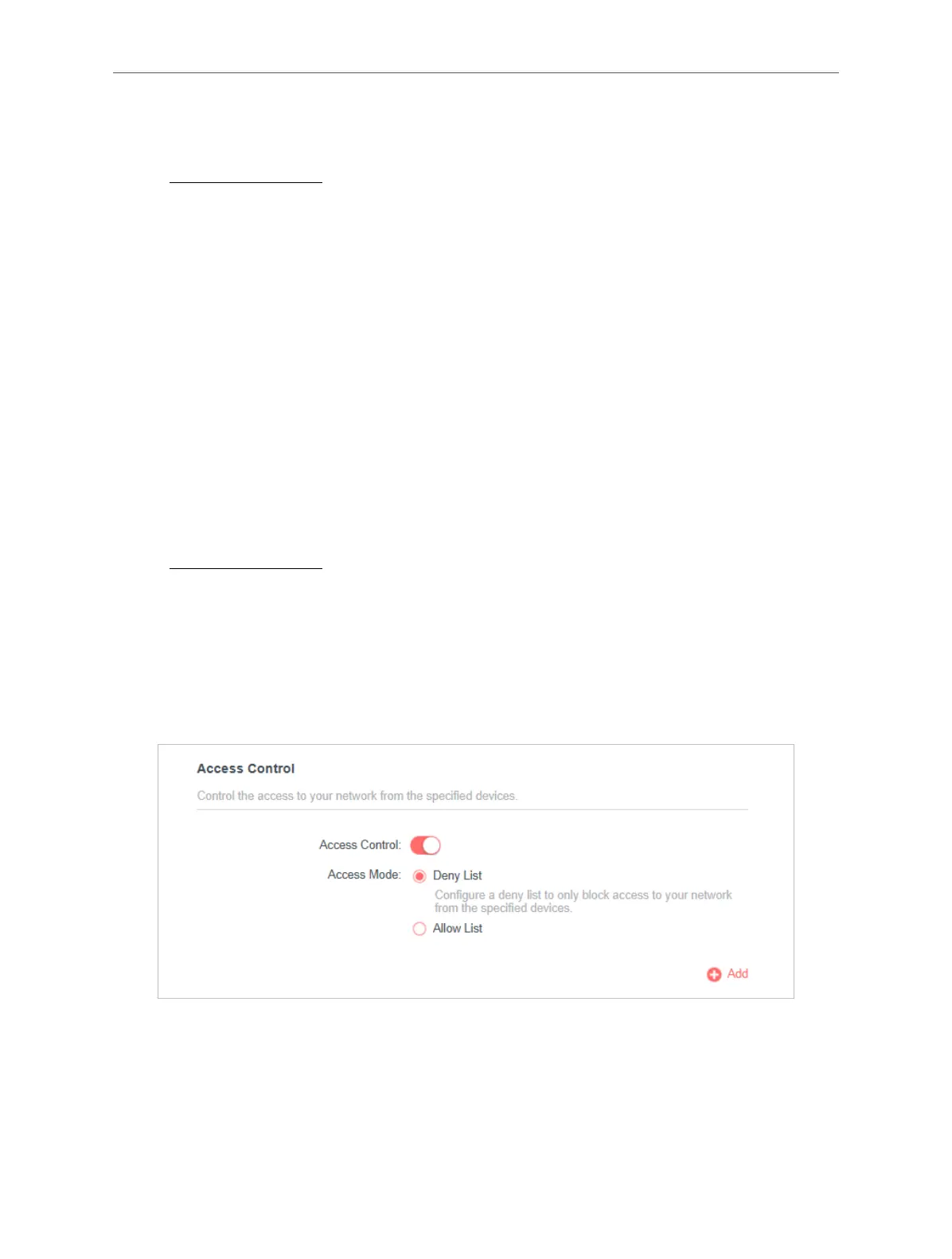
Access Control is used to block or allow specific client devices to access your network (via
wired or wireless) based on a list of blocked devices (Deny List) or a list of allowed devices
(Allow List).
I want to:
Block or allow specific client devices to access my network (via wired or wireless).
How can I do that?
1. Visit http://mwlogin.net, and log in with your Mercusys ID or the password you set for the
router.
2. Go to Advanced > Security > Access Control.
3. Select the access mode to either block (recommended) or allow the device(s) in the list.
To block specific device(s):
1 ) Select Deny List and click SAVE.
2 ) Click Add and select devices you want to block. You can see the devices have been
added to the list.



 To Next Page