21
Chapter 4 Congure the Router in Wireless Router Mode
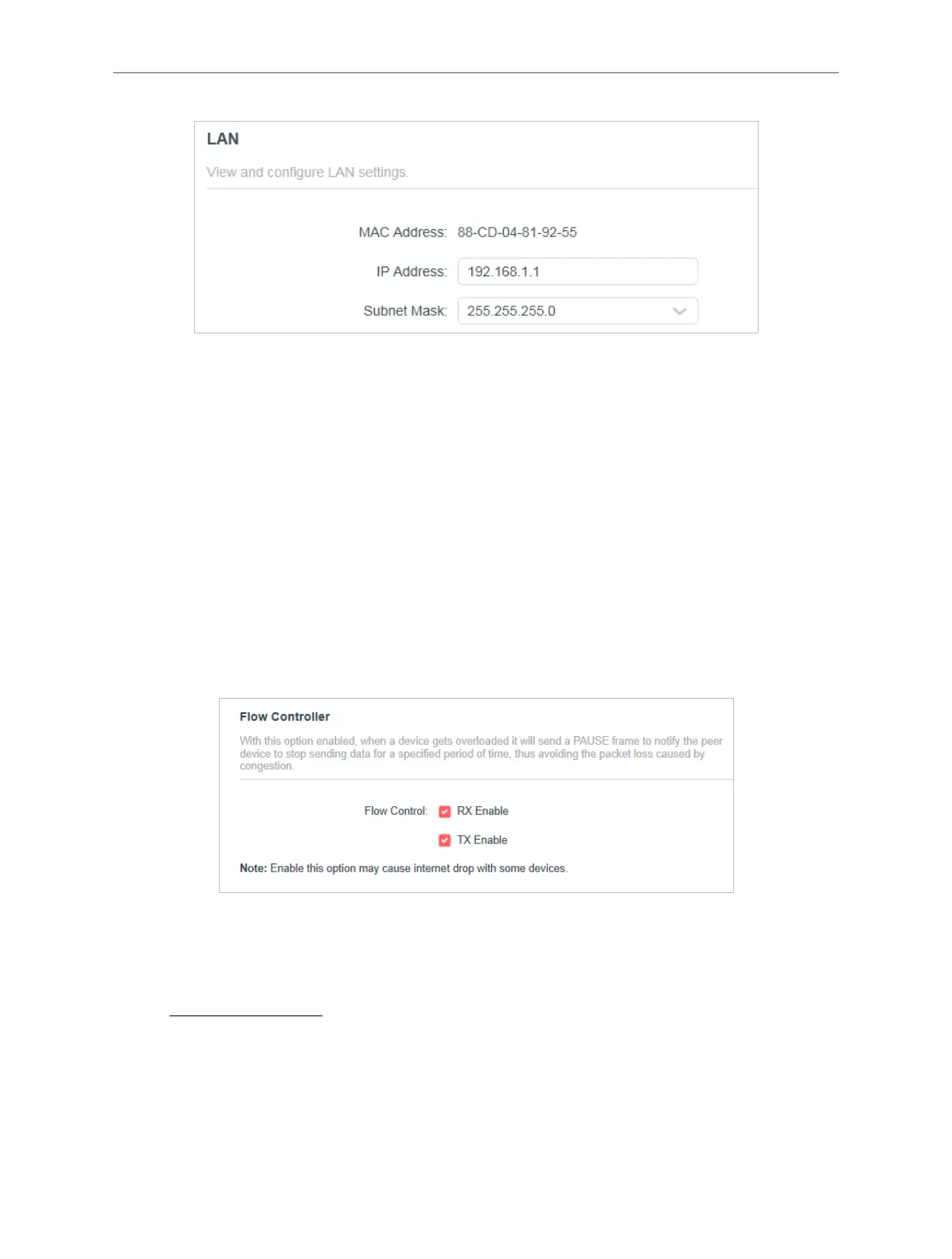
• MAC Address - The physical address of the LAN ports. The value can not be changed.
• IP Address - Enter the IP address in dotted-decimal notation of your router (the default
one is 192.168.1.1).
• Subnet Mask - An address code that determines the size of the network. Normally
255.255.255.0 is used as the subnet mask.
Note:
• If you have changed the IP address, you must use the new IP address to log in.
• If the new IP address you set is not in the same subnet as the old one, the IP address pool in the DHCP Server will be
configured automatically, but the Virtual Server and DMZ Host will not take effect until they are re-configured.
• Flow Controller
With Flow Controller enabled, when a device gets overloaded it will send a PAUSE frame to
notify the peer device to stop sending data for a specified period of time, thus avoiding the
packet loss caused by congestion.
Note: Enable Flow Controller may cause internet drop with some devices.
4. 3. 7. IPTV/VLAN
1. Visit http://mwlogin.net, and log in with your Mercusys ID or the password you set for the
router.
2. Go to Advanced > Network > IPTV/VLAN.
• If your ISP provides the networking service based on IGMP technology, e.g., British
Telecom(BT) and Talk Talk in UK:



 To Next Page