31
Chapter 4 Congure the Router in Wireless Router Mode
• Channel - Select an operating channel for the wireless network. For the 2.4 GHz and 5GHz
bands, it is recommended to leave the channel to Auto, if you are not experiencing the
intermittent wireless connection issue. For the 6GHz band, choose whether to Enable
PSC. When PSC (Preferred Scanning Channel) is enabled, only channels with higher
connectivity will be reserved to ensure 6GHz device connections.
• Mode - You can choose the appropriate “Mixed” mode.
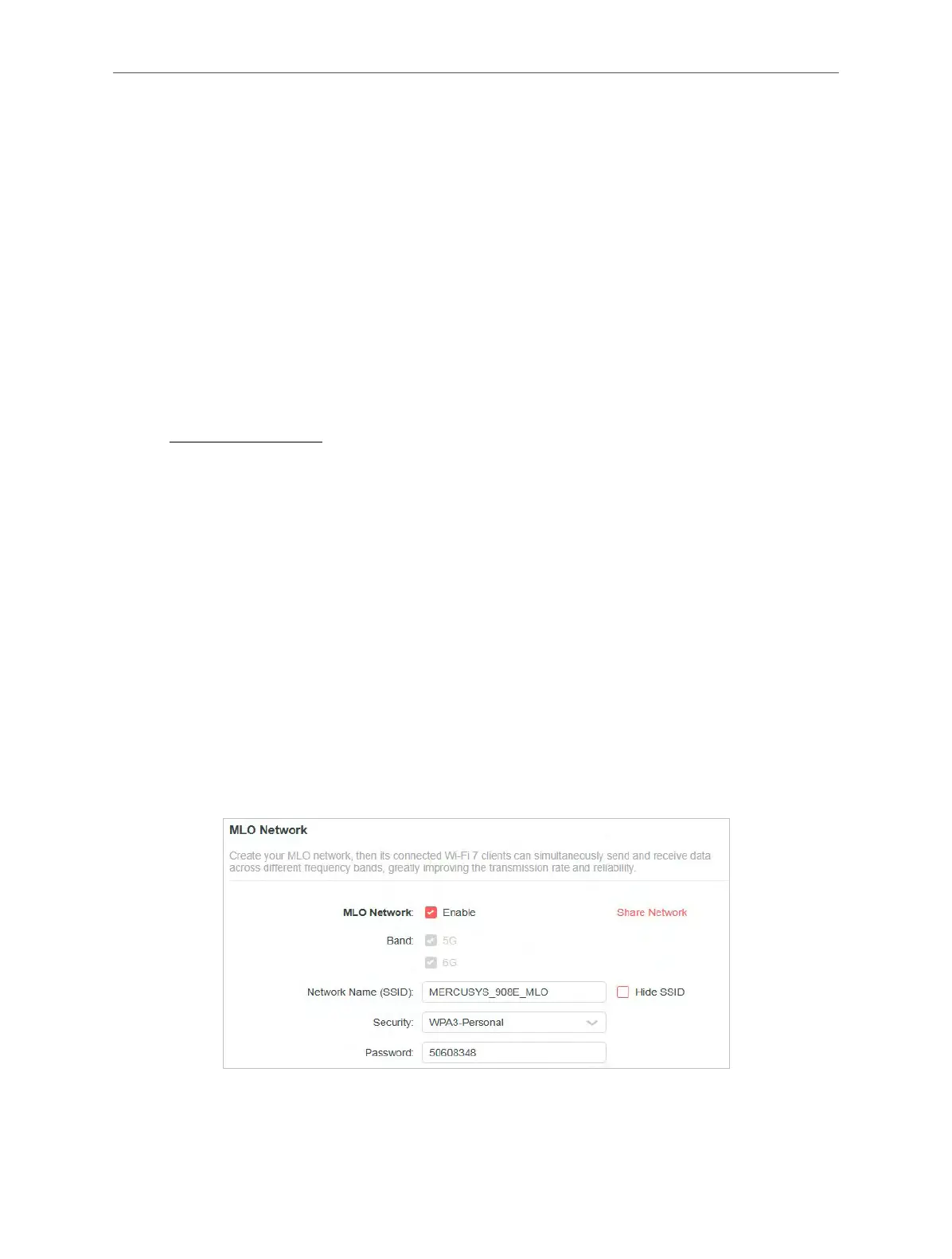
4. 5. 2. MLO Network
MLO (Multi-Link Operation) network enables the connected Wi-Fi 7 clients to simultaneously
send and receive data across different frequency bands, greatly improving the transmission
rate and reliability.
1. Visit http://mwlogin.net, and log in with your Mercusys ID or the password you set for the
router.
2. Go to Wireless or Advanced > Wireless > Wireless Settings, and locate the MLO
Network section.
3. Enable MLO Network.
4. View the radio bands that the MLO network takes effect.
5. Specify an SSID in Network Name (SSID).
6. Select the Security type. Specify a password if the security type you selected requires it.
This value is case-sensitive.
7. You can also click Share Network to share the SSID and password with your guests.
8. If you select Hide SSID, your SSID won’t display when you scan for local wireless
networks on your wireless device and you need to manually join the MLO network.
9. Click SAVE to save your settings.



 To Next Page