67
Chapter 4 Congure the Router in Wireless Router Mode
4. 10. 4. WireGuard VPN
WireGuard VPN Server is used to create a Wire Guard VPN connection for remote devices to
access your home network.
Step 1. Set up WireGuard VPN Server on Your Router
1. Visit http://mwlogin.net, and log in with your Mercusys ID or the password you set for the
router.
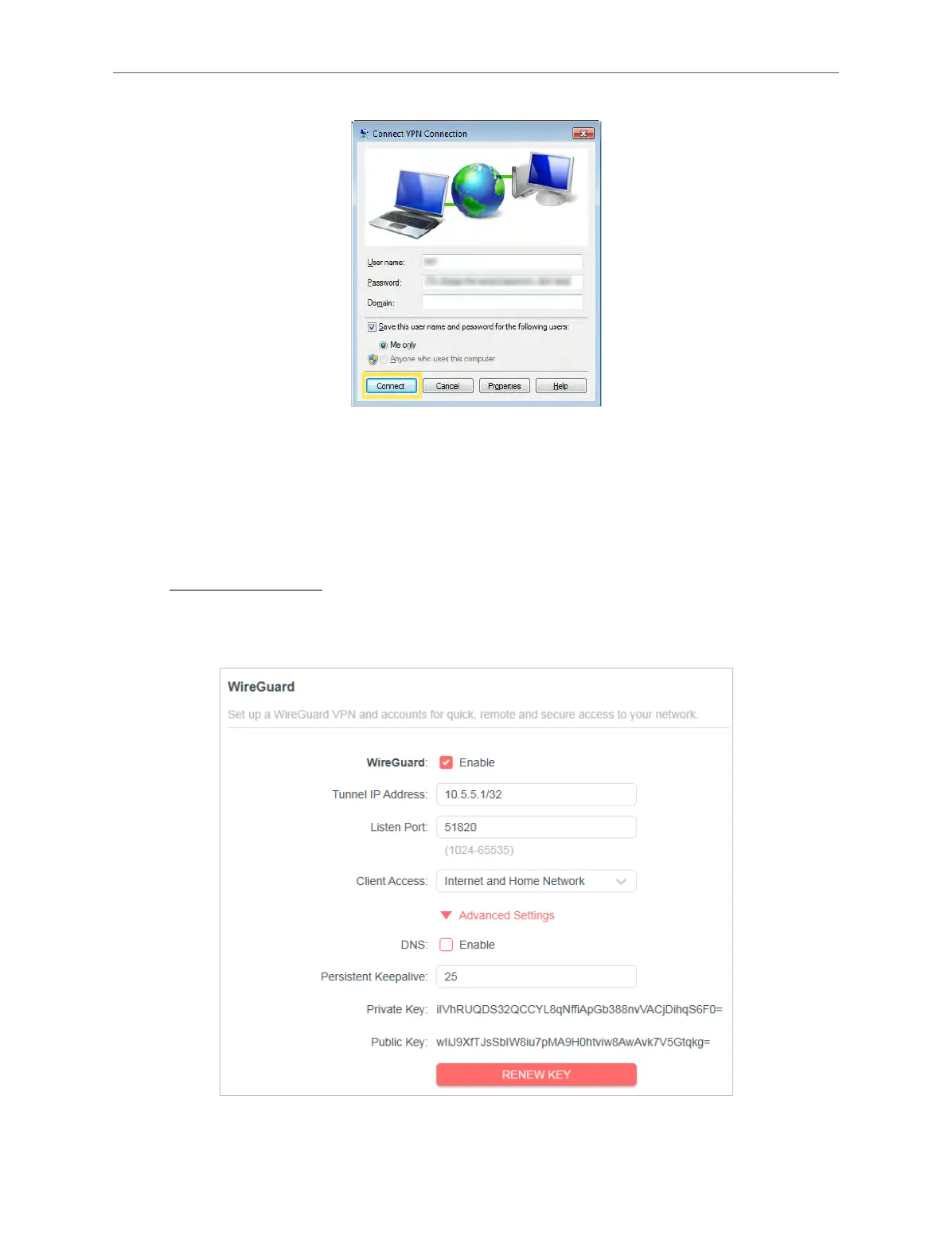
2. Go to Advanced > VPN Server > WireGuard, and enable WireGuard.
3. Set the Tunnel IP Address and Listen Port. Do NOT change it unless necessary.



 To Next Page