56
Chapter 4 Congure the Router in Wireless Router Mode
4. Set the PPTP connection permission according to your needs.
• Select Allow Samba (Network Place) access to allow your VPN device to access
your local Samba server.
• Select Allow NetBIOS passthrough to allow your VPN device to access your Samba
server using NetBIOS name.
• Select Allow Unencrypted connections to allow unencrypted connections to your
VPN server.
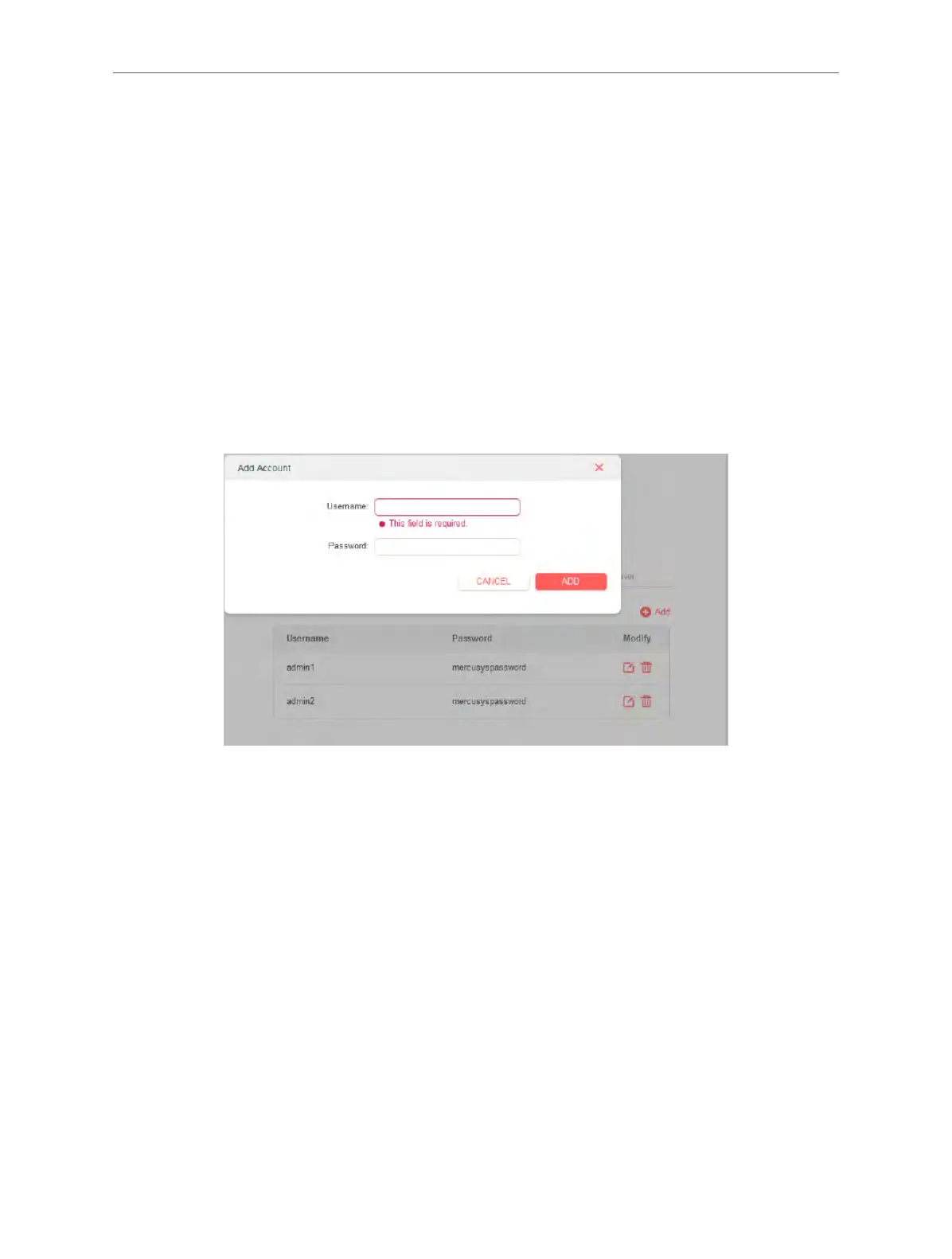
5. Click SAVE then configure the PPTP VPN connection account for the remote device, you
can create up to 16 accounts.
1 ) Click Add.
2 ) Enter the Username and Password to authenticate devices to the PPTP VPN Server.
3 ) Click ADD to save the information.
Step 2. Configure PPTP VPN Connection on Your Remote Device
The remote device can use the Windows built-in PPTP software or a third-party PPTP software
to connect to PPTP Server. Here we use the Windows built-in PPTP software as an example.
1. Go to Start > Control Panel > Network and Internet > Network and Sharing Center.
2. Select Set up a new connection or network.



 To Next Page