63
Chapter 4 Congure the Router in Wireless Router Mode
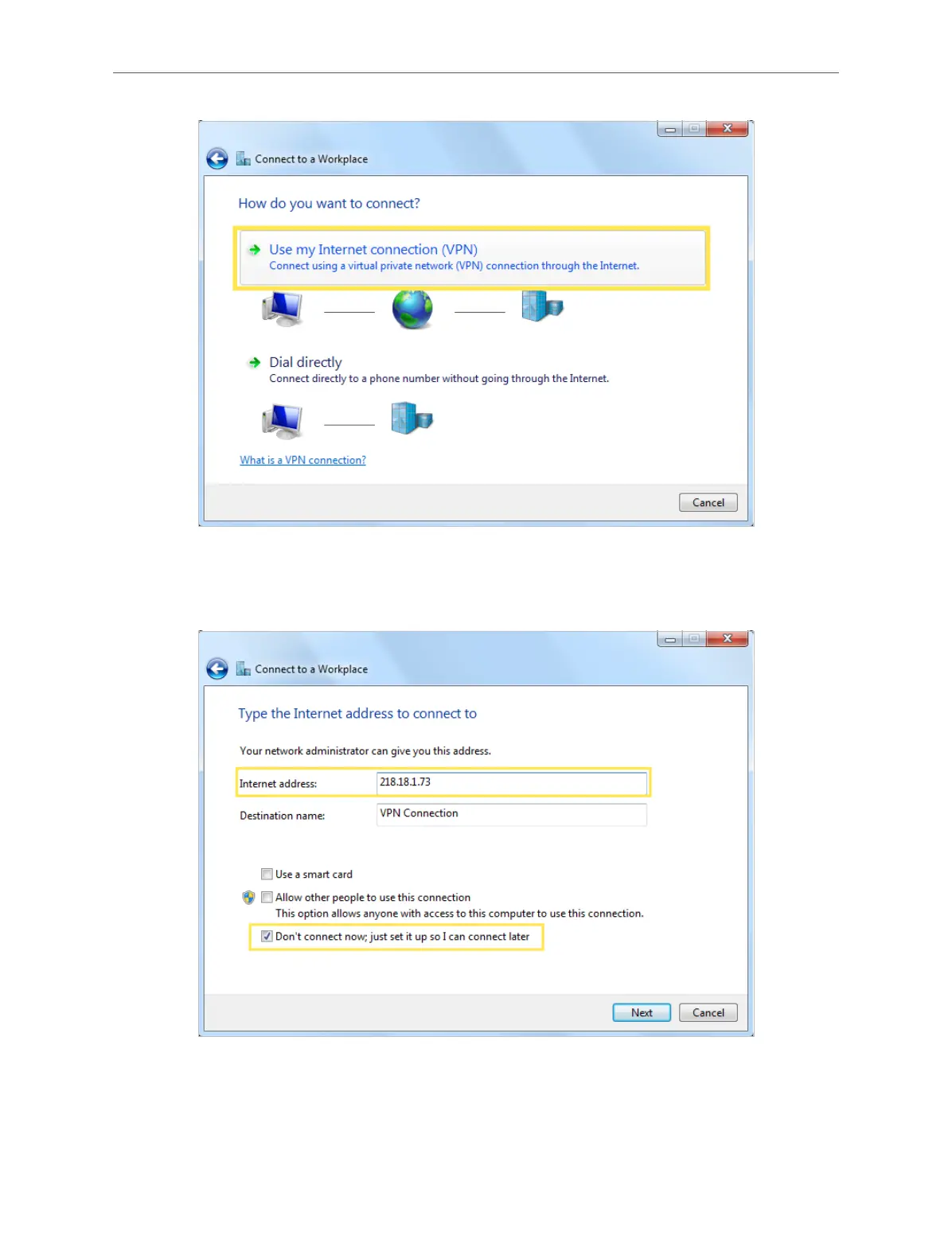
5. Enter the internet IP address of the router (for example: 218.18.1.73) in the Internet
address field, and select the checkbox Don’t connect now; just set it up so I can connect
later. Click Next.
6. Enter the Username and Password you have set for the L2TP/IPSec VPN server on your
router, and click Connect.



 To Next Page