79
Chapter 4 Congure the Router in Wireless Router Mode
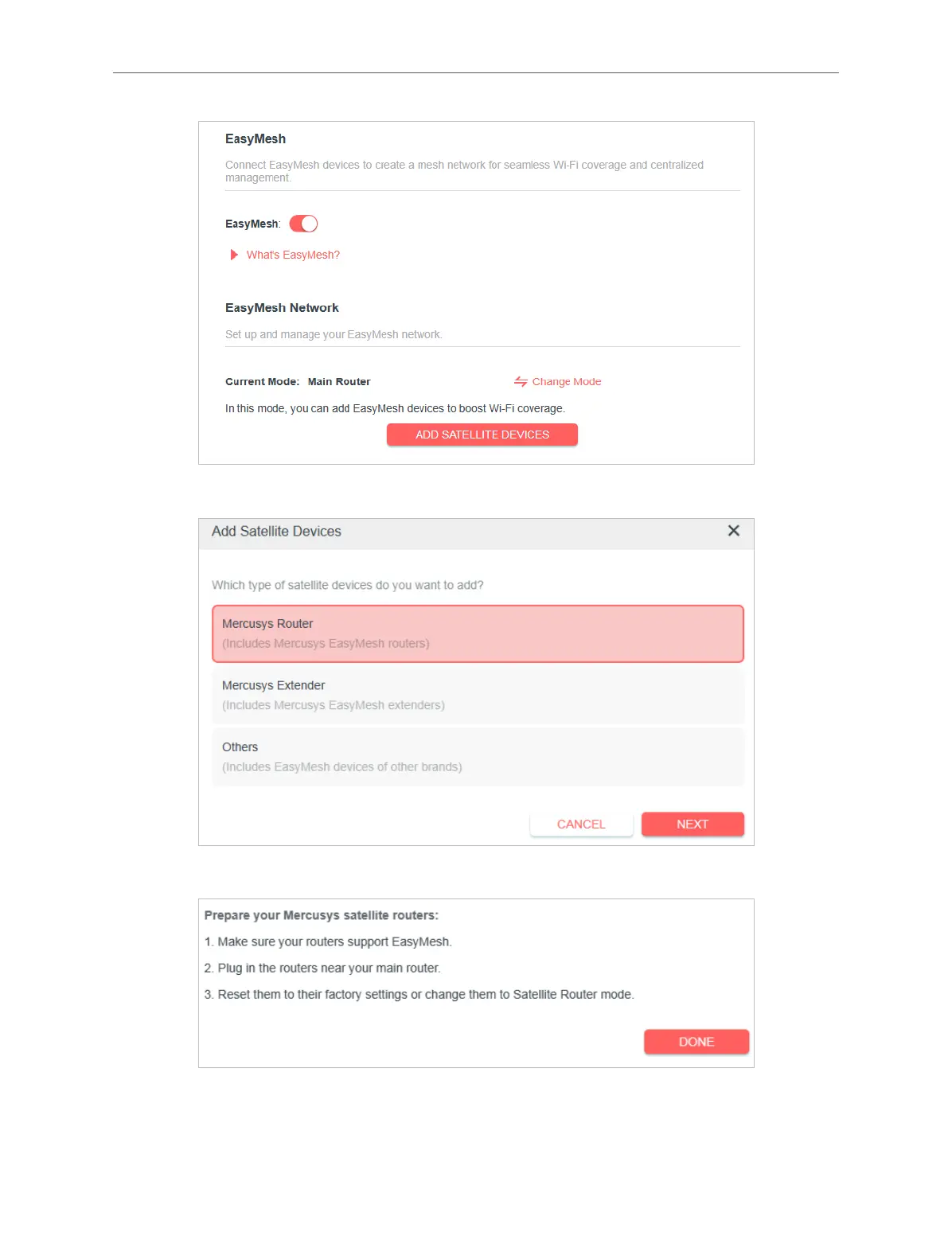
3. Click ADD SATELLITE DEVICES, select Mercusys Router, then click NEXT
4. Follow the page instructions to prepare your satellite router, then click DONE.
5. Click ADD. When prompted “This device has been added successfully“, click OK, then
click FINISH. Then you can check the mesh device on the router’s web page.



 To Next Page