84
Chapter 4 Congure the Router in Wireless Router Mode
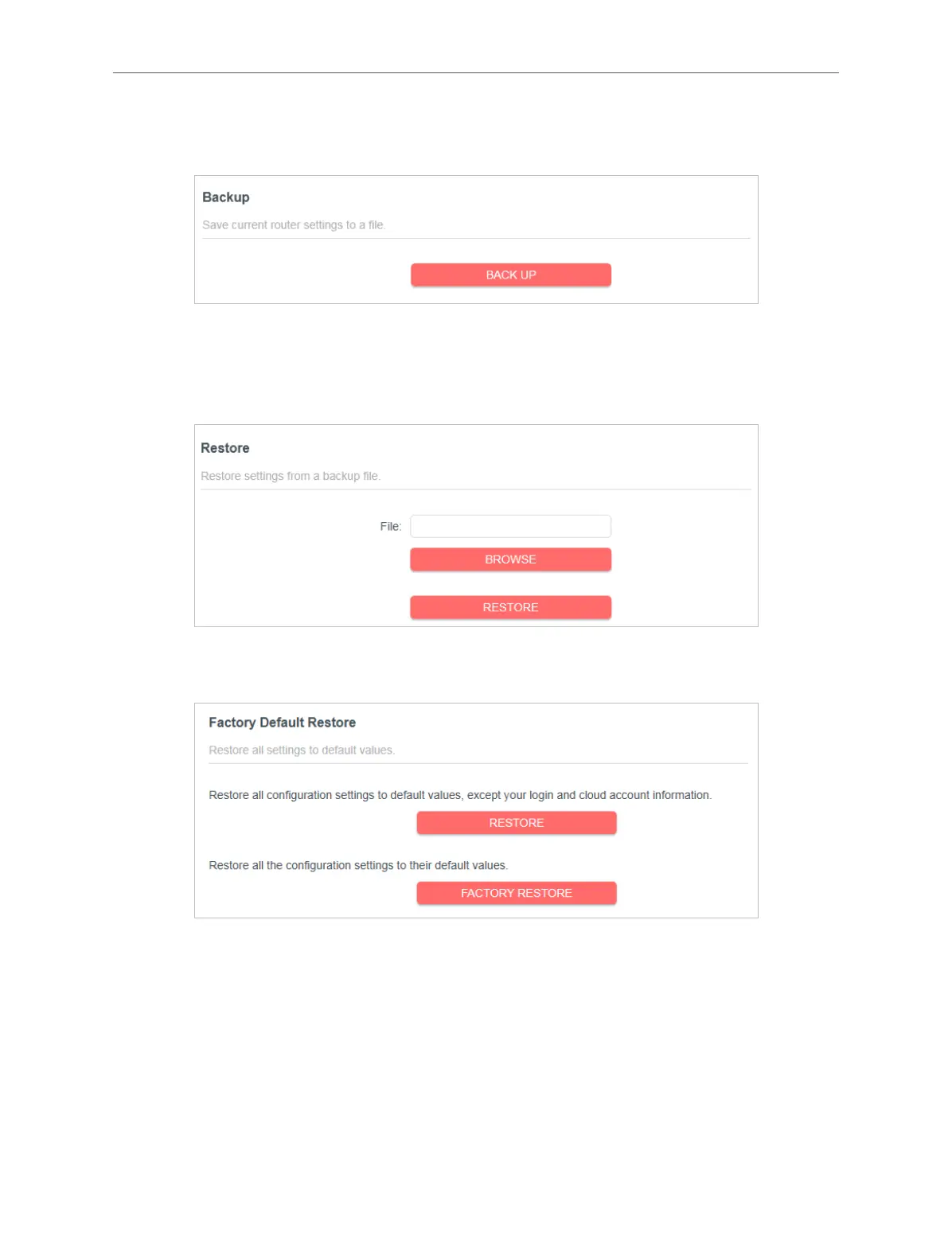
Click BACK UP to save a copy of the current settings in your local computer. A “.bin“ file of
the current settings will be stored in your computer.
To restore configuration settings:
1. Click BROWSE to locate the backup configuration file stored in your computer, and click
RESTORE.
2. Wait a few minutes for the restoring and rebooting.
To reset the router except your login password and Mercusys ID:
1. In the Factory Default Restore section, click RESTORE.
2. Wait a few minutes for the resetting and rebooting.
To reset the router to factory default settings:
1. Click FACTORY RESTORE to reset the router.



 To Next Page