11
AQUALAB
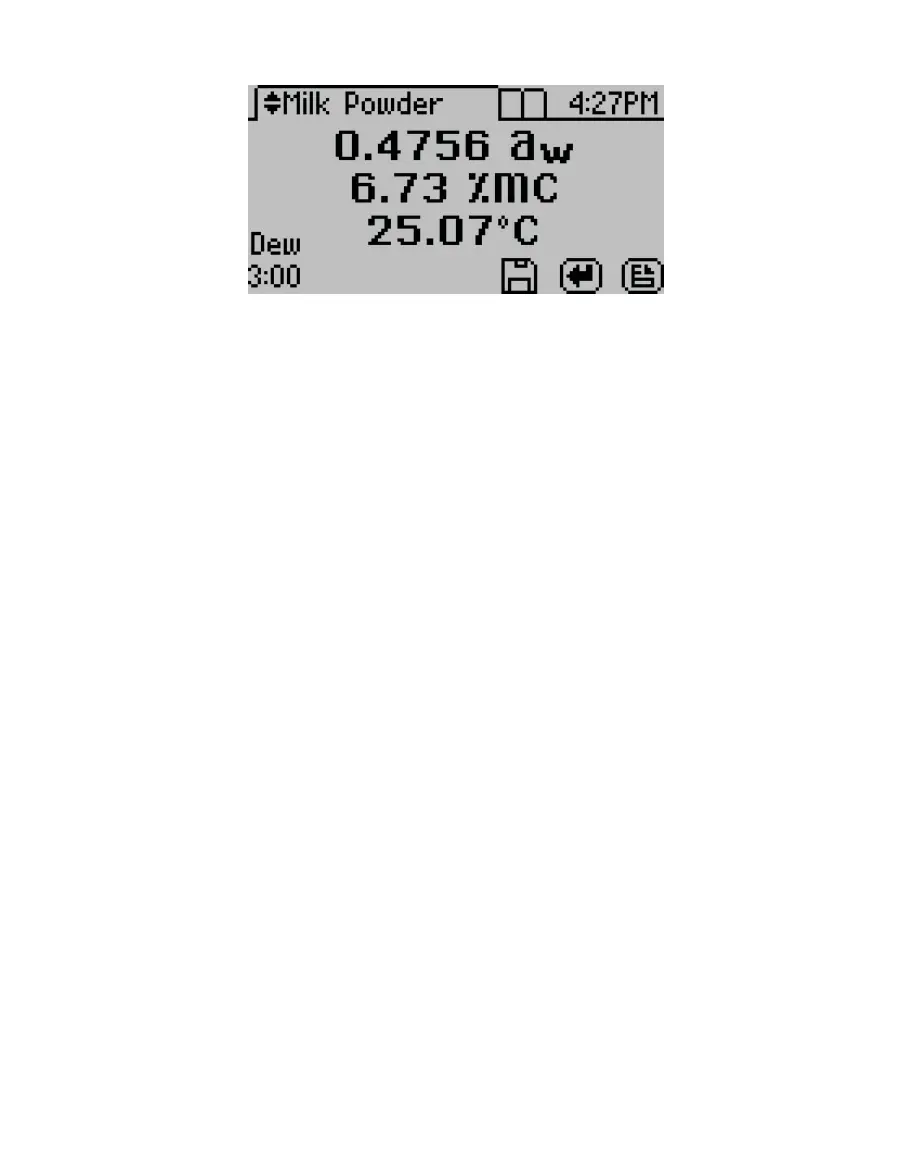
Figure10 AQUALAB DUO display with water activity and moisture content readings
2.5.1 OBTAINING PRODUCT ISOTHERM MODELS
The isotherm relationship for each product is unique, and each product isotherm model
must be determined experimentally prior to testing moisture content with the AQUALAB
DUO.
There are several strategies that can be used to generate models. Please contact Customer
Support for information on model development.
2.5.2 LOADING AND ORGANIZING PRODUCT ISOTHERM MODELS
A product model must be loaded onto the AQUALAB DUO before it can calculate
moisture content. Models can be loaded onto the instrument by METER or by using
the AquaLink4 software (Section3.3.1). As many as 100 models can be stored on the
instrument.
The AquaLink 4 software uses a model loading tool to add and remove product models from
the AQUALAB DUO, allowing the user to control and organize product models.
The following steps explain how to load new models:
1. Download AquaLink 4 software from software.metergroup.com onto a computer.
2. Save the model les onto the same computer.
3. Open AquaLink software.
4. Connect the AQUALAB to the computer using the USB cord (or an RS-232 cord).
5. Turn the AQUALAB on.
6. In the AquaLink window, select the appropriate COM port from the dropdown menu.
7. Click Connect.
When the instrument is connected, the button will change to Disconnect.
8. Click Models.



 To Next Page