46
SERVICE
Measure verification standard
Clean sample
chamber
Reread first
standard
Go to offset
procedure
Go to sampling
procedure
Read second
standard
Clean sample
chamber
Repeat process
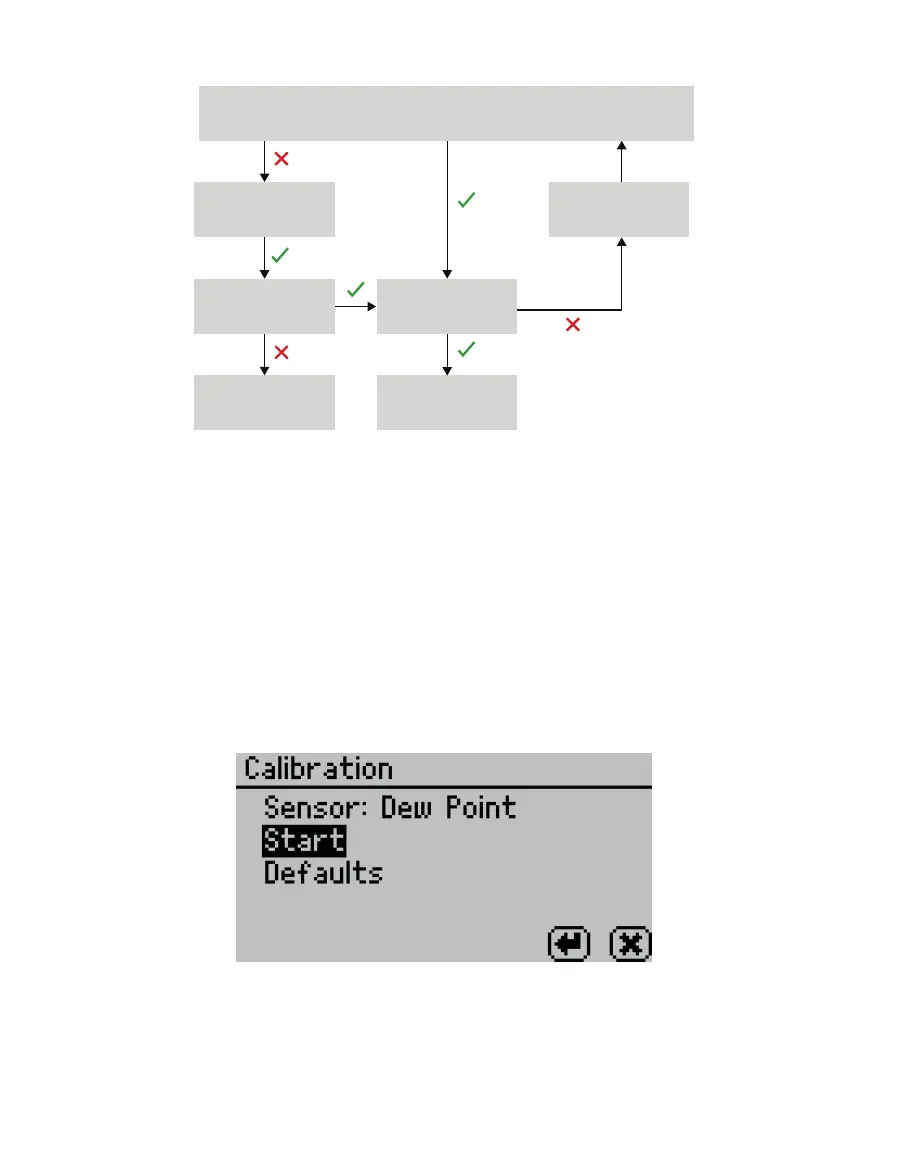
Figure59 Verication standard owchart. A check indicates AQUALAB veried the standard within
specication; a cross indicates AQUALAB did not verify the standard within specications.
4.1.2 LINEAR OFFSET
After verification and cleaning, the instrument an offset may be necessary.
1. Navigate to the Configuration tab.
For the AQUALAB 4TEV, the currently selected sensor for the instrument will be the one
offset. Make sure to select the correct sensor before beginning the offset.
2. Select Calibration.
NOTE: The DUO model shows both water activity and moisture content on this screen. Select Water Activity.
3. Select Start (Figure60).
Figure60 Start dew point calibration
To return to the prior tab, select CANCEL.
4. A prompt will appear to insert a fresh standard and seal the chamber (Figure61).
NOTE: The same verification standard can be used to verify and adjust the linear offset. If using the same
verification standard, do not open the sample chamber between verification and offset.



 To Next Page