17
AQUALAB
19. If editing an existing model, the model will update but automatically retain the
samename.
If creating a new model, enter a new name on the Annotation screen.
Select CANCEL to return to the Conguration tab and cancel the moisture content
adjustment.
20. Air out the chamber for at least 1 h.
21. Measure the sample again in normal sampling mode. The AQUALAB DUO should now
read the corrected moisture content value provided in step17.
If moisture content readings are still inconsistent with the reference method, contact
Customer Support.
2.5.5 RESTORE MOISTURE CONTENT DEFAULT SETTINGS
To restore the original model settings, use the following steps:
1. Press MENU to navigate to the Configuration tab.
2. Select Calibration.
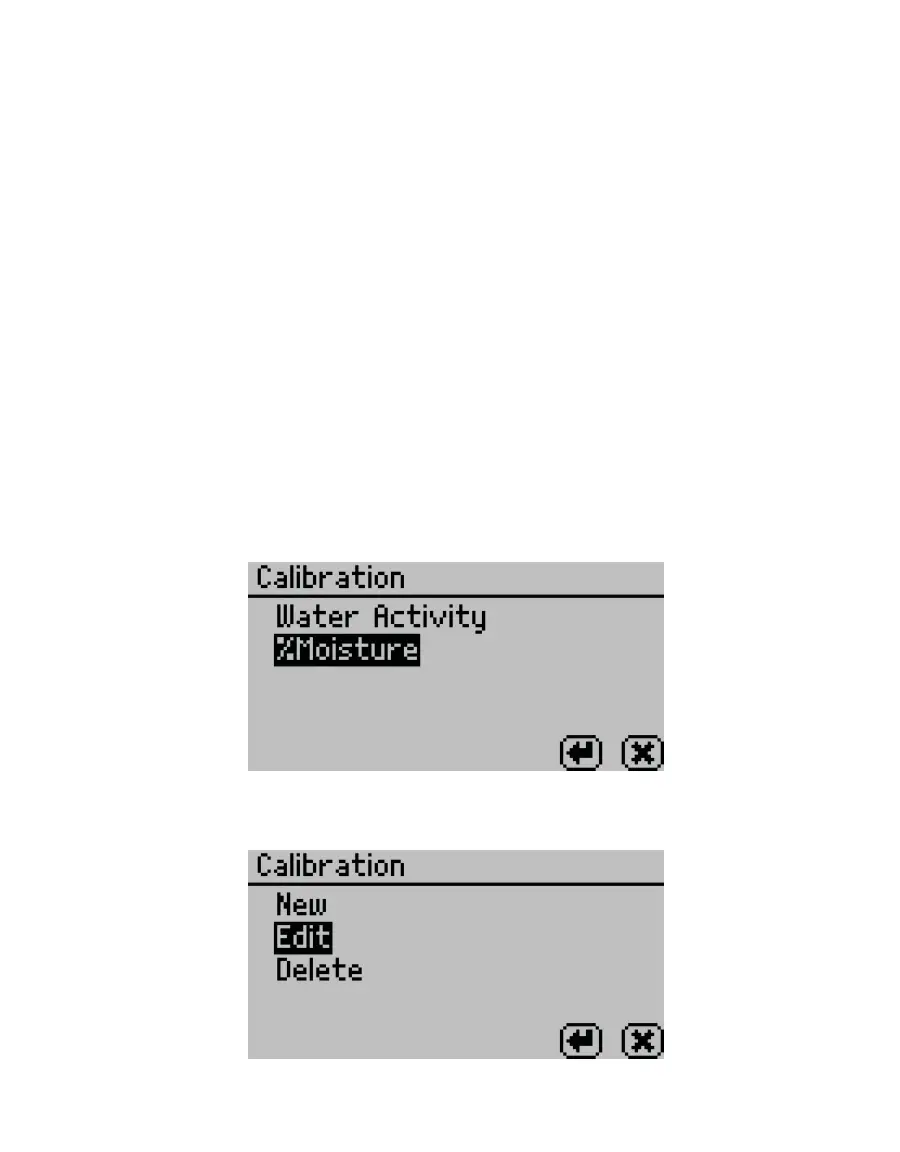
3. Select %Moisture from the list of calibration types (Figure21).
NOTE: If %Moisture is not an option, the instrument may not be an AQUALAB DUO. Contact Customer Support.
Figure21 List of calibration types
4. Select Edit (Figure22).
Figure22 Select Edit



 To Next Page