16
OPERATION
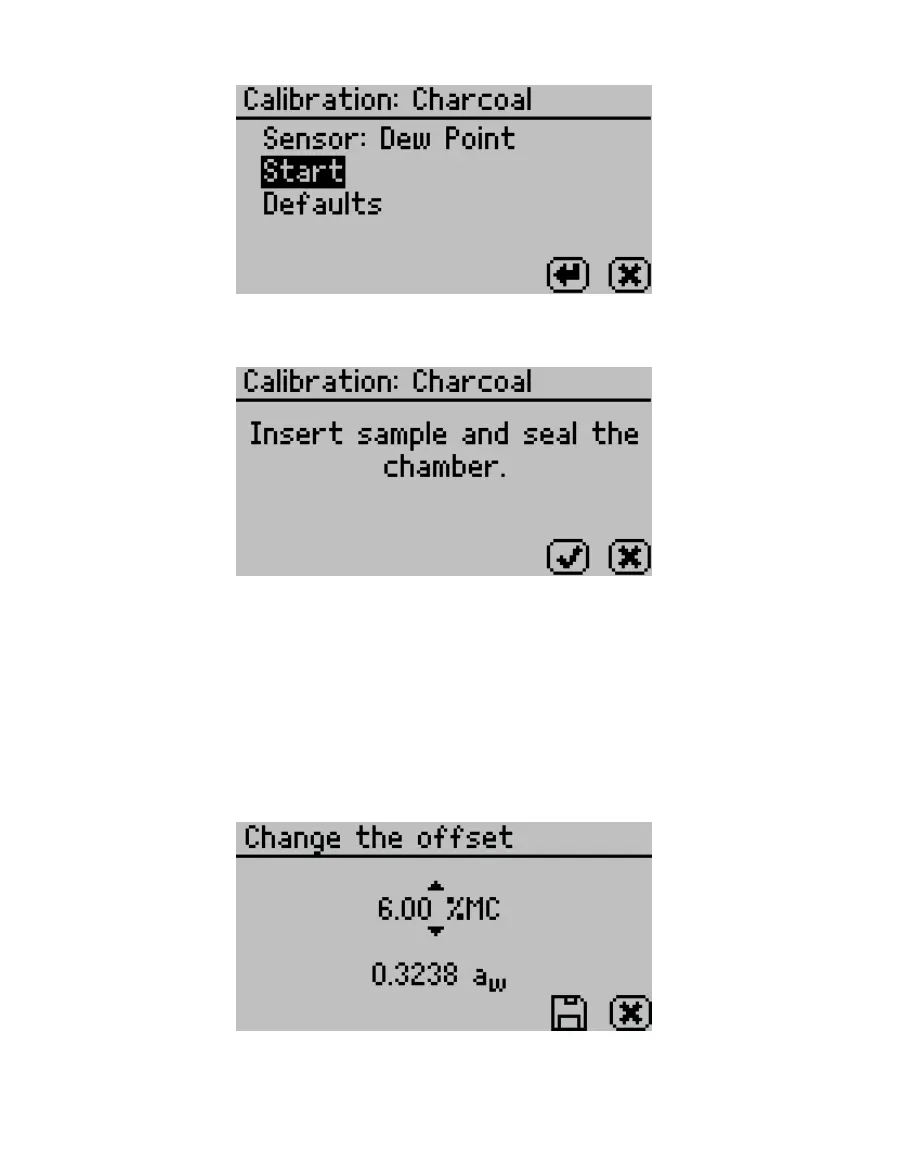
Figure18 Start test
13. Place a sample in the sample chamber when prompted (Figure19).
Figure19 Prompt to place sample in chamber
14. Remove the lid from the sample cup prepared in step3 and place into the chamber.
15. Close and latch the lid.
16. Select OK to begin a reading.
Once the reading is complete, the measured water activity as well as the moisture
content based on the target model will display on the screen.
17. Adjust the moisture content value using UP and DOWN until it matches the average
moisture content value obtained from the reference method in step5 (Figure20).
Figure20 Adjust the moisture content value to match the reference method
18. Select SAVE.



 To Next Page