51
AQUALAB
19. Measure a 0.76 a
w
verication standard according to the verication procedure detailed
in Section4.1.1.
If both verication readings are within ±0.015 a
w
, the instrument is ready to begin
testing.
If incorrect verication standard readings persist, contact Customer Support.
4.1.4 RESTORE FACTORY DEFAULTS
To restore original calibration settings, do the following:
1. Navigate to the Configuration tab using MENU.
NOTE: For TEV models, ensure the correct sensor is selected.
2. Select Calibration.
If using a DUO model, also select Water Activity.
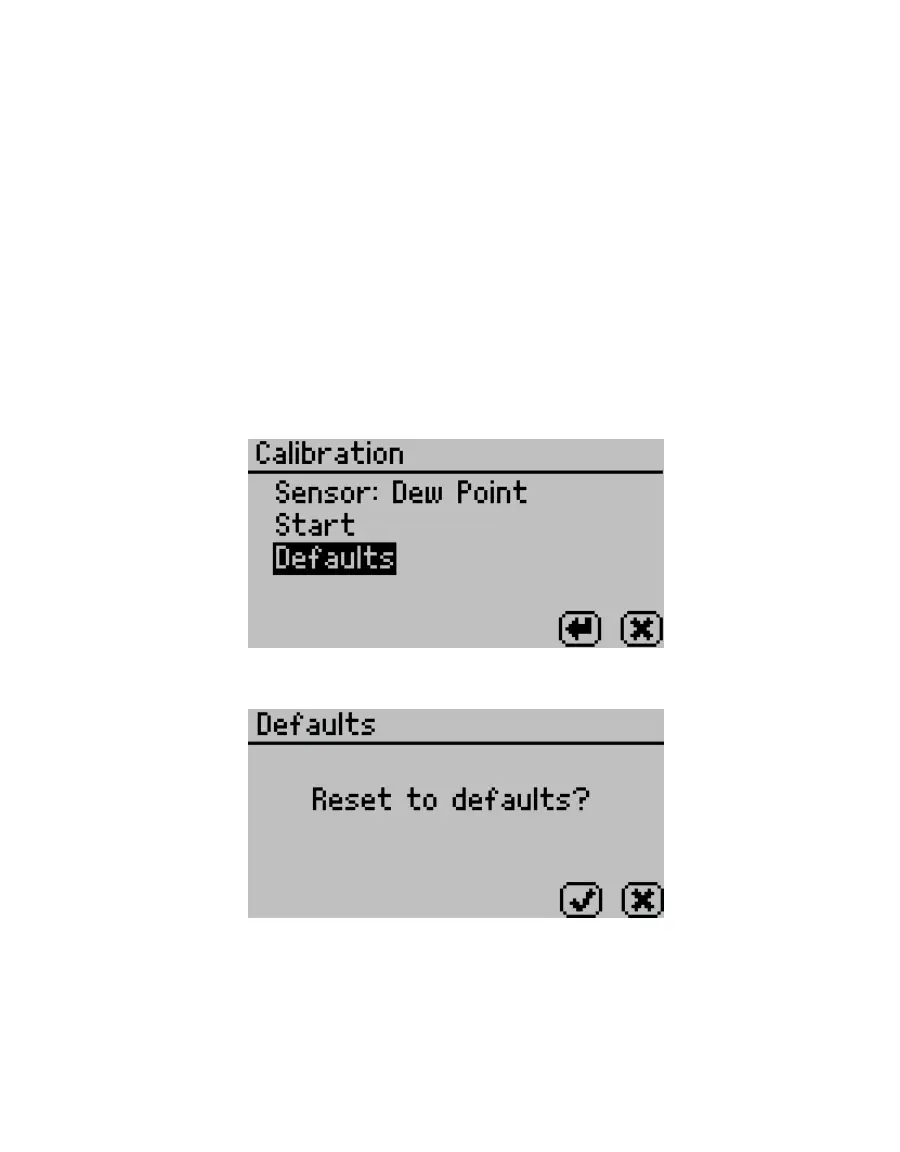
3. Select Defaults to access the Restore Factory Defaults routine (Figure70).
Figure70 Calibration screen with Defaults selected
A conrmation dialog will appear (Figure71).
Figure71 Conrmation dialog to reset defaults
4. Select OK.
Select CANCEL to return to the Calibration menu.
The instrument will conrm the factory calibration has been restored (Figure72).



 To Next Page