25
AQUALAB
There are four arrow buttons: LEFT, RIGHT, UP, and DOWN (Figure32). These buttons allow
for navigation through the various screens on the AQUALAB. The three round buttons
have variable uses, depending on what icon is represented above them on the display
(Section3.2.4).
Figure32 AQUALAB buttons under the display screen
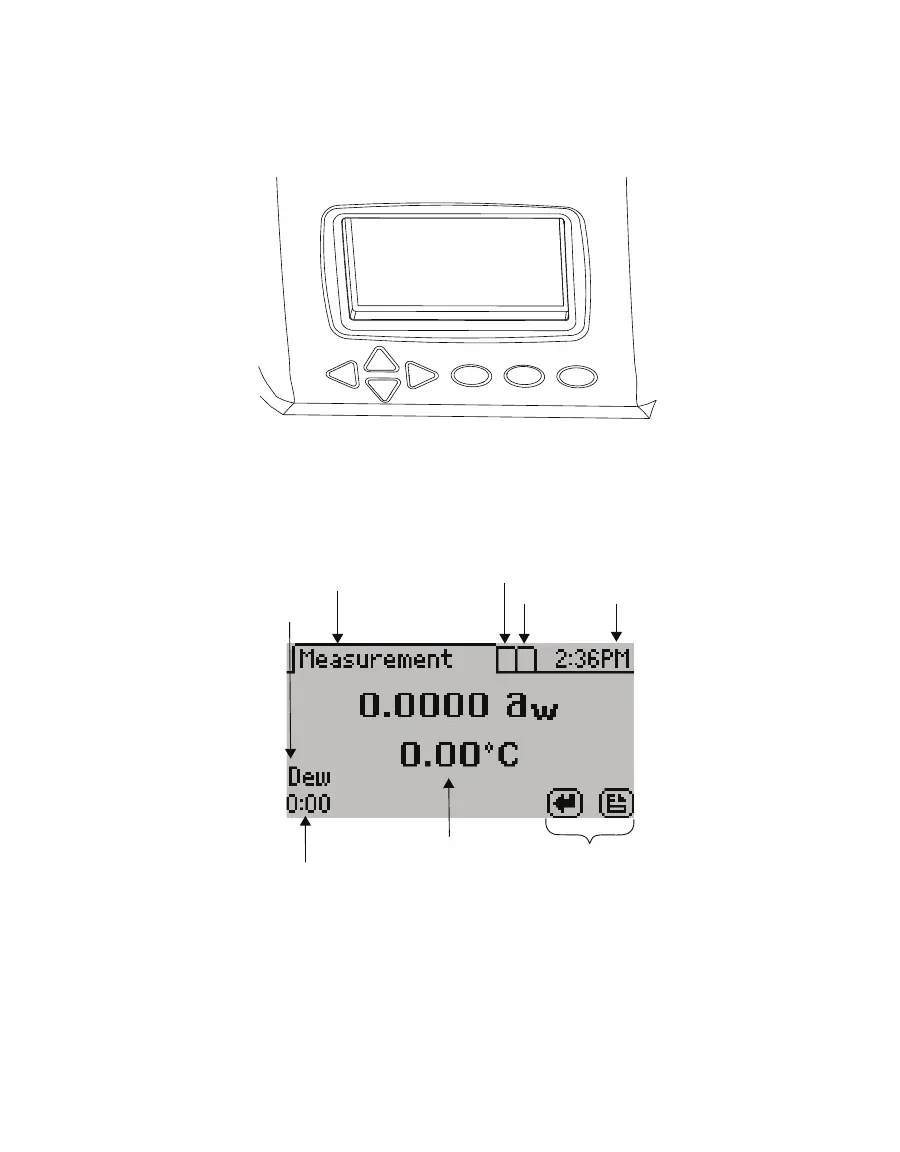
3.2.4 DISPLAY SCREEN
The display screen (Figure33) has three tabs: Measurement, Configuration, and Data.
Button icons
Reading results
Sensor
Reading time elapsed
Measurement tab
Configuration tab
Data tab Current time
Figure33 Display screen



 To Next Page