23
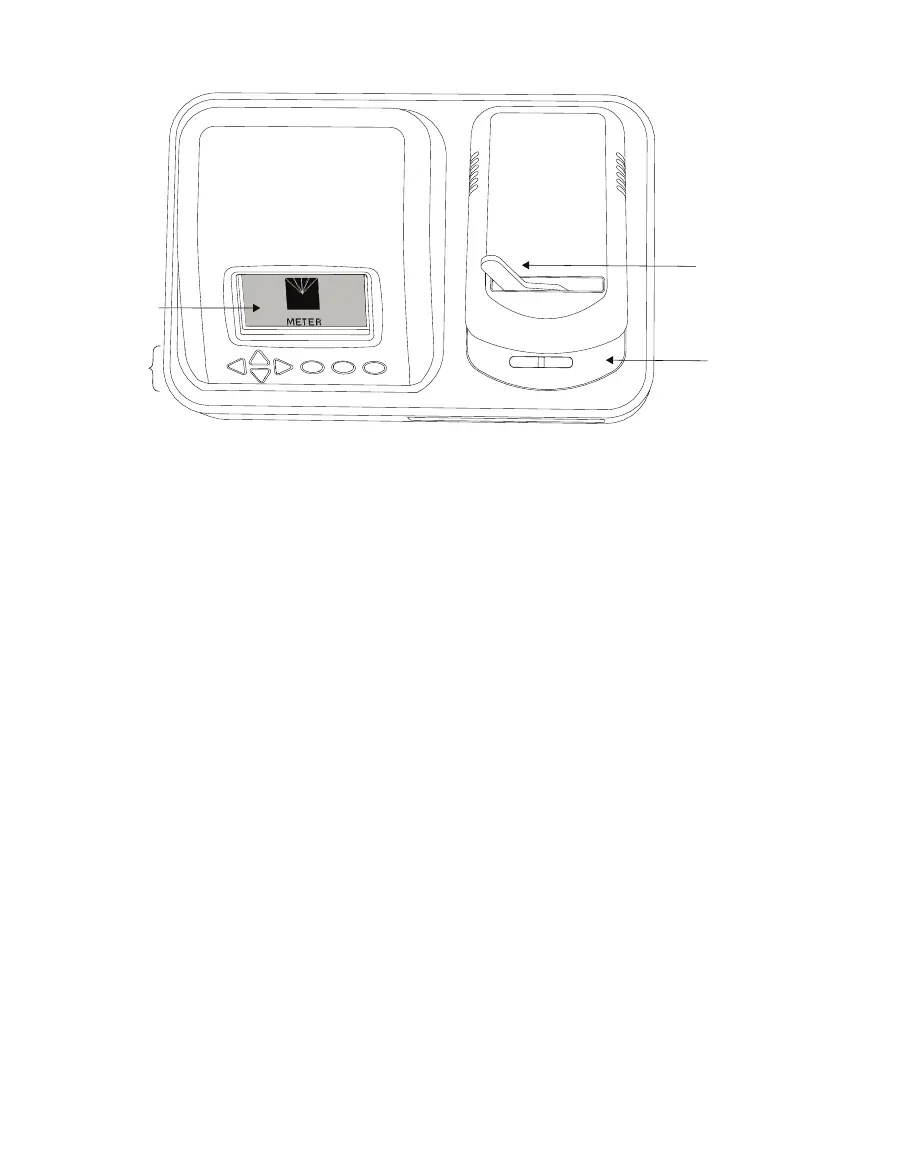
AQUALAB
Display
Sample chamber
Lever
Buttons
Figure30 AQUALAB exterior
3.2.1 CORDS AND CABLES
The AQUALAB is shipped with a power cord and a USB cable.
The power cord plugs into the back of the instrument and must be plugged into a grounded
outlet or power strip.
WARNING: Only use the supplied power cord or one rated for AQUALAB 4 and certified for the country of use. The cord
must be a minimum of 18 AWG and have a rating for 10 A or greater.
The USB cable has one USB A connector to connect to a computer and one USB B connector
to connect to the AQUALAB. The data from the AQUALAB can be saved to the computer with
this connection (Section3.3.1).
The AQUALAB may also be connected to a computer using a RS-232 serial cable (not
included).
3.2.2 SAMPLE CHAMBER
Externally, the sample chamber lever has two positions: OPEN (handle moved to the right)
and READ (handle moved to the left).
Internally, there are two blocks within the sample chamber: an upper lid block and a
lower sample block (Figure31). The blocks are temperature controlled and regulate the
temperature of the sample and sample chamber.
The mirror temperature is precisely controlled by a thermoelectric (Peltier) cooler. Detection
of the exact point condensation first appears on the mirror is observed with a photoelectric
cell. A beam of light is directed onto the mirror and reflected into a photo detector cell. The
photo detector senses the change in reflectance when condensation occurs on the mirror. A



 To Next Page