18
OPERATION
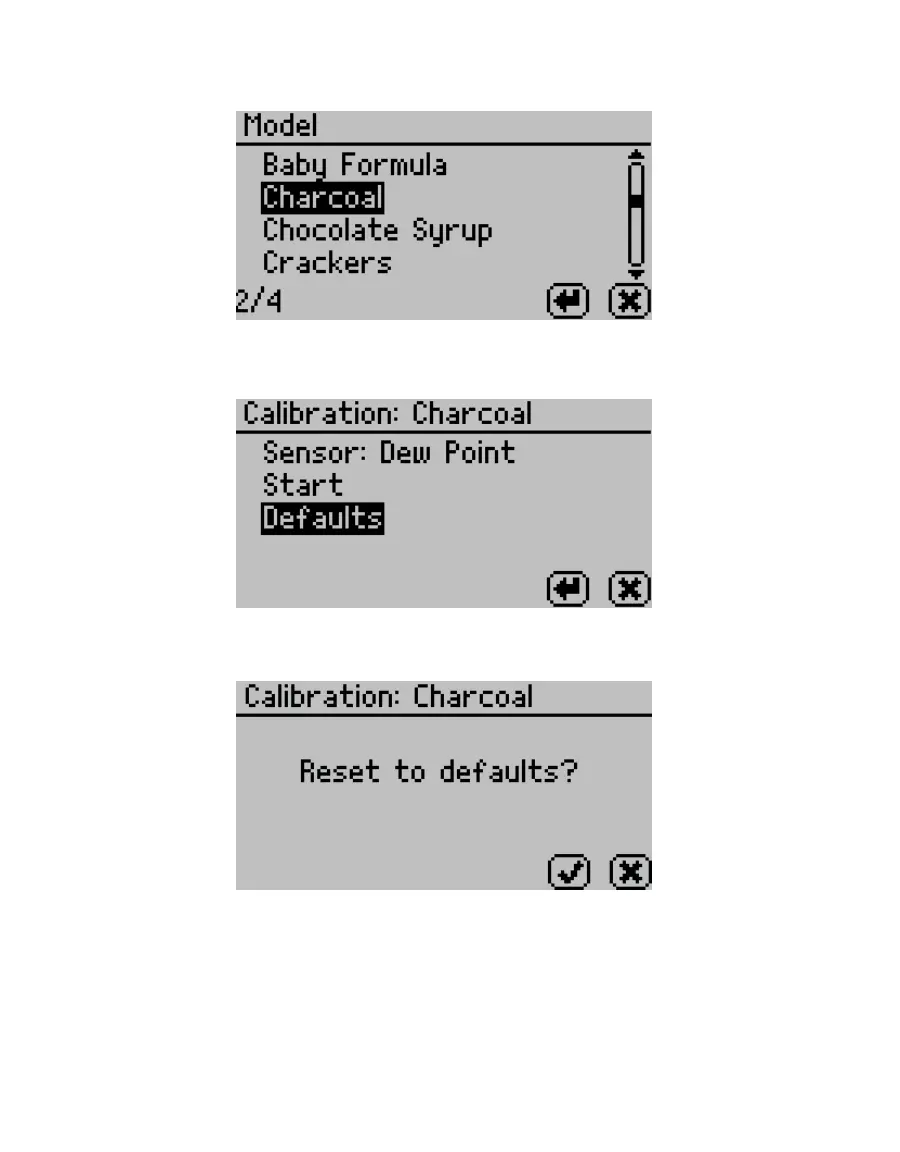
5. Select the desired model (Figure23).
Figure23 Moisture content model list
6. Select Defaults (Figure24).
Figure24 Default options
A conrmation dialog will appear (Figure25).
Figure25 Conrmation dialog to reset calibration to defaults
7. To restore the original model settings, select OK.
To cancel and return to the Calibration tab, select CANCEL.
A screen will conrm the restoration of factory calibration (Figure26).



 To Next Page