47
AQUALAB
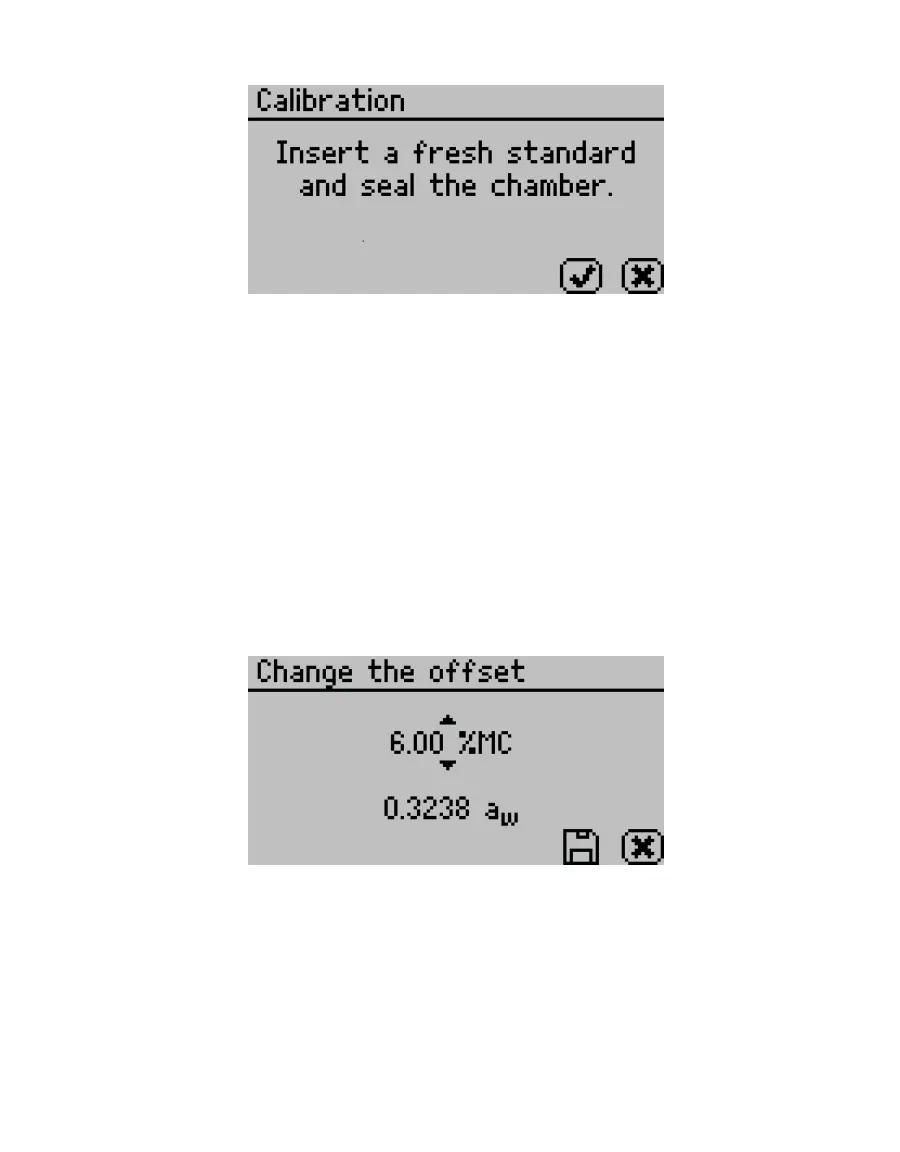
Figure61 Calibration instruction dialog
5. Empty the whole vial of water activity standard into a sample cup.
METER recommends using the 6.00 NaCl (0.76 a
w
). Do not adjust for the offset using
steam distilled water.
6. Ensure the rim and outside of the cup are clean.
7. Place the sample cup in the sample chamber.
8. Carefully close the lid and move the lever to the READ position.
9. Select OK to begin testing.
NOTE: To interrupt the offset procedure, return the lever to the OPEN position or select CANCEL to return to the
previous screen.
After the AQUALAB has nished measuring the verication standard, it displays a
Change the offset screen (Figure62).
Figure62 Change the offset screen
10. Use UP and DOWN to adjust the water activity reading to its proper value for the
particular verication standard.
11. Select SAVE to store this new value.
To cancel and return to the main menu, select CANCEL to make no changes.
12. Restart the verication procedure in Section4.1.1.
If incorrect verication standard readings persist after cleaning the chamber and
adjusting for linear offset, contact Customer Support for further instructions.



 To Next Page