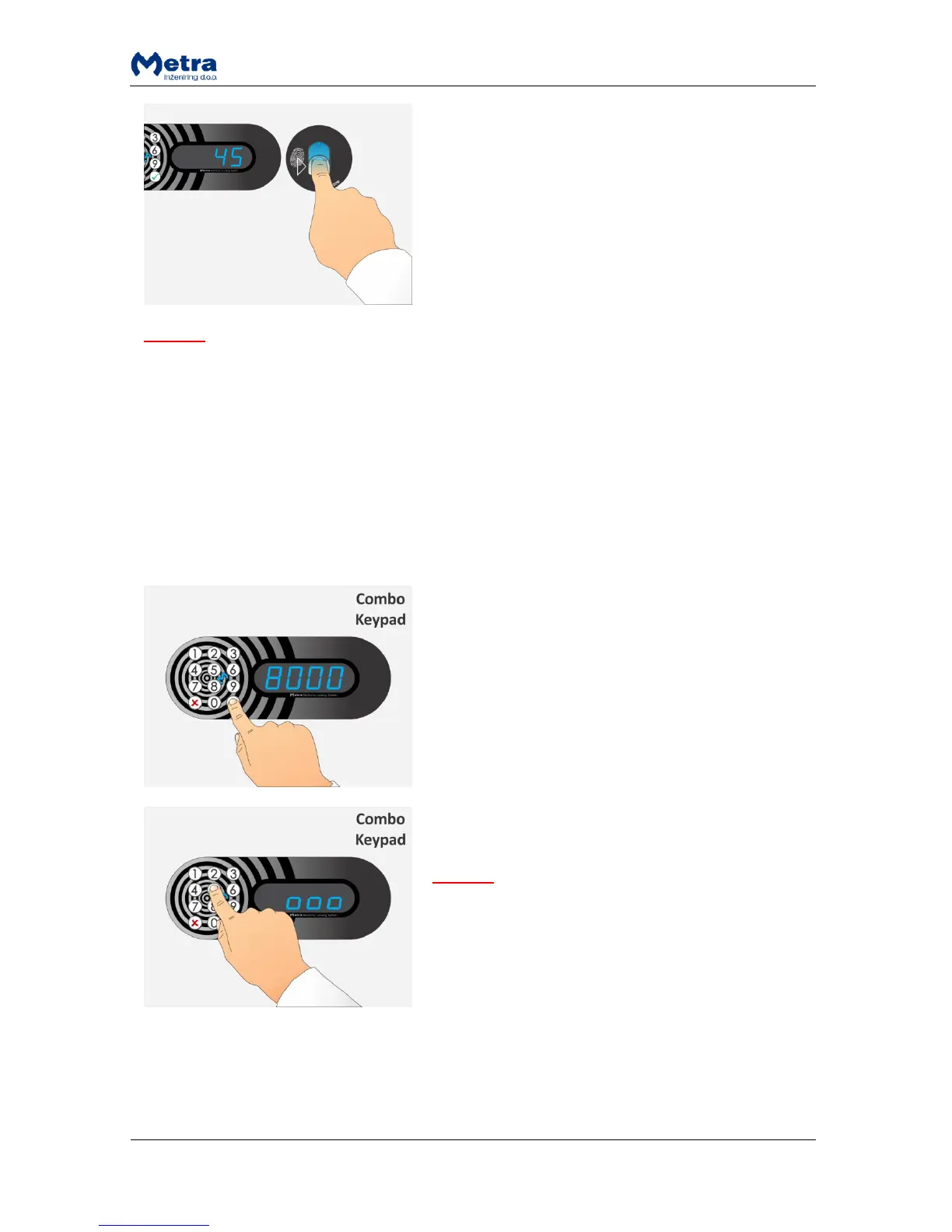
STEP 3: When the Fingerprint is accepted as a locker key
the corresponding locker is locked and its number is
displayed.
NOTE
If the locker was closed and finger not presented, locker automatically opens when time countdown
ends.
Multiple locking procedure with PIN code or fingerprint
Multiple locking should be enabled in order to use that possibility! For more information on multiple
locking parameters consult Locker Controller ELS & ELS SELECT Technical Manual.
All the lockers closed that way can be later unlocked (all at once) using the Multiple unlocking
procedure.
STEP 1: Enter group PIN code (number defined by
“GrUP” parameter – from 8000 to 9999) to start multiple
locking procedure and press the key.
NOTE: The key cancels the procedure.
STEP 2: Device enters the PIN-entry mode. Sign “Pin” is
flashing and beep acoustic signal is heard.
NOTE
You can choose to use your fingerprint (if Fingerprint
module is present) or you can choose and type in up to 4
digit PIN code.
If PIN code is chosen than “o” is displayed for each PIN
digit entered. From 1 to 4 digits are accepted as a PIN
code. Confirm your PIN code with the key.
NOTE: The key cancels the procedure.



 To Next Page