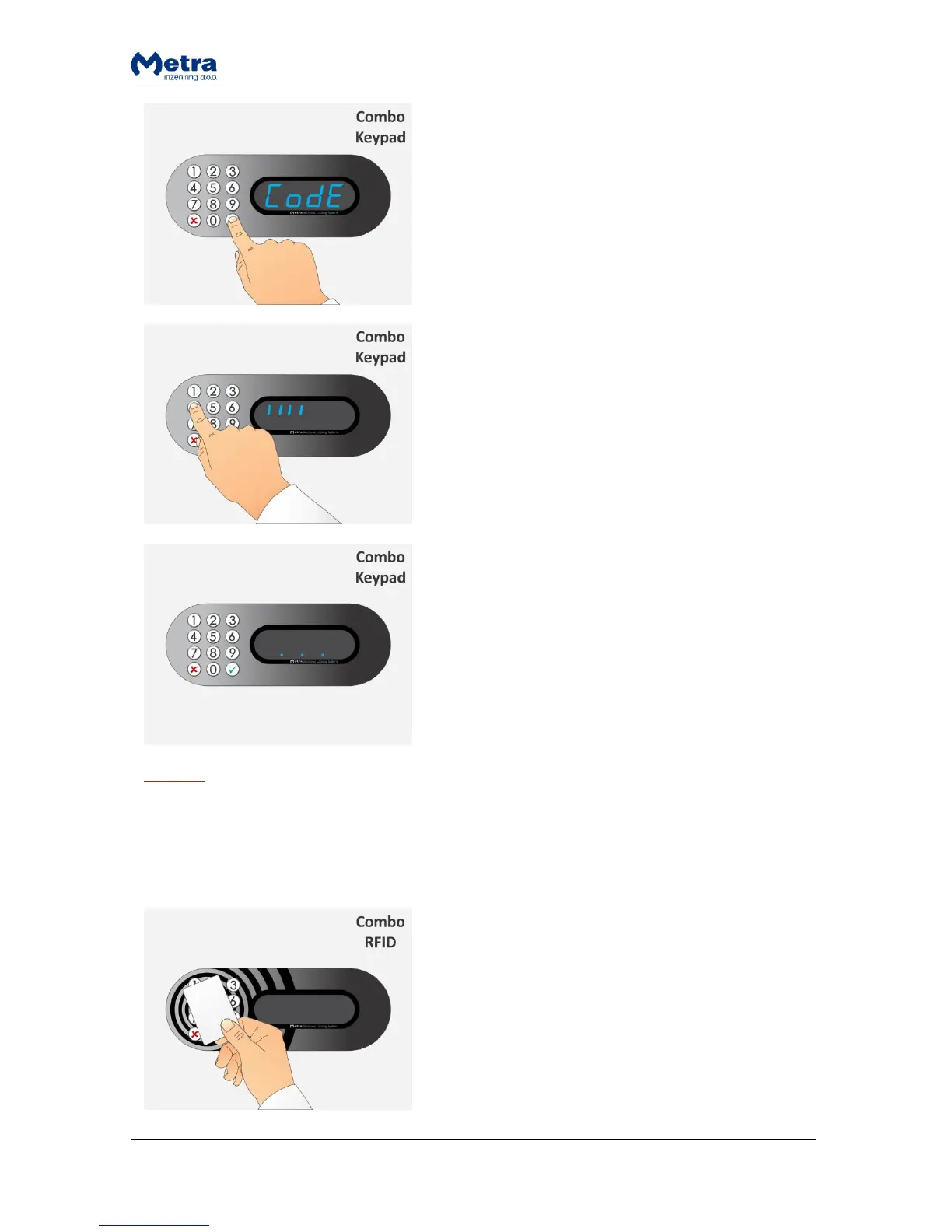
STEP 2: Sign “CodE” starts flashing beep acoustic signal is
heard.
STEP 3: Type-in a Master code (up to 16 digits). Signs “I”
are displayed for each entered digit. Confirm the Master
code with the key.
NOTE: The key cancels the procedure.
STEP 4: If correct Master code was entered the Locker
Controller turns to Master mode of operation. It is
indicated by flashing 3 dots on the display.
NOTE
To exit the Master mode of operation press and hold the key.
Master mode of operation exits automatically if no action was triggered in last 60 seconds.
Entering the Master mode by presenting the Master card
STEP 1: Approach the Master card to the antenna field.
Reading distance is 3 – 5 centimetres from the device
surface. Hold the Master card in the field for a few
moments.



 To Next Page