Other enhancing accessories are also available:
A Fingerprint module can be added to lock/unlock lockers simply by placing the finger
Euro deposit pad limits locker misuse
Coin acceptor generates revenue from locker use
Product can be used totally independent of Metra NET Network; Wiring all the Locker Controllers
into a network and adding a Metra Network Controller enables additional alarm notification, remote
locker management, and remote unlocking of locks by pushbutton.
Operating parameters are set up through Display’s keypad and stored in internal battery powered
memory. To simplify setup of Locker Controllers and master/payment/setup code management also
Metra ELS SW can be used.
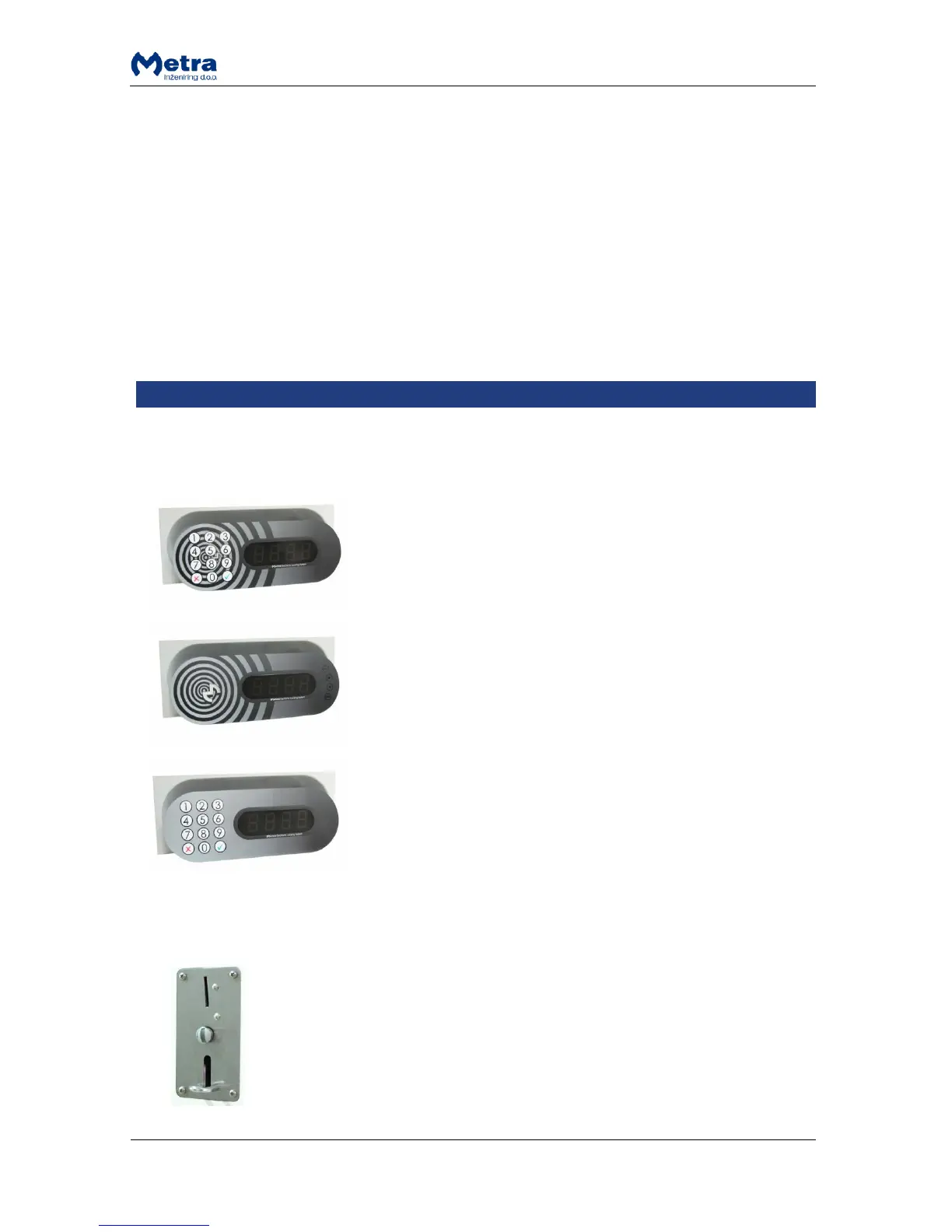
Metra Display RFID is a user interface for Metra ELS systems, while
Metra Display Combo and Keypad are a user interfaces for Metra
ELS and Metra ELS SELECT systems.
Display Combo: Read RFID tickets as locker keys. Twelve key
washable keypad is integrated to enable additional user
interaction (PIN, locker number, etc.) and can be used for locking /
unlocking instead of RFID media.
Display RFID: Reads RFID tickets as locker keys.
Display Keypad: Integrated 12 key washable keypad to enable
user interaction (PIN, locker number, etc.).
Each model shows the locker number on a four digit LED display.
They also perform audio signalization and show an alarm message
if an attempt of break-in is detected on a Metra Electric Lock
connected to a Metra Locker Controller.
Locker Controller’s operating parameters are set up through
integrated 4 key system keypad (Display RFID) or through 12 key
keypad (Display Combo and Keypad) and stored in Locker
Controller’s internal battery powered memory. To simplify setup
of Locker Controller and manage master keys and master/setup
codes also Metra software can be used.



 To Next Page