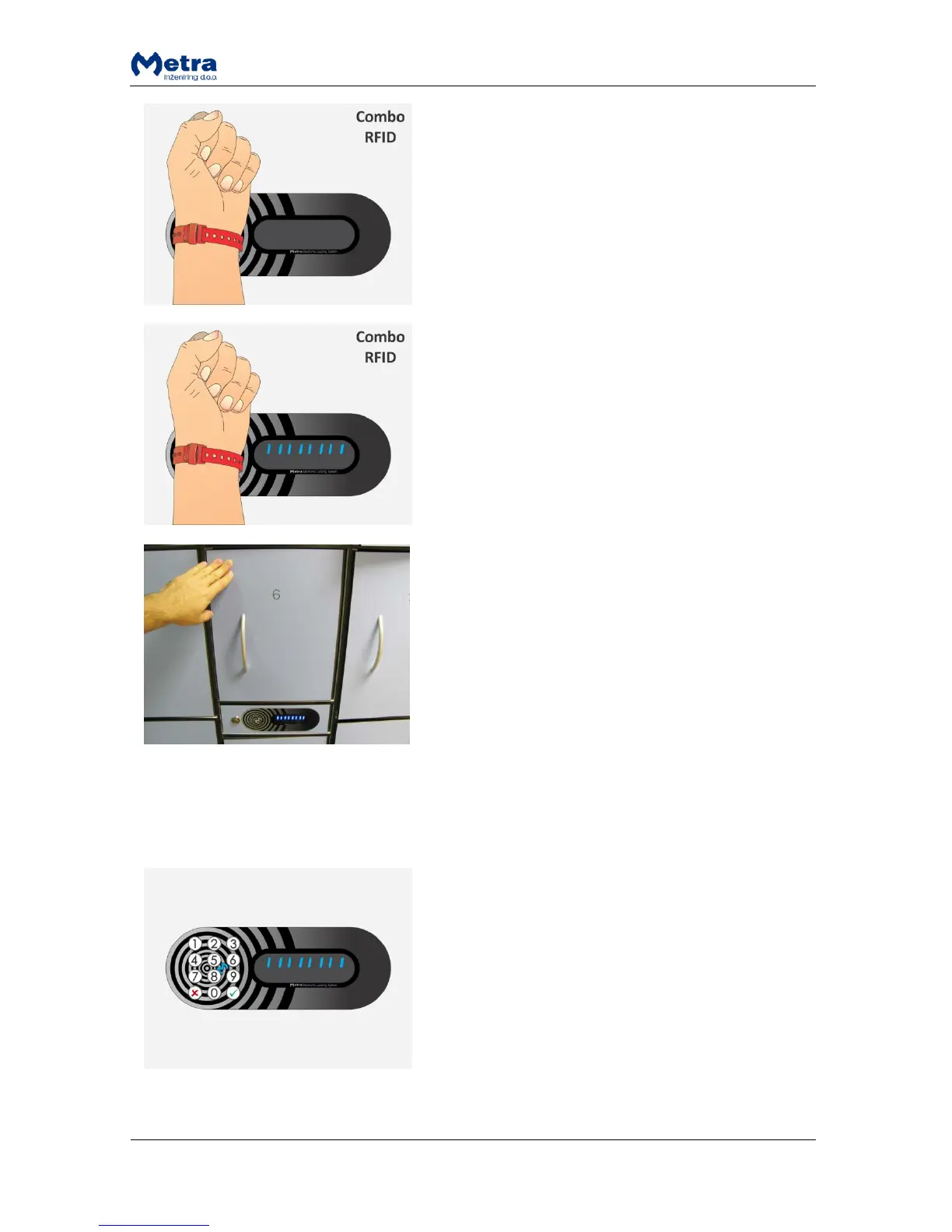
STEP 1: Approach the RFID media to the antenna field.
Reading distance is 2 – 5 centimetres from the device
surface. Hold the RFID media in the field for a few
moments for device to read and process it.
STEP 2: When the RFID media is accepted as a Multi key
the multi locking mode is activated, countdown starts
and vertical lines are displayed.
STEP 3: Close the locker door. Locker is locked and its
number is displayed. You can close multiple lockers one
after another. Time countdown restarts after each locker
is locked.
When you stop closing the lockers and time countdown
ends, device exits multi locking mode.
PAYMENT: Not supported with Multi keys. Multi keys can lock lockers free of charge.
User waiting time increment
User waiting time increments (slower countdown) after
the countdown ended without presenting the RFID
media / finger or without entering the PIN code to lock
the locker. This gives user more time to present RFID
media or finger or to enter PIN code in second attempt.
NOTE: User waiting time increments only if the user
closes the same locker as in first attempt.



 To Next Page