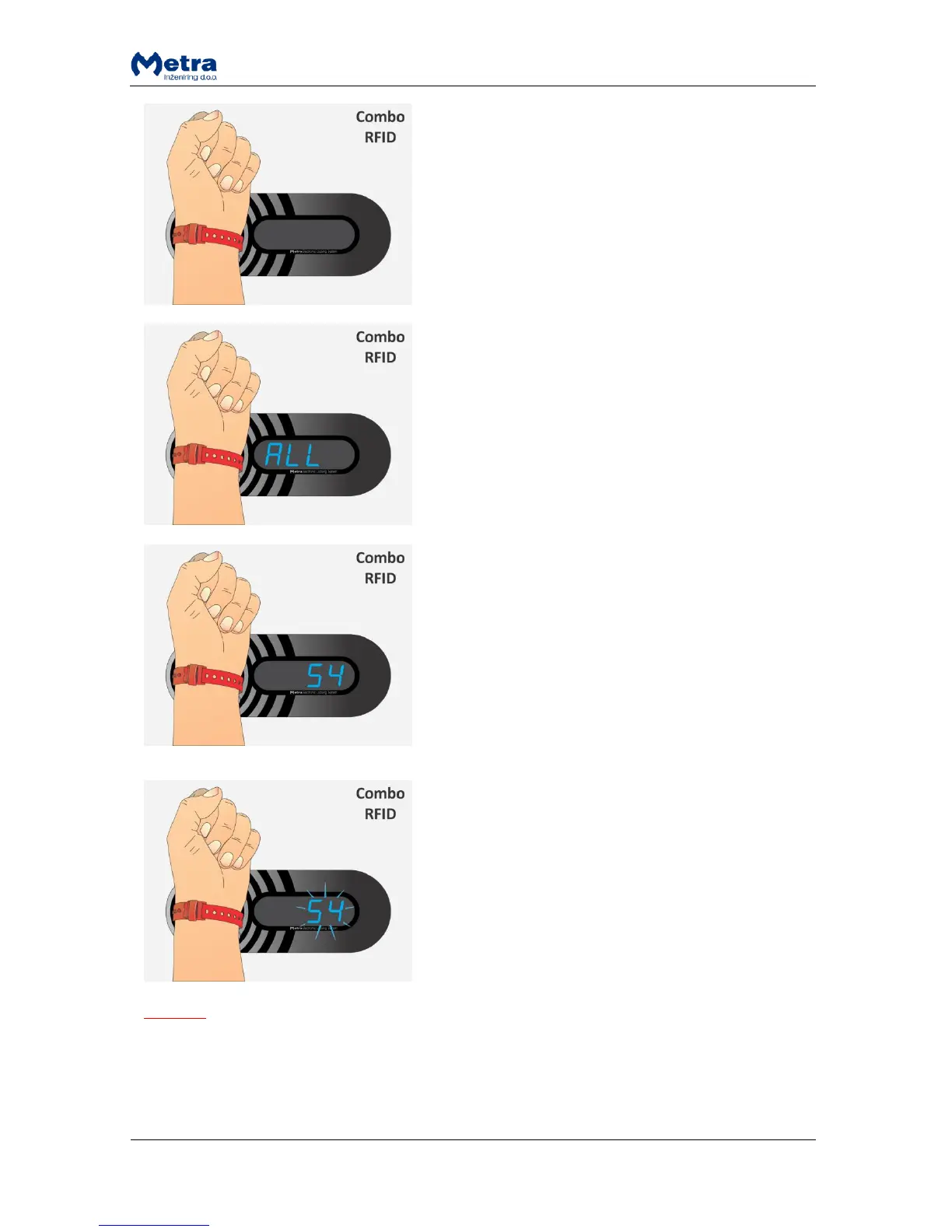
STEP 1: Approach the User / Multi key to the antenna
field. Reading distance is 2 – 5 centimetres from the
device surface. Hold the RFID media in the antenna field
for a few moments for device to read and process it.
STEP 2: When the RFID media is recognised as a locker
key Display shows sign “ALL” following by locker
numbers of previously locked lockers by this User / Multi
key. Each number is displayed for 1.5 seconds.
Remove the User / Multi key form the antenna filed.
STEP 3 A: To open all lockers at once present the User /
Multi key again to the antenna field when sign “ALL” is
displayed.
Remove the User / Multi key form the antenna filed.
STEP 3 B: To open single locker present the User / Multi
key again to the antenna field when locker’s number is
displayed.
Remove the User / Multi key form the antenna filed.
STEP 4: Sign “ALL” starts flashing. Present the User /
Multi key again to the antenna field to confirm selection.
Corresponding lockers start to unlock and open one after
another and corresponding locker numbers are
displayed.
STEP 4 B: Locker’s number starts flashing. Present the
User / Multi key again to the antenna field to confirm
selection. Corresponding locker unlocks and opens. Its
number is also displayed.
NOTE (Only for user RFID media that supports multiple locking)
If sign “Euro” / “Coin” / ”GbP” / ”PAY” / “USd / “CHF” is displayed instead of locker number,
continue with the procedure described in paragraph “Exceeded tenancy time”! Additional
payment is required for each locked locker with exceeded tenancy time.
If sign “bLOC” is displayed instead of locker number, see paragraph “Expired tenancy time”!



 To Next Page