■■■■■■■■■■■■■■■■■■■■■■
3 Installation
874 Oven Sample Processor
■■■■■■■■
27
tions and any special positions on the rack are defined along with the
rack type.
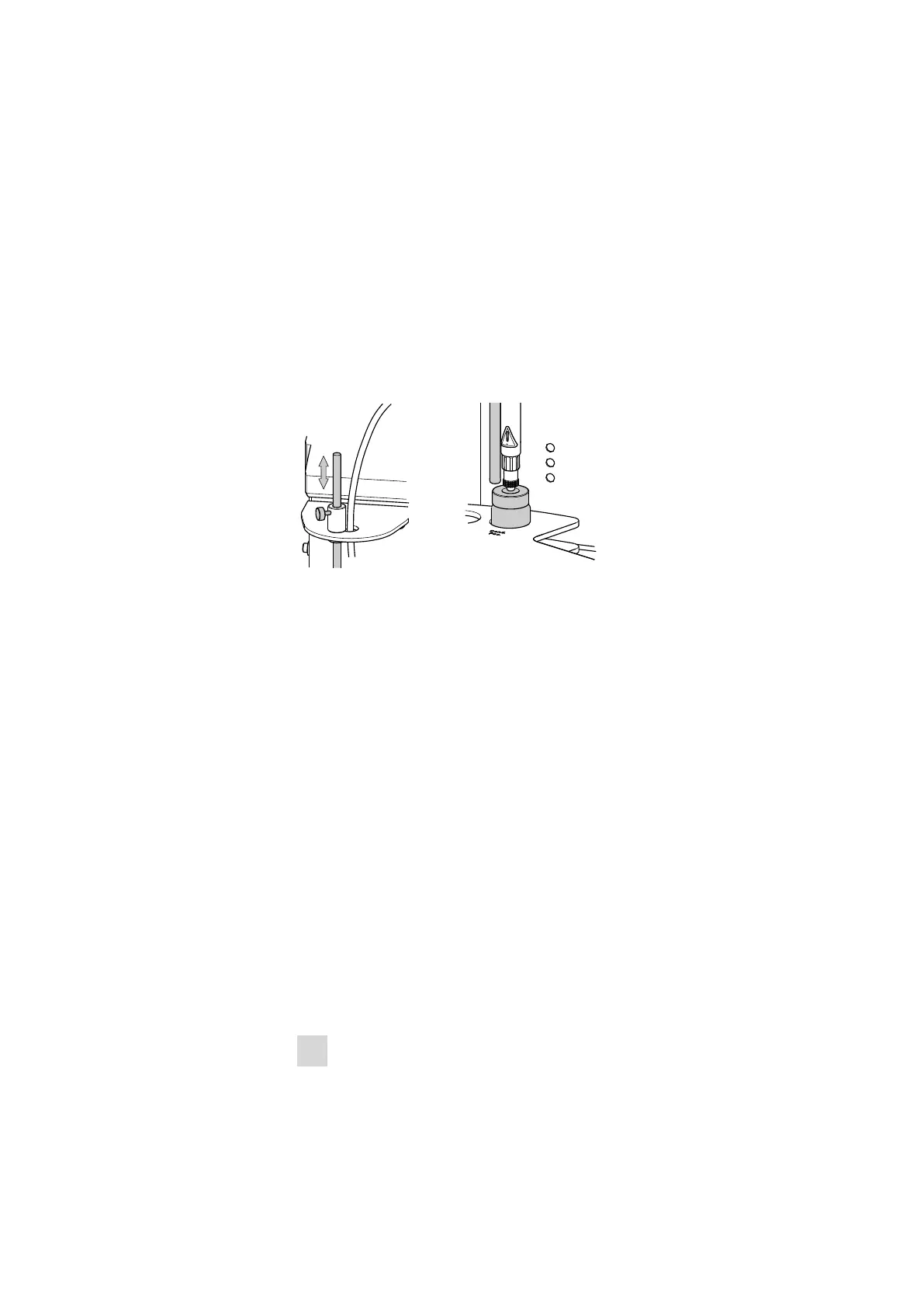
3.13 Adjusting the guide rod
The needle is pulled out of the sample vial by the upward movement of
the lift. The sample vial is not permitted to remain hanging on the needle
during this procedure. The rod that is fixed to the guide head with a
knurled screw is used for stripping the vial. The vertical positioning of the
guide rod must be adjusted, depending on the height of the sample vial.
The guide rod must not obstruct the sample vial when the rack is rotated.
Figure 16
Adjusting the guide rod
Undo the red knurled screw on the guide head and adjust the height of
the guide rod.
3.14 Connecting a computer
The 874 Oven Sample Processor requires a USB connection to a computer
in order to be able to be controlled by a computer software. Using a
6.2151.000 controller cable, the instrument can be connected directly,
either to a USB socket on a computer, to a connected USB hub or to a
different Metrohm control instrument.
You need administrator rights for the installation of driver software and
control software on your computer.
Cable connection and driver installation
A driver installation is required in order to ensure that the 874 Oven Sam-
ple Processor is recognized by the computer software. To accomplish this,
you must comply with the procedures specified. The following steps are
necessary:
1
Install the software
■ Insert the computer software installation CD and carry out the
installation program directions.











 To Next Page