3.16 Connecting USB devices
■■■■■■■■■■■■■■■■■■■■■■
34
■■■■■■■■
874 Oven Sample Processor
3.16 Connecting USB devices
Two USB connectors (type A sockets) are available for connecting instru-
ments with an USB interface. The 874 Oven Sample Processor then func-
tions as USB hub (distributor). If you wish to connect more than two USB
devices, you can also use an additional, commercially available USB hub.
NOTICE
When connecting an USB device, the control instrument automatically
recognizes which device is connected. The control software enters a
connected USB device automatically into the system configuration
(device manager).
3.16.1 Connecting a barcode reader
A barcode reader is used as an aid for text and numerical input. You can
connect a barcode reader with USB interface.
Connect the barcode reader as follows:
1
Connecting the cables
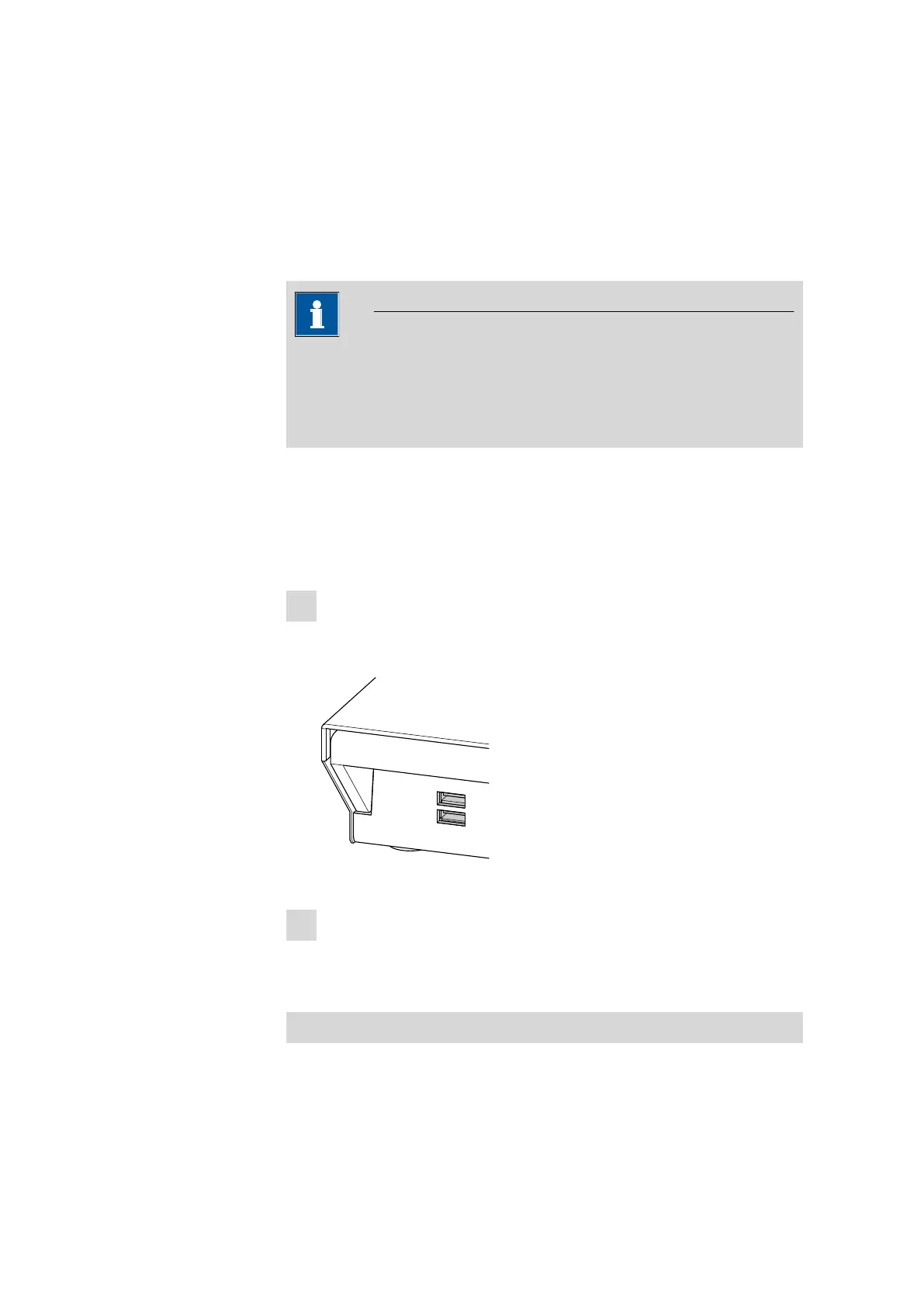
■ Insert the USB plug (type A) of the barcode reader into one of the
USB sockets on the rear of the instrument.
Figure 23 USB connectors
2
Configuring the barcode reader in the control software
■ Configure the barcode reader in the configuration of the control
software, as described in the online help of the software.
Setting the barcode reader
The barcode reader requires certain basic settings. You can find instruc-
tions on how to program the barcode reader in the manual for the bar-











 To Next Page