Operating Instruction X-Type plus
Operating instructions X-Type plus V1-3.docx Page 32 of 45
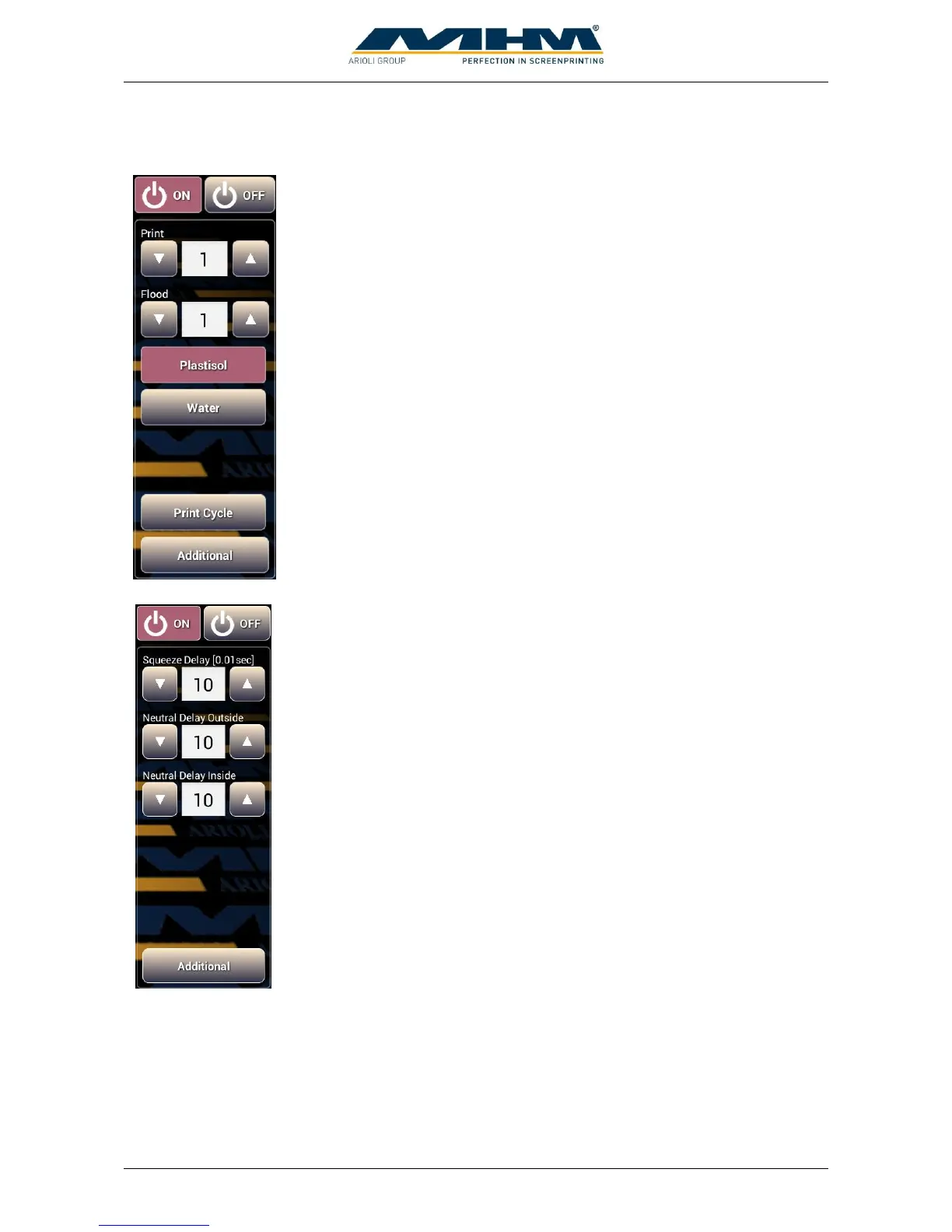
If a print station is selected the following control panels are displayed.
“On” activates a station, appending parameters are displayed.
“Off” deactivates a station.
Determines the number of print strokes at a print cycle.
Determines the number of flood strokes at a print cycle.
Select this when plastisol ink is used. Print cycle starts with a flood stroke
followed by the print stroke.
Select this when waterbased ink is used. Print cycle starts with a print
stroke followed by the flood stroke to prevent screen from drying up.
Start a print cycle with the programmed number of print and flood strokes.
Switches to the following control panel.
“On” activates a station, appending parameters are displayed.
“Off” deactivates a station.
Start delay for squeegee movement. Input in hundredth of a second.
Shifting time for squeegee center position outside. Input in hundredth of a
second.
Shifting time for squeegee center position inside. Input in hundredth of a
second.
Switches to previous control panel.



 To Next Page