MCS-BMS-GATEWAY Startup Guide REVISION 4.5
35
Chapter - 3. Setup for MCS-BMS-GATEWAY-NL
3.1. Record Identication Data
Each MCS-BMS-GATEWAY-NL has a unique part number located on the side or the back of the unit. This number
should be recorded, as it may be required for technical support. The numbers are as follows:
Model Part Number
MCS-BMS-GATEWAY-NL FPC-ED4 FPC-ED4
Figure 1: MCS-BMS-GATEWAY-NL Part Numbers
• FPC-ED4 units have the following 3 ports: LonWorks + Ethernet + RS-485.
3.2. Conguring Device Communications
3.2.1 Set COM settings on all Devices Connected to the MCS-BMS-GATEWAY-NL
• Set up all devices on the same subnet as the MCS-BMS-GATEWAY-NL and the conguration
PC.
• All of the connected serial devices MUST have the same Baud Rate, Data Bits, Stop Bits, and
Parity settings as the MCS-BMS-GATEWAY-NL.
•
3.2.2 Set IP Address for each MCS-MAGNUM connected to the MCS-BMS-GATEWAY-NL
The device needs to be on the same IP subnet as the MCS-BMS-GATEWAY-NL and the conguration PC.
Record the following MCS-MAGNUM information to start the setup:
IP Address
MCS-MAGNUM BacNet Device ID
Set MCS-MAGNUM BacNet port to 47808 in MCS-CONFIG
• For Windows XP:
*Customer ProtoCarrier Startup Guide
Page 23 of 38
6 LONWORKS (FPC-C35): COMMISSIONING PROTOCARRIER ON A
LONWORKS NETWORK
Commissioning may only be performed by the LonWorks administrator.
6.1 Commissioning ProtoCarrier FPC-C35 on a LonWorks Network
The User will be prompted by the LonWorks Administrator to hit the Service Pin on the ProtoCarrier
FPC-C35 at the correct step of the Commissioning process which is different for each LonWorks
Network Management Tool.
x If an XIF file is required, see steps in Section 6.1.1 to generate XIF.
6.1.1 Instructions to Download XIF File from ProtoCarrier FPC-C35 Using Browser
x Connect a CAT5 Ethernet cable (Straight through or Cross-Over) between the PC and
ProtoCarrier.
x The Default IP Address of ProtoCarrier is 192.168.1.24, Subnet Mask is 255.255.255.0. If the PC
and ProtoCarrier are on different IP Networks, assign a static IP Address to the PC on the
192.168.1.xxx network.
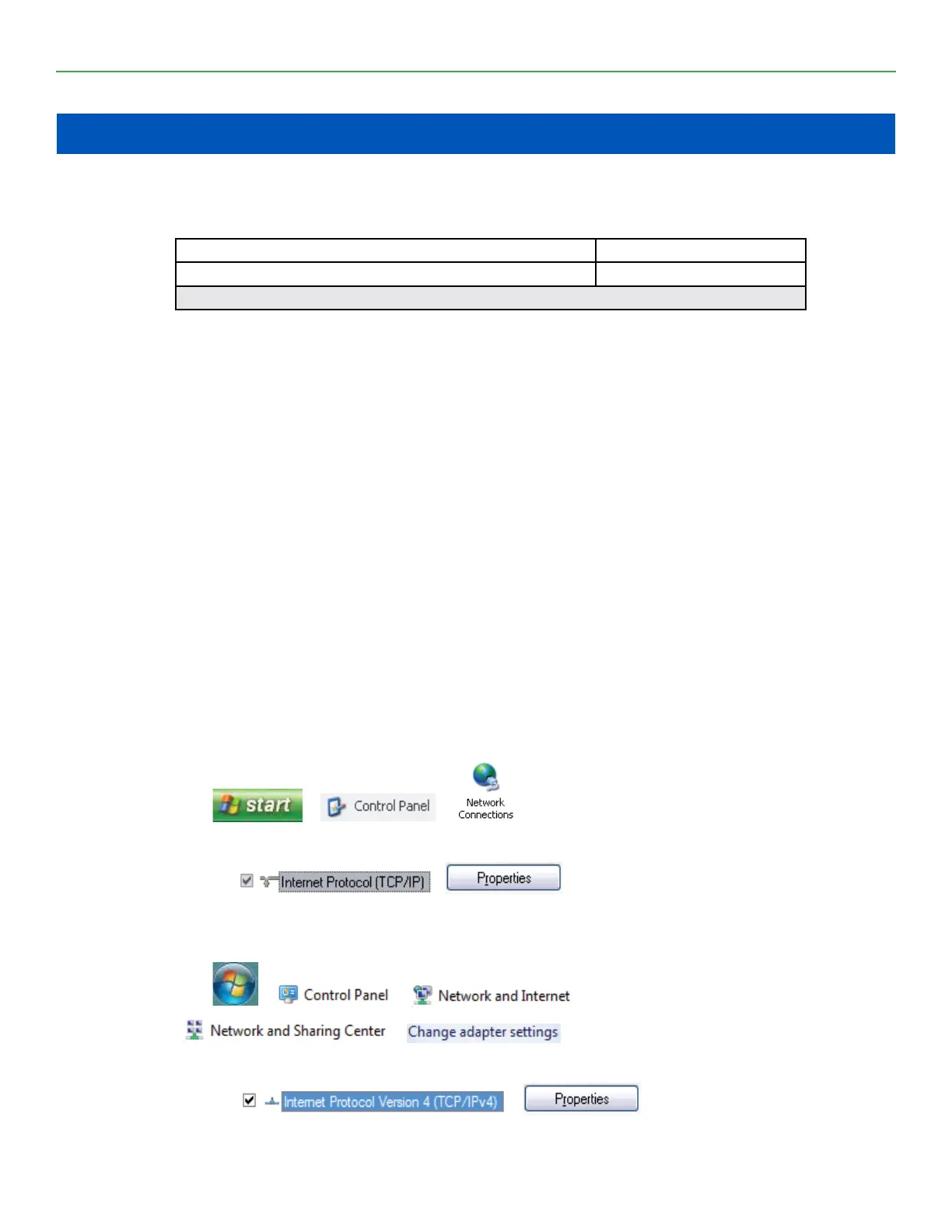
x For Windows XP:
Go to > >
Right-click on Local Area Connection > Properties
Highlight >
x For Windows 7 or later:
Go to > >
> >
Right-click on Local Area Connection > Properties
Highlight >
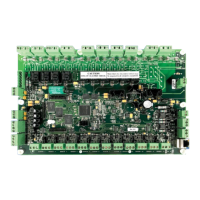
Figure 17: LonWorks Service Pin Location


 To Next Page