MCS-BMS-GATEWAY Startup Guide REVISION 4.5
48
Chapter - 5. Programming a MCS-BMS GATEWAY-NL
• Ensure that FieldServer Toolbox is loaded onto the local PC. Otherwise, download the FieldServ-
er-Toolbox.zip via the MCS WEBSITE Software Downloads.
• Extract the executable le and complete the installation.
1. Connect a standard Cat-5 Ethernet cable between the user’s PC and MCS-BMS-GATEWAY-NL.
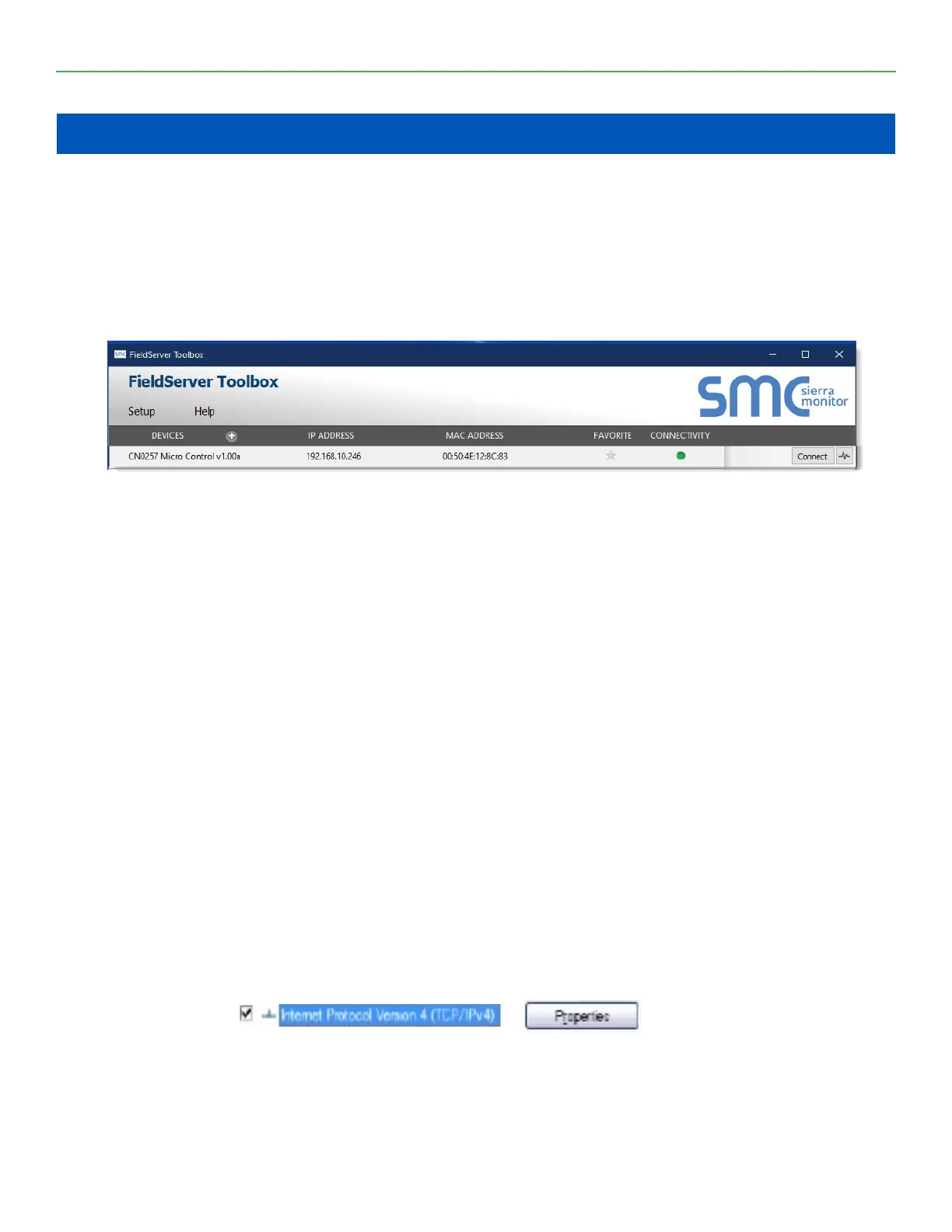
2. Double click on the FS Toolbox Utility and click Discover Now on the splash page.
3. Check for the IP Address of the desired gateway.
4. NOTE: If the connect button is greyed out and the CONNECTIVITY light is yellow, the MCS-BMS-GATEWAY-
NL IP Address must be set to be on the same network as the PC.
5.1. Connecting A PC to the MCS-BMS-GATEWAY-NL
1. Check that the IP network adapter settings of the PC matches the MCS-BMS-GATEWAY-NL. The Default IP
Address of the MCS-BMS-GATEWAY-NL is 192.168.18.201, Subnet Mask is 255.255.255.0, Default Gateway is
192.168.18.1. Ensure that the IP address is 192.168.18.xxx, the Subnet mask is 255.255.255.0 and the Default
2. Gateway is 192.168.18.1
3. Ensure that the PC and MCS-BMS-GATEWAY-NL are on the same IP Network, or assign a Static IP Ad-
dress to the PC on the 192.168.18.XXX network
4. Ensure that all other network adapters active on the PC, especially wireless adapters are disabled
5.2. Connect the PC to MCS-BMS-GATEWAY-NL via the Ethernet Port
5.2.1 For Windows 7 or later
1. Find the search eld in the local computer’s taskbar (usually to the right of the windows icon and type in
“Control Panel”.
2. Click “Control Panel”, click “Network and Internet”
3. Right-click on Local Area Connection > Properties
Chapter - 6. Highlight >
4. Click the Okay button to close the Internet Protocol window and the Close button to close the Ethernet
Properties window.


 To Next Page