MCS-BMS-GATEWAY Startup Guide REVISION 4.5
49
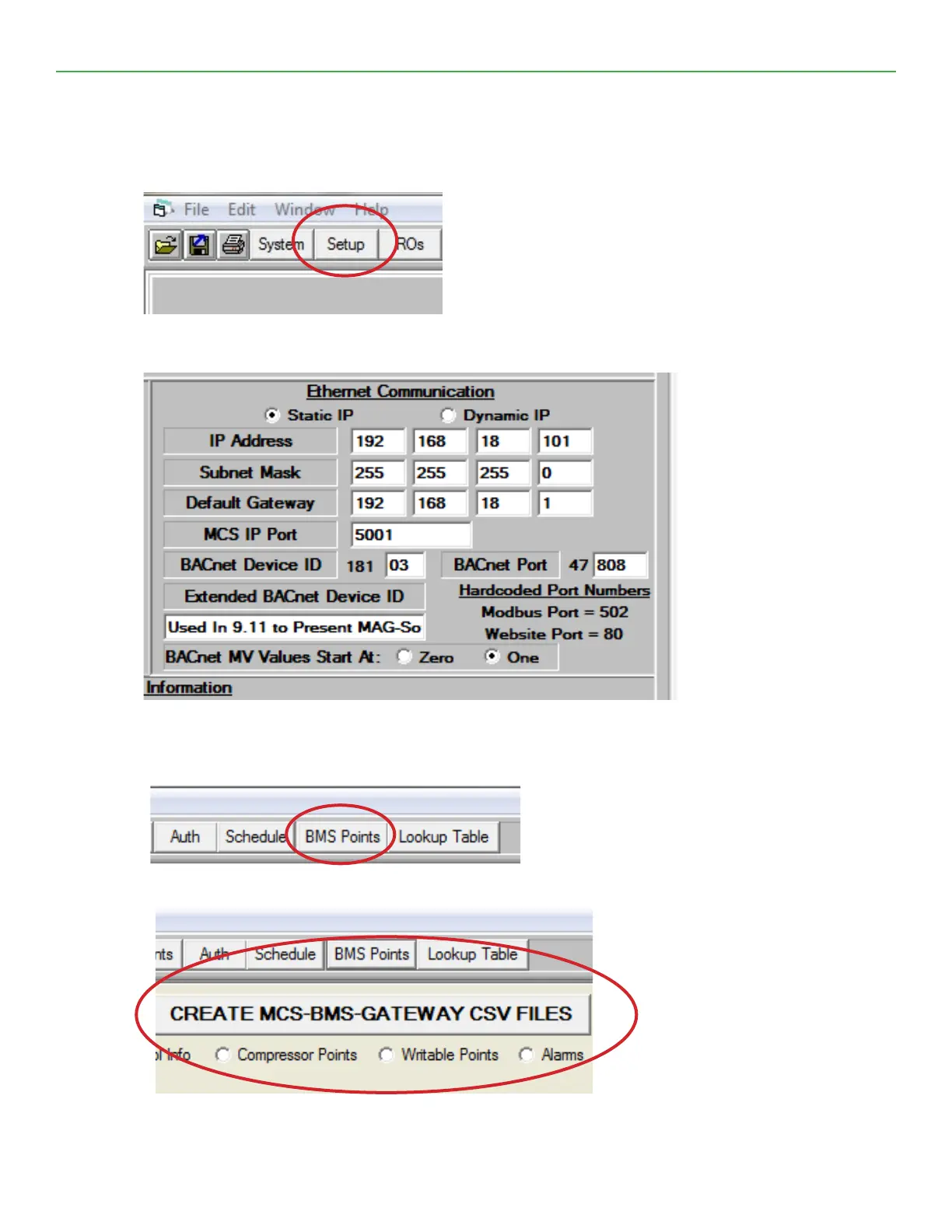
6.1. How to Create CSV Files:
1. Open MCS-Cong program and load the cong you are working on.
2. Click on Setup.
3. Be sure to set IP Address, Subnet Mask, Default Gateway, MCS IP Port and Bacnet Device ID, then save
cong le. DO NOT CHANGE BACNET DEVICE ID ONCE CSV FILES ARE CREATED!!
4. Click on BMS POINTS.
5. Click on Create MCS-BMS-GATEWAY-NL CSV Files.


 To Next Page